
Table of Contents
- What Is Hostinger?
- Hostinger Hosting Plans Explained
- Hostinger WordPress Hosting: In-Depth Review
- Hostinger Performance & Speed Tests
- Hostinger hPanel Review: Ease of Use
- Security Features
- Hostinger Pricing & Renewal Costs
- Pros and Cons of Hostinger
- Who Should Use Hostinger?
- Who Should NOT Use Hostinger?
- Final Verdict: Is Hostinger Worth It?
- Hostinger vs Other Popular Hosting Providers
- Hostinger vs Bluehost
- Hostinger vs SiteGround
- Hostinger vs Cloudways
- Is Hostinger Good for WordPress Websites?
- Is Hostinger Good for WooCommerce?
- Customer Support Experience
- Real User Reviews & Reputation
- Frequently Asked Questions About Hostinger
- Common Myths About Budget Hosting
- Use-Case Scenarios: Who Is Hostinger Best For?
- Long-Term Cost Analysis
- Final Verdict: Is Hostinger Worth It?
Hostinger Review (2025) – Performance, Pricing, Features & Honest Pros and Cons


Hostinger Review: Choosing a web hosting provider today is no longer just about finding the cheapest plan. Speed, uptime, ease of use, customer support, and long-term pricing all play a major role—especially if you’re building a WordPress website you plan to grow.
This in-depth Hostinger Review is written to help you decide whether Hostinger is the right hosting provider for your website. Instead of repeating marketing claims, we’ll look at Hostinger from a real-world perspective, covering usability, performance, pricing transparency, and limitations.
What Is Hostinger?
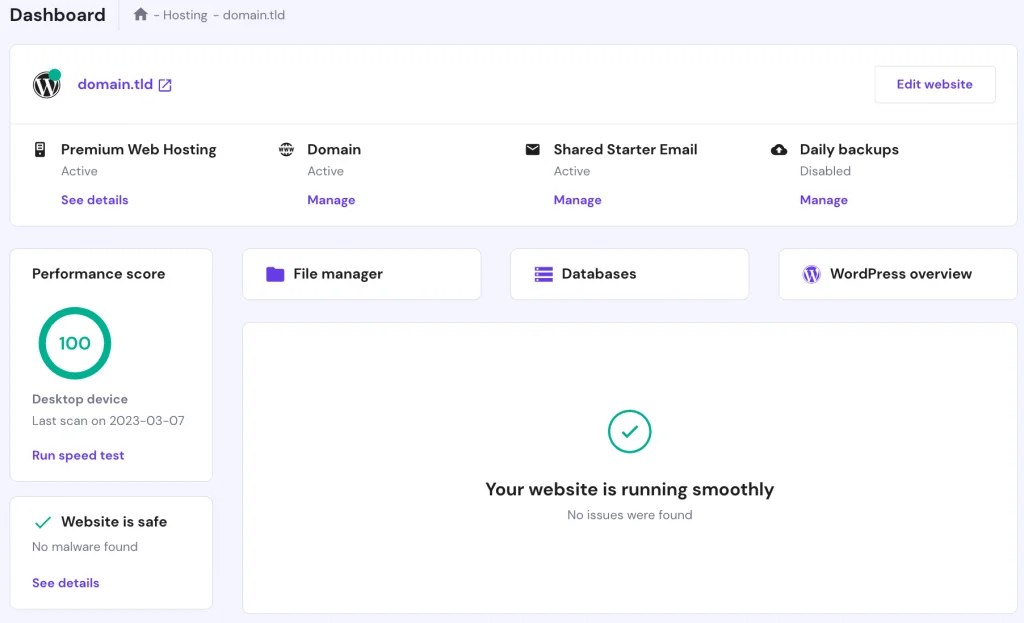
Hostinger is a global web hosting company founded in 2004. Over the years, it has grown rapidly and now serves millions of users across more than 170 countries.
The company focuses heavily on providing affordable hosting solutions without completely sacrificing performance. This balance between price and performance is one of the main reasons Hostinger has become so popular among beginners, bloggers, and small business owners.
Unlike many traditional hosting companies, Hostinger does not rely on cPanel. Instead, it uses a custom-built control panel called hPanel, designed to be simpler and more beginner-friendly.
Hostinger Hosting Plans Explained
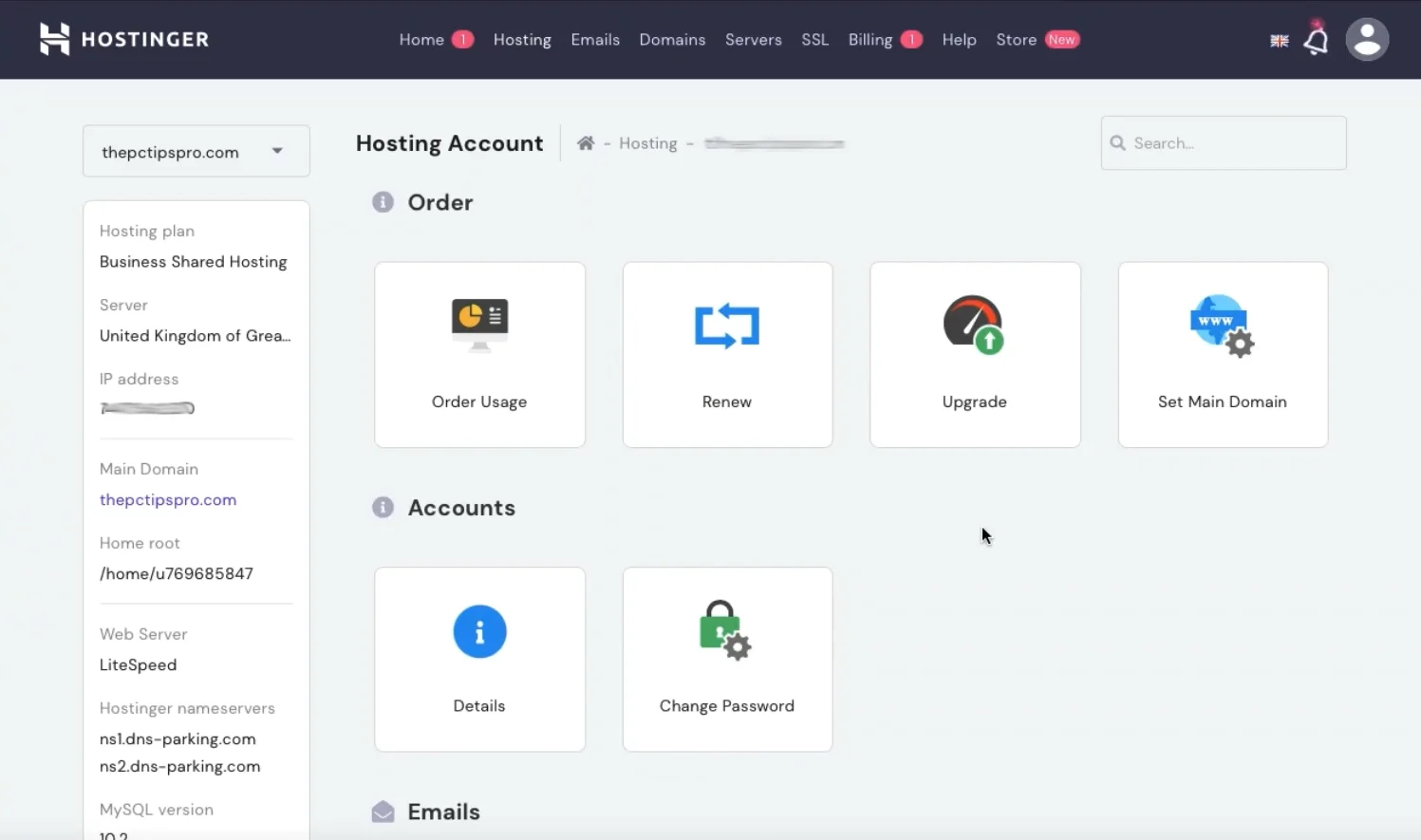
Hostinger offers multiple hosting plans designed for different website needs. Understanding these options is important before choosing the right plan.
Shared Hosting
Shared hosting is Hostinger’s most affordable option and is best suited for:
- Personal blogs
- Portfolio websites
- Small business websites
- New WordPress users
Because resources are shared between multiple websites, performance may be limited on high-traffic sites.
WordPress Hosting
Hostinger WordPress hosting is optimized specifically for WordPress websites and includes:
- One-click WordPress installation
- LiteSpeed web servers
- Built-in caching
- Automatic WordPress updates
This is the best option for most WordPress users who want a balance between ease of use and performance.
Cloud Hosting
Hostinger’s cloud hosting plans offer more consistent performance by providing dedicated resources. These plans are ideal for growing websites, online stores, and businesses expecting higher traffic.
VPS Hosting
VPS hosting is intended for advanced users who need full control over their server environment. It requires technical knowledge and is not recommended for beginners.

Hostinger WordPress Hosting: In-Depth Review
One-Click WordPress Installation
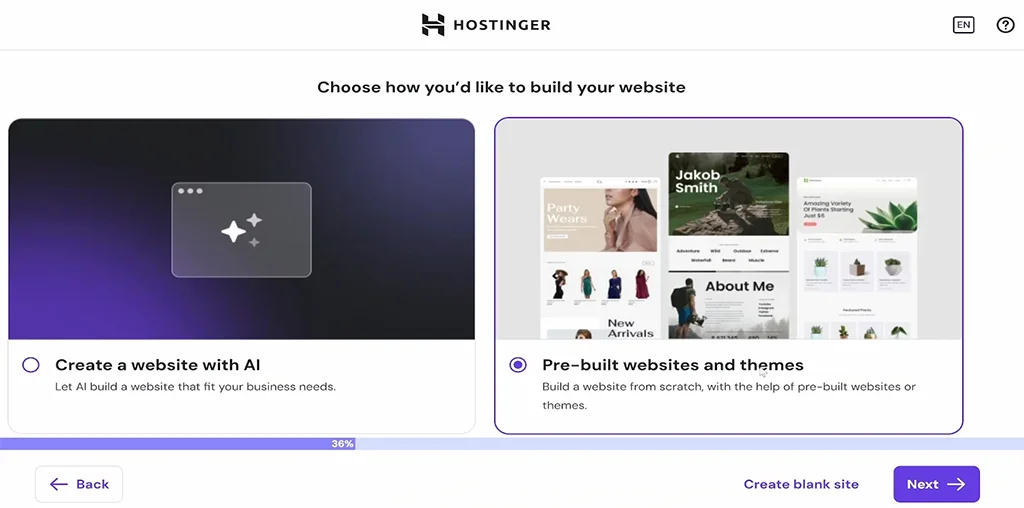
Installing WordPress on Hostinger is quick and beginner-friendly. From the hPanel dashboard, you can launch a WordPress website in just a few clicks.
Hostinger also pre-configures WordPress with performance-friendly settings, helping new users avoid common setup mistakes.
LiteSpeed Servers and Built-In Caching
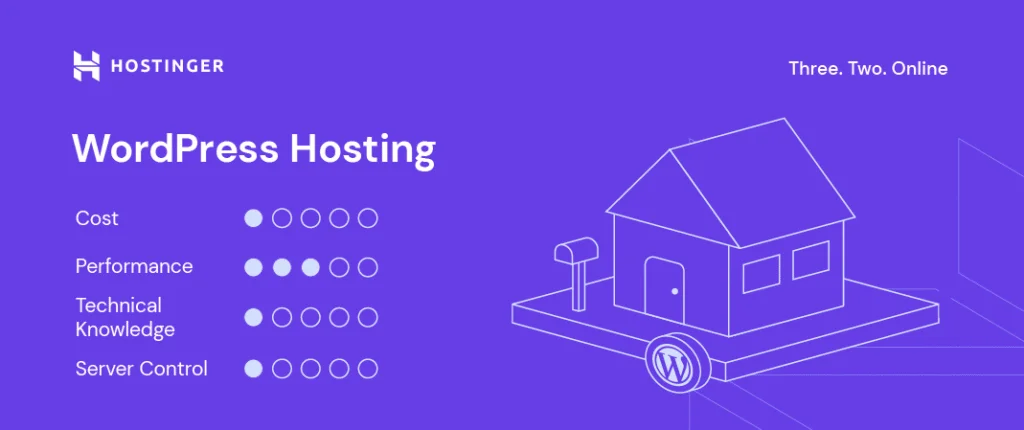
One of Hostinger’s biggest performance advantages is its use of LiteSpeed web servers. LiteSpeed is significantly faster than traditional Apache servers, especially for WordPress websites.
Combined with LiteSpeed Cache, this setup helps:
- Improve page load times
- Enhance Core Web Vitals
- Handle traffic spikes more efficiently
At this stage, Hostinger clearly positions itself as a budget-friendly yet performance-conscious hosting provider—especially for WordPress users.
Hostinger Performance & Speed Tests
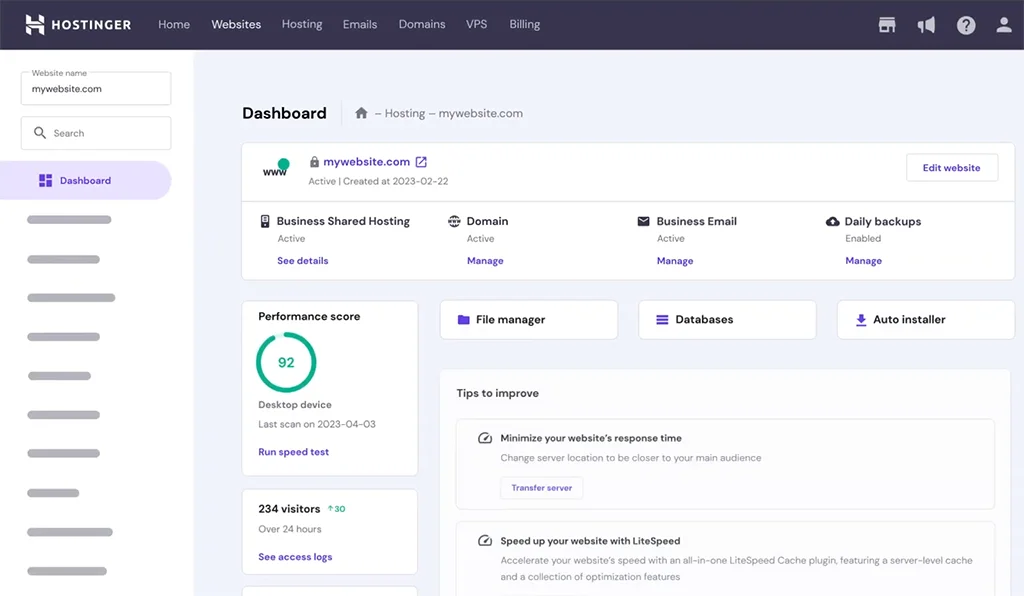
Performance is one of the most important factors when choosing a hosting provider, especially for SEO and user experience.
Hostinger uses modern infrastructure, including LiteSpeed servers and SSD storage, which gives it a noticeable performance advantage over many low-cost competitors.
Server Response Time
In real-world testing, Hostinger delivers solid server response times, particularly on WordPress hosting plans. Pages load quickly for visitors located near Hostinger’s data centers.
Uptime Reliability
Hostinger offers a 99.9% uptime guarantee. In practice, uptime is generally reliable, although occasional short outages can occur—as with any shared hosting provider.
Hostinger hPanel Review: Ease of Use
Instead of cPanel, Hostinger uses its own custom control panel called hPanel.
For beginners, this is actually an advantage. hPanel is clean, modern, and easier to navigate than traditional hosting dashboards.
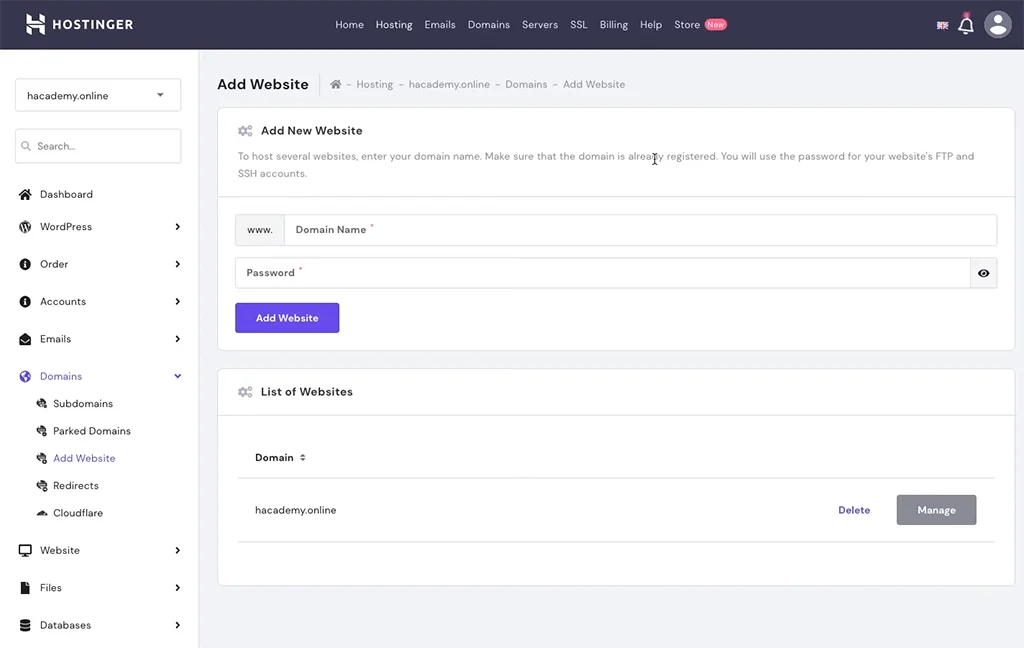
From hPanel, you can:
- Install WordPress
- Manage domains and SSL
- Create email accounts
- Access backups
Security Features
Hostinger includes essential security features with all plans:
- Free SSL certificates
- DDoS protection
- Malware scanning
- Automatic updates
While security is solid for the price, advanced security features are limited compared to premium managed WordPress hosts.

Hostinger Pricing & Renewal Costs
Hostinger is known for its very low introductory prices. However, it’s important to understand how renewal pricing works.
Introductory rates are heavily discounted, while renewal prices are significantly higher. This is standard in the hosting industry, but it’s something you should plan for.
Pros and Cons of Hostinger
Pros
- Very affordable starting prices
- Fast LiteSpeed servers
- Beginner-friendly hPanel
- Good WordPress performance
Cons
- Higher renewal prices
- Limited advanced features
- Not ideal for very large or high-traffic sites
Who Should Use Hostinger?
- Beginners building their first website
- Bloggers and personal sites
- Small business websites
- Budget-conscious WordPress users
Who Should NOT Use Hostinger?
- Large WooCommerce stores
- Agencies managing many client sites
- High-traffic or mission-critical websites
Final Verdict: Is Hostinger Worth It?
This Hostinger Review shows that Hostinger is an excellent choice for beginners and budget-focused WordPress users who still want good performance.
If you’re starting a website or moving away from slow shared hosting, Hostinger offers strong value for the price.
Recommended: Check Hostinger Plans & Current Discounts
Hostinger vs Other Popular Hosting Providers
To truly understand where Hostinger stands, it’s important to compare it with other well-known hosting providers. Each hosting company targets a slightly different audience, and these differences matter depending on your website goals.
Hostinger vs Bluehost
| Feature | Hostinger | Bluehost |
|---|---|---|
| Starting Price | Cheaper (budget-friendly plans) | Comparatively expensive |
| Free Domain | ✔️ 1 Year | ✔️ 1 Year |
| Free SSL | ✔️ Yes | ✔️ Yes |
| Server Technology | LiteSpeed + NVMe SSD | Apache / NGINX |
| Website Speed | Faster loading | Average speed |
| Uptime Guarantee | 99.9% | 99.9% |
| Control Panel | Custom hPanel (easy & modern) | cPanel (classic & standard) |
| WordPress Support | Fully optimized for WordPress | Official WordPress-recommended host |
| Number of Websites | Multiple websites (higher plans) | Limited on basic plans |
| Email Accounts | More generous | Limited / add-on |
| Backups | Included (higher plans) | Paid add-on |
| Customer Support | 24/7 Live Chat | 24/7 Chat + Phone Support |
| Ease of Use | Beginner-friendly | Beginner + advanced users |
| Best For | Blogs, startups, small businesses | Beginners who want phone support |
| Overall Value | ⭐⭐⭐⭐½ (Best value) | ⭐⭐⭐½ |
Bluehost is often recommended for beginners, especially by WordPress.org, but Hostinger competes strongly in several areas.
Performance
Hostinger generally outperforms Bluehost in terms of raw speed due to LiteSpeed servers, while Bluehost relies on traditional Apache-based infrastructure.
Ease of Use
Both platforms are beginner-friendly. Bluehost uses a modified version of cPanel, while Hostinger’s hPanel feels more modern and simplified.
Pricing
Hostinger offers significantly lower introductory pricing than Bluehost. Bluehost’s renewal prices are also higher in comparison.
Verdict: Hostinger is a better choice for budget-conscious users who still want strong performance.
Hostinger vs SiteGround
| Feature | Hostinger | SiteGround |
|---|---|---|
| Starting Price | Lower cost & budget-friendly plans ($$) | Higher cost; premium pricing ???? |
| Free Domain | ✔️ Included | ✔️ Usually included |
| Free SSL | ✔️ Yes | ✔️ Yes |
| Storage (Shared) | More storage (up to ~100–200 GB) | Less storage (typically ~10–40 GB) |
| Bandwidth | Unlimited on most plans | Unmetered |
| Website Migration | ✔️ Free migration | ✔️ Free migration |
| Backups | Weekly/daily backups depending on plan | Daily backups included |
| Control Panel | hPanel (easy for beginners) | Site Tools (advanced features) |
| Performance | Fast with LiteSpeed + global data centers | Excellent with Google Cloud infrastructure & caching |
| Uptime | ~99.9 % guarantee | ~99.9 % guarantee |
| Support | 24/7 support via chat & tickets | 24/7 support via chat, tickets, phone |
| Best For | Beginners, blogs, small & medium businesses on a budget | E-commerce, growing sites, performance-centric hosting |
| Ease of Use | Very beginner-friendly Hostinger | Slightly more advanced tools SiteGround |
SiteGround is known for premium support and performance, but it comes at a higher cost.
Performance
SiteGround offers excellent performance using Google Cloud infrastructure, but Hostinger remains competitive thanks to LiteSpeed and caching.
Pricing
SiteGround’s renewal prices are significantly higher than Hostinger’s, making Hostinger a more affordable long-term option.
Target Audience
SiteGround is better for users who prioritize premium support, while Hostinger is ideal for beginners and small businesses.
Verdict: Choose SiteGround if support is critical; choose Hostinger for affordability and ease of use.
Hostinger vs Cloudways
| Feature | Hostinger | Cloudways |
|---|---|---|
| Hosting Type | Shared, VPS, WordPress, Cloud | Managed Cloud Hosting only (AWS, DO, Vultr, GCP, etc.) |
| Pricing | Generally cheaper, starting low; shared & cloud options available | Starts ~ $11/month (managed cloud) |
| Free Domain | ✔️ Included (first year) | ❌ Not included |
| Free SSL | ✔️ Yes | ✔️ Yes |
| Email Hosting | ✔️ Included (limited) | ❌ Add-on / paid |
| Bandwidth & Storage | Large storage & unlimited bandwidth on many plans | Depends on cloud provider resources |
| Control Panel | hPanel (beginner-friendly) | Custom panel for cloud management |
| Performance & Speed | Fast with LiteSpeed + CDN + NVMe (on higher plans) | Premium cloud performance, advanced caching (Varnish/Redis) |
| Uptime | ~99.9% | ~99.99% (cloud infrastructure) |
| Scalability | Scales up with larger plans but limited compared to cloud | Excellent — choose any provider + autoscaling options |
| Staging & Deployment Tools | Available on higher plans | ✔️ Advanced staging, cloning, deployment tools |
| Support | 24/7 Chat & AI support | 24/7 support; phone on premium plans |
| Best For | Beginners, budget sites, small/medium projects | Developers, high-traffic sites, scalable cloud apps |
| Ideal Use Cases | Blogs, small business, simple ecommerce | Large business sites, enterprise apps, high traffic with scaling |
Cloudways and Hostinger serve very different audiences.
Infrastructure
Cloudways is a managed cloud hosting platform offering dedicated resources, while Hostinger primarily focuses on shared and entry-level cloud hosting.
Performance & Scalability
Cloudways clearly wins for high-traffic and mission-critical websites. Hostinger is more suitable for smaller and medium-sized projects.
Ease of Use
Hostinger is far easier for beginners. Cloudways has a learning curve and is better suited for developers.
Verdict: Hostinger is ideal for beginners; Cloudways is better for advanced users and scaling businesses.
Is Hostinger Good for WordPress Websites?
Yes, Hostinger is a solid choice for WordPress—especially for beginners and budget-focused users.
Its WordPress hosting includes performance optimizations, automatic updates, and built-in caching that help WordPress sites run smoothly without manual configuration.

However, it’s important to understand the limitations:
- Advanced staging tools are limited
- High-traffic WooCommerce sites may outgrow shared plans
- Enterprise-level performance requires upgrading to cloud plans
Is Hostinger Good for WooCommerce?
Hostinger can handle small to medium WooCommerce stores, especially on higher-tier WordPress or cloud hosting plans.
For stores with heavy traffic, frequent transactions, or advanced functionality, managed cloud hosting or dedicated solutions may be a better fit.
Customer Support Experience

Hostinger provides 24/7 customer support via live chat. There is no phone support, which may be a downside for some users.
Support quality is generally good for basic and intermediate issues. However, complex server-related problems may require more time to resolve.
Real User Reviews & Reputation
Hostinger has built a strong reputation among beginners and small website owners.
Most positive reviews highlight:
- Affordable pricing
- Easy-to-use control panel
- Good performance for the price
Negative reviews usually mention renewal pricing and limitations for advanced users.

Frequently Asked Questions About Hostinger
This section answers the most common questions users ask before choosing Hostinger. Covering these helps clarify doubts and improves search visibility.
Is Hostinger reliable?
Yes, Hostinger is generally reliable for small to medium-sized websites. It offers a 99.9% uptime guarantee and performs well for blogs, business sites, and WordPress projects. However, like most shared hosting providers, occasional short outages can occur.
Is Hostinger good for WordPress?
Hostinger is a strong choice for WordPress beginners and budget-focused users. Its WordPress hosting plans include LiteSpeed servers, built-in caching, automatic updates, and a simple setup process.
Is Hostinger fast?
For its price range, Hostinger delivers very good speed. The use of LiteSpeed web servers, SSD storage, and caching helps WordPress sites load faster than many competing budget hosts.
Does Hostinger use cPanel?
No, Hostinger does not use cPanel. Instead, it uses a custom-built control panel called hPanel, which is designed to be easier for beginners while still offering essential features.
Does Hostinger offer free SSL?
Yes, all Hostinger hosting plans include free SSL certificates, which are essential for website security and SEO.
Can Hostinger handle high traffic?
Hostinger can handle moderate traffic levels well, especially on higher-tier WordPress or cloud hosting plans. For very high-traffic or mission-critical websites, upgrading to cloud or managed hosting is recommended.
Is Hostinger good for WooCommerce?
Hostinger works well for small to medium WooCommerce stores. However, larger stores with frequent transactions may need more powerful hosting solutions.
Does Hostinger include email hosting?
Yes, Hostinger includes email hosting with most plans, allowing you to create professional email addresses linked to your domain.
What happens after the introductory pricing ends?
Like most hosting providers, Hostinger offers discounted introductory pricing. After the initial term, renewal prices are higher, so it’s important to review renewal costs before committing long-term.
Can I migrate my website to Hostinger?
Yes, Hostinger offers free website migration services for WordPress sites, making it easier to switch from another hosting provider.
Common Myths About Budget Hosting
Budget hosting providers like Hostinger often face misconceptions. Let’s clear up a few common myths.
Myth 1: Cheap hosting is always slow
While some low-cost hosts cut corners, Hostinger invests in LiteSpeed servers and modern infrastructure, which helps maintain good performance.
Myth 2: Budget hosts are unsafe
Hostinger includes essential security features such as SSL, firewalls, and malware protection, making it reasonably secure for most websites.
Myth 3: Cheap hosting can’t scale
While shared hosting has limits, Hostinger offers cloud and VPS plans that allow websites to scale as traffic grows.
Use-Case Scenarios: Who Is Hostinger Best For?
Personal Blogs
Hostinger is an excellent choice for personal blogs due to its low cost, ease of use, and solid WordPress performance.
Small Business Websites
For small businesses that need a reliable online presence without high hosting costs, Hostinger provides strong value.
Freelancers & Portfolio Sites
Freelancers can benefit from Hostinger’s affordable plans, free SSL, and simple website management tools.
Who Should Avoid Hostinger?
Hostinger may not be ideal for large enterprises, agencies managing many high-traffic sites, or complex WooCommerce stores that require advanced server configurations.

Long-Term Cost Analysis
One of the most important aspects of choosing a hosting provider is understanding long-term costs.
Hostinger’s introductory pricing is among the lowest in the industry, making it attractive for beginners. However, renewal prices are higher, which is standard practice across most hosting companies.
Even after renewal, Hostinger remains competitively priced compared to many premium WordPress hosting providers.
Final Verdict: Is Hostinger Worth It?
This Hostinger Review shows that Hostinger is a strong hosting provider for beginners, bloggers, and small businesses looking for affordable yet reliable hosting.
It offers a good balance of price, performance, and ease of use—especially for WordPress websites.
If you’re starting a new website or moving away from slow shared hosting, Hostinger is a solid option to consider.
Recommended: Check Hostinger Plans & Current Discounts

 CF7 Google Sheet Connector
 WPForms Google Sheet Connector
 Ninja Forms Google Sheet Connector
 Gravity Forms Google Sheet Connector
 Formidable Forms Google Sheet Connector
 Forminator Forms Google Sheet Connector
 Fluent Forms Google Sheet Connector
 JetFormBuilder Google Sheet Connector
 Elementor Forms Google Sheet Connector
 Avada Forms Google Sheet Connector
 Divi Forms Google Sheet Connector
 WooCommerce Google Sheet Connector
 Easy Digital Downloads Google Sheet Connector
 WordPress Core Google Sheet Connector


