Formidable Forms Google Sheet Connector PRO
Formidable Forms Google Sheet Connector PRO is a powerful WordPress addon that connects your Formidable Forms directly with Google Sheets, allowing automatic syncing of form submissions in real time.
If you use Formidable Forms to collect leads, orders, or user data, this plugin creates a seamless bridge between your WordPress website and Google Sheets- eliminating manual exports forever.
Built for speed, simplicity, and automation, GSheetConnector helps you manage form data efficiently while keeping everything organized inside your Google Drive.
Key Features
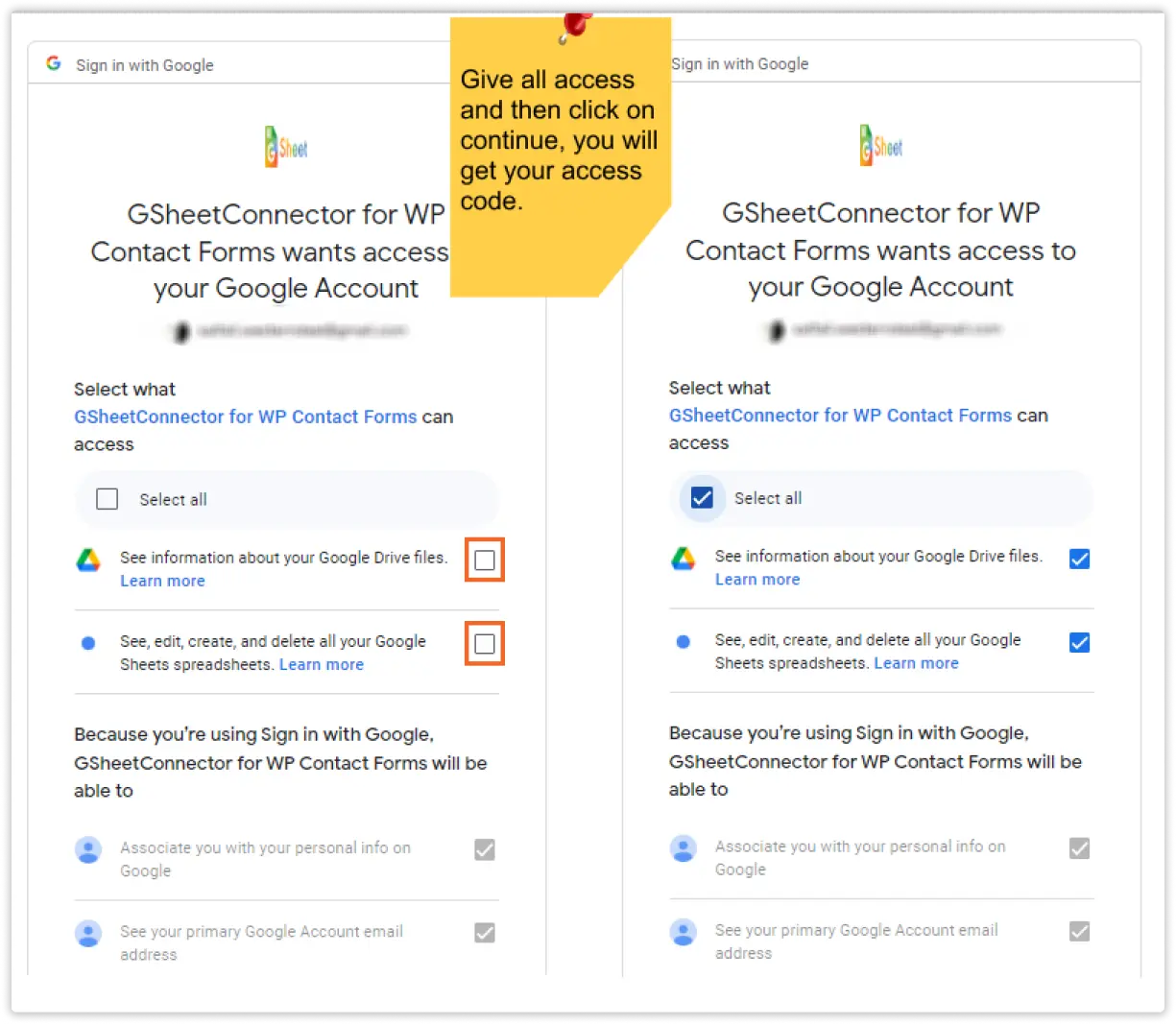
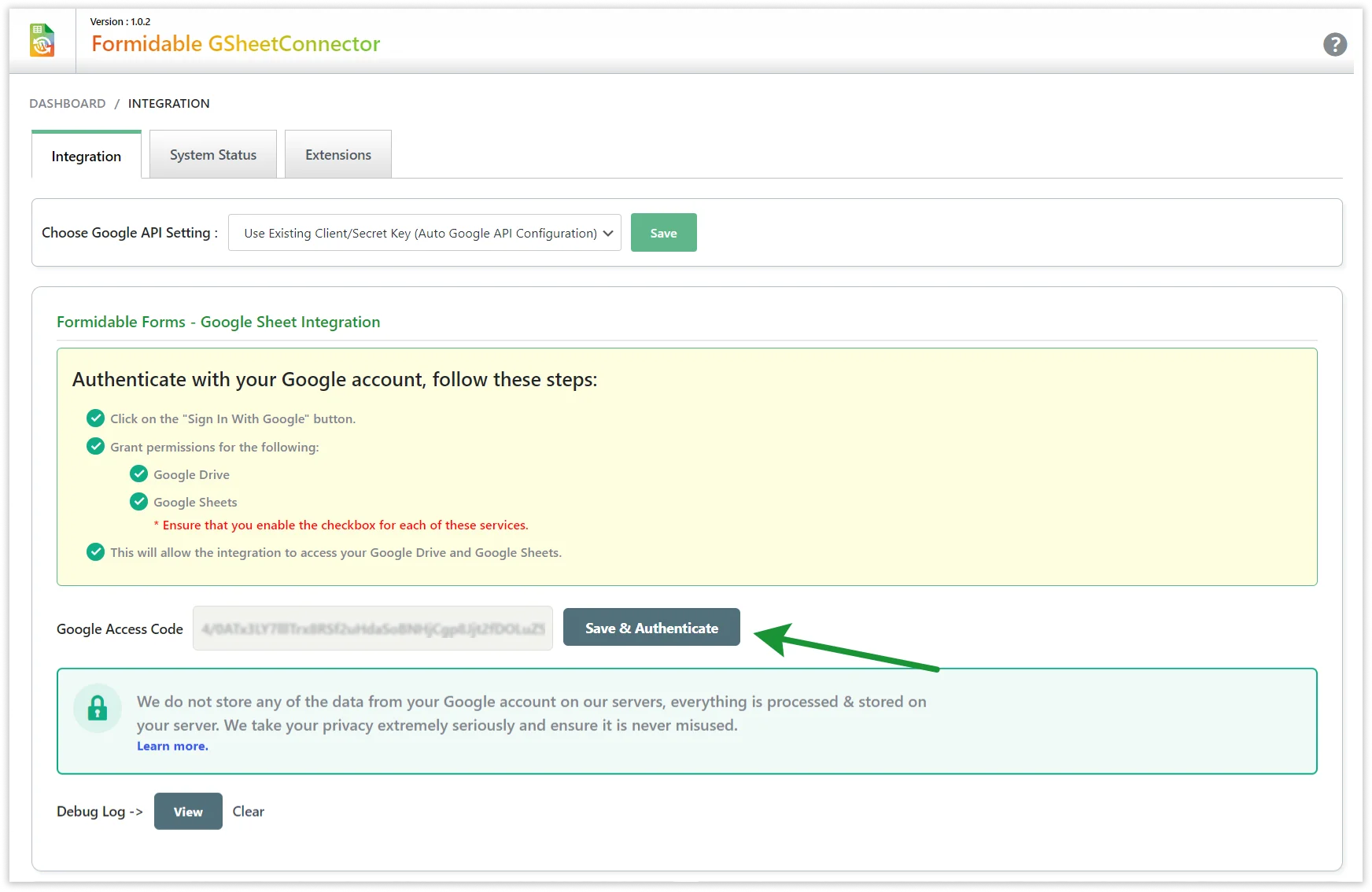
- One-Click Google Authentication
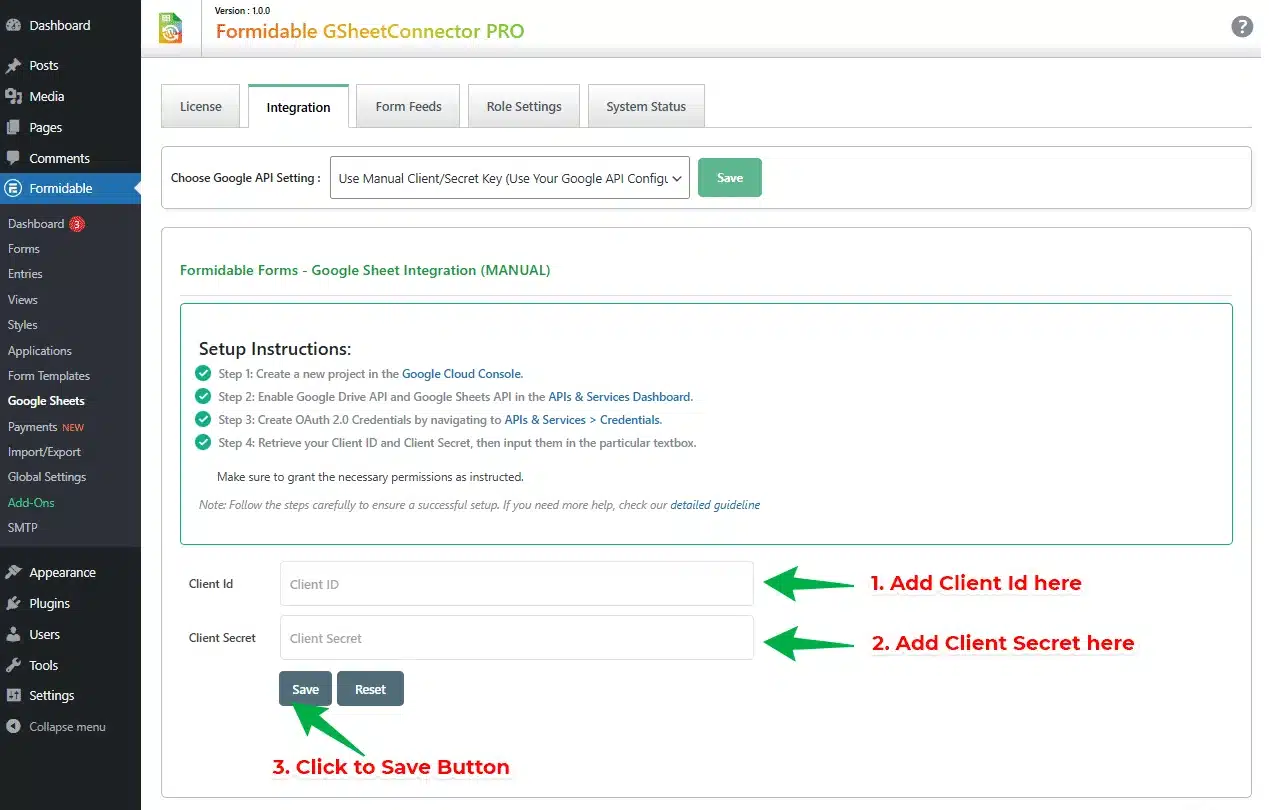
- Automatic & Manual Authentication Modes
- Fetch Google Sheets in Dropdown
- Real-Time Form Entry Sync
- Sync Past Form Entries
- Works with Formidable Forms Lite & PRO

- 2 ReviewsRead Reviews
- Active Installed 101+
- Latest Version Change log1.0.3
- Documentation
- 14 Days Refund Policy
- 24×7 Support
- 5K+ Happy Customer

Google Sheets API (Up-to date)
GSheetConnector leverages the latest Google Sheets API (v4) for enhanced performance, reliability, and future-proofed functionality.

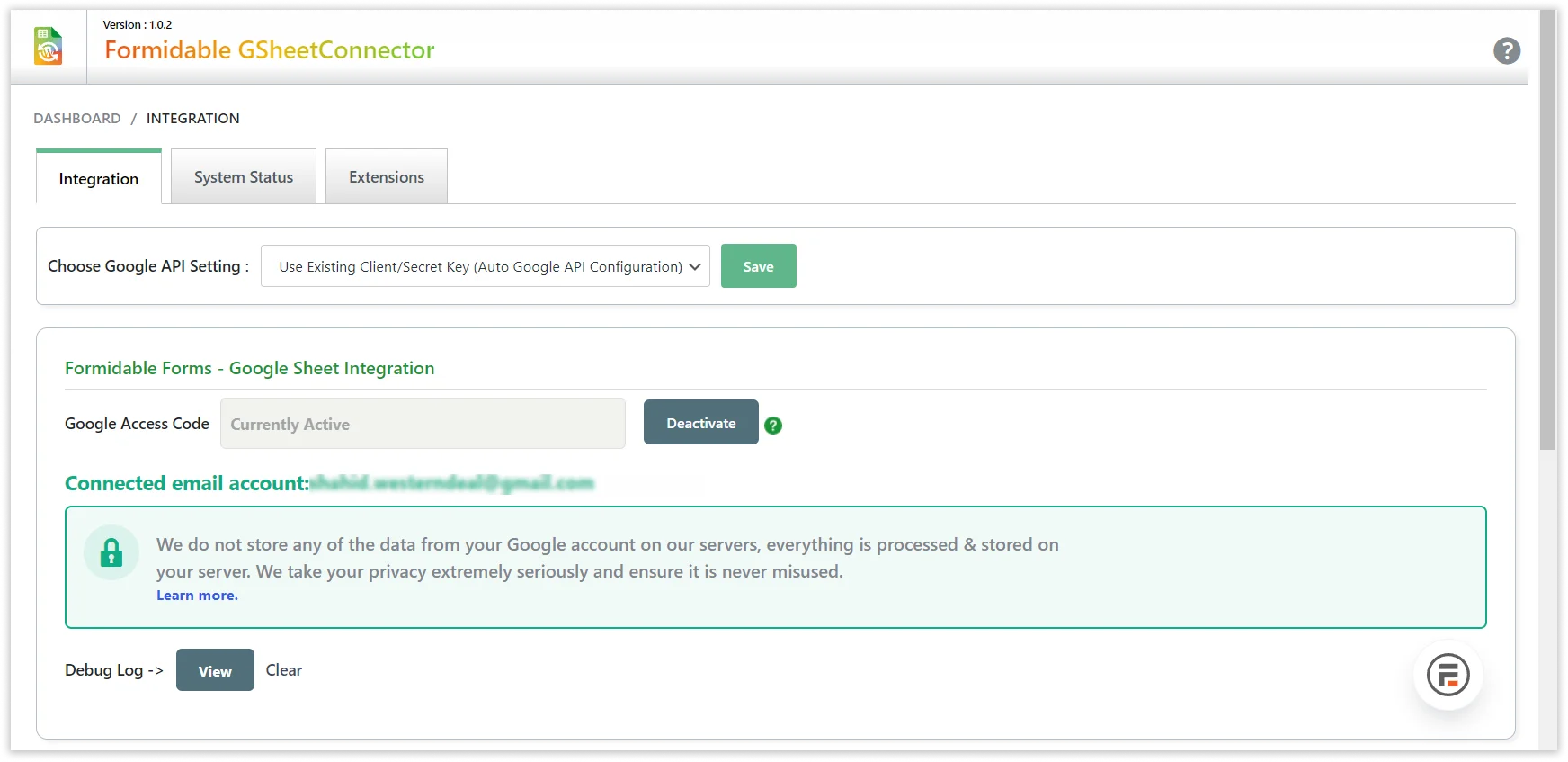
Authenticated Email Display
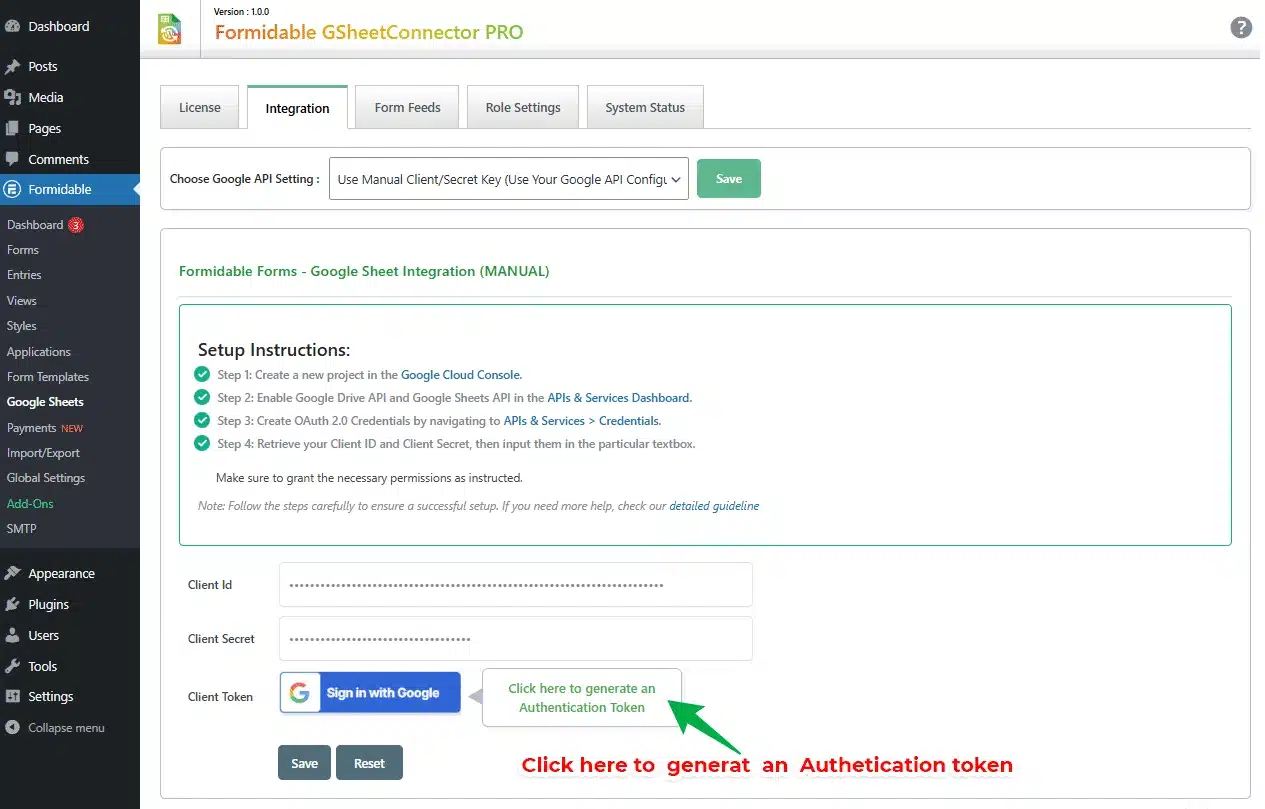
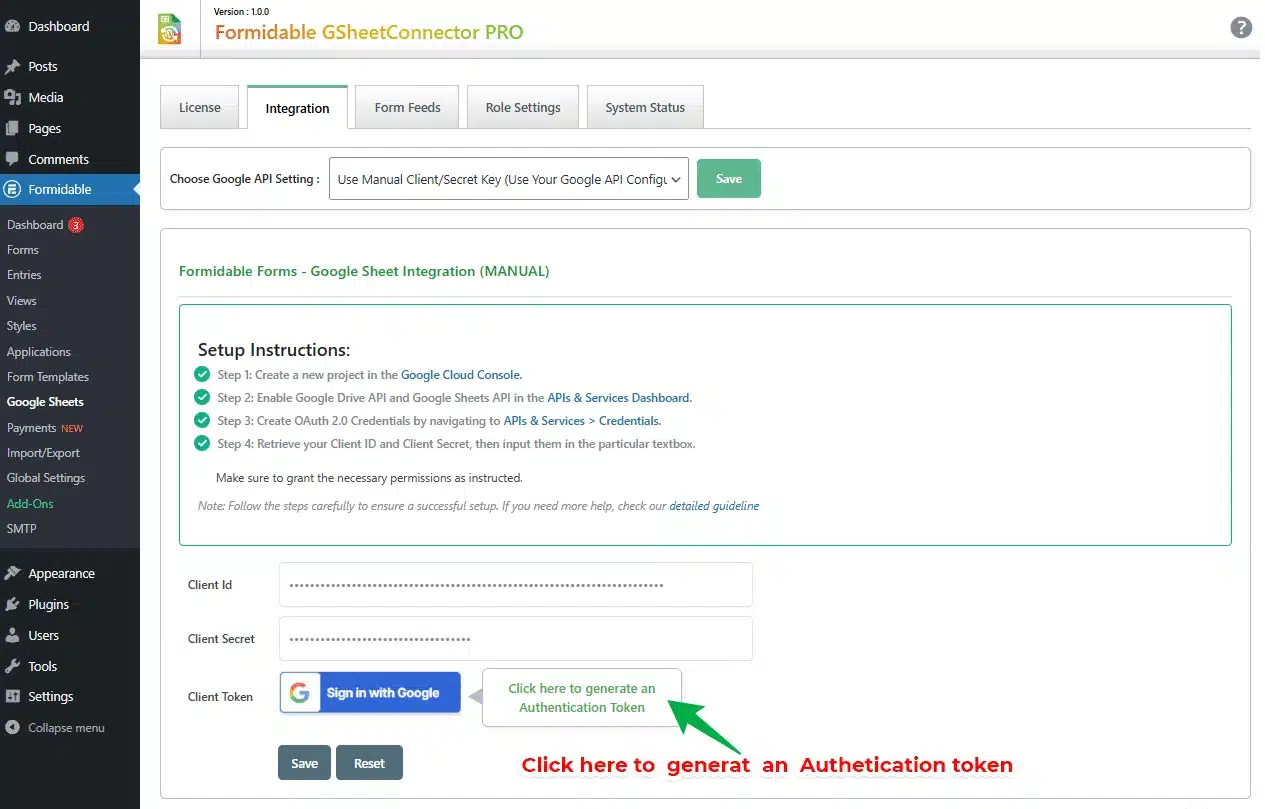
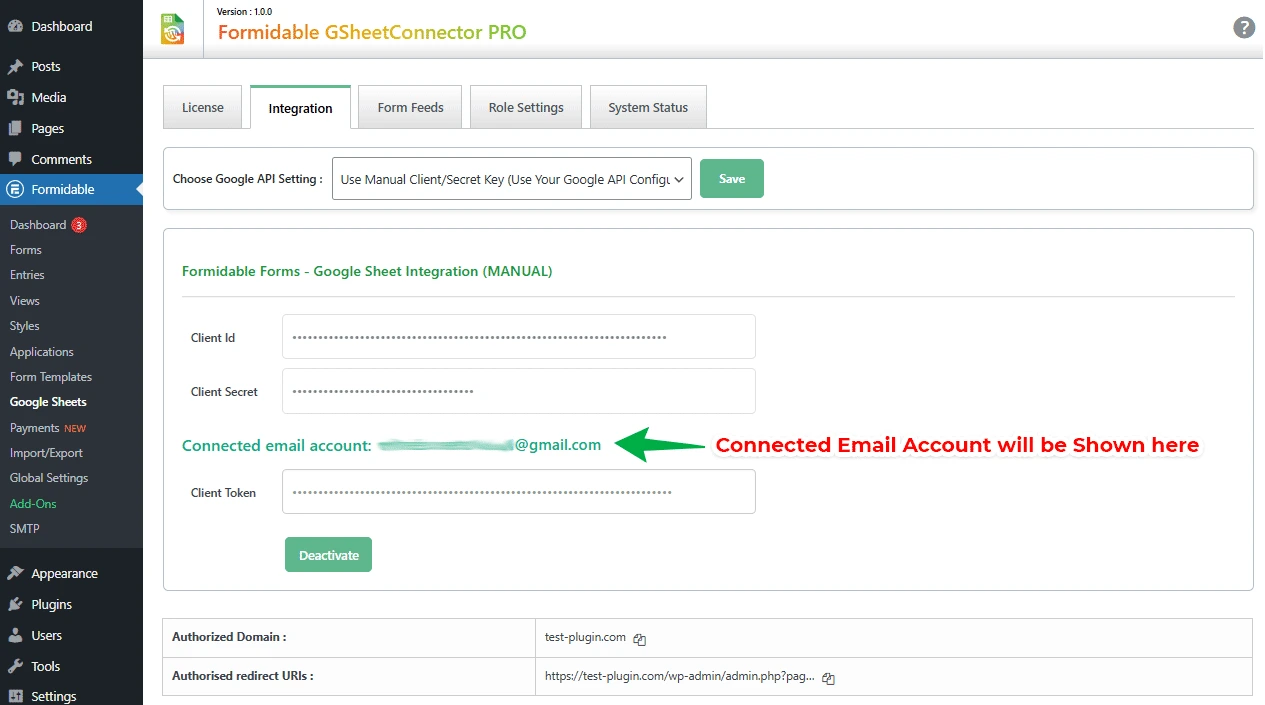
Mostly, users confused or forget about which Gmail account is integrated with GSheet, for security reasons, displayed the authenticated email on the settings page.

One Click Authentication
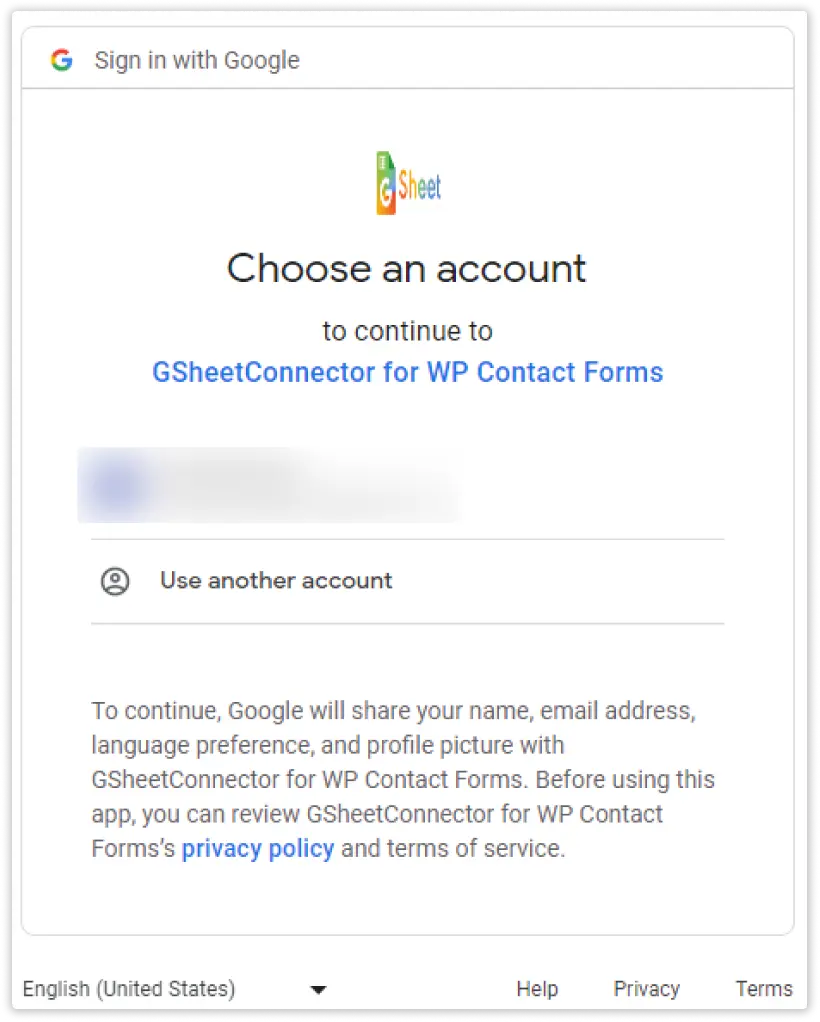
Get a list of all the spreadsheets list directly in the dropdown to your contact form’s google sheet settings with one click authentication.

Image / PDF Attachment Link
In the PRO version, you will get a FULL link to view the attachment directly from Sheet, and it saves within your FTP under Uploads/CFGSHEET directory. So that it can be accessed within your own FTP.

Quick Configuration
The Configuration of the form to the sheet is very easy. Just follow the steps provided by the plugin and you will get data on the sheet.

Sync Setting
In the PRO version, you will get a FULL link to view the attachment directly from Sheet, and it saves within your FTP under Uploads/CFGSHEET directory. So that it can be accessed within your own FTP.

Click & Fetch Sheet Automated
One-Click to fetch sheets from your authenticated google account.

Automated Sheet Name & Tab Name
Make sure you don’t have too many sheets in your google account, otherwise prefer the manual method.

Role Management
GSheetConnector allows a few custom capabilities which will allow the Administrator to better manage access/use of the Google Sheet Tab under contact forms. Capabilities/ Role Management are permissions system.

Creating New Sheet Option
Now, You can click a create a new sheet button, it helps to name and create a sheet directly in your google authorized account.

Multiple Forms to Sheets
You Can add multiple Contact Forms of your site to multiple Google Sheets. And can add as many google sheets as forms.

Manually Adding Sheet Name & Tab Name
If in case having an issue selecting the sheet from the dropdown then you can click on adding sheet manually and add sheet name, sheet id, tab name, and tab id Refer Documentation.

Multi Language Support
The CF7 Google Sheet Connector supports multi-site (Network Site) functionality.

Custom Ordering
It helps to change the order of columns while simply drag and drop options. The ultimate option is given for quickly arranging the columns within WordPress Setting using CF7 Google Sheet PRO Tab under forms.

Multi Site Support
The CF7 Google Sheet Connector supports multi-site (Network Site) functionality.

Automatic Updates
One-Click update from your website under the plugin section, make sure to update you must have a valid license key and active subscription.

Header Customization
Customize Google Sheets headers by freezing, renaming, and adding background colors.

Latest WordPress & PHP Support
It supports the latest version of PHP 7.x and WordPress, while also compatible with older versions. However, it’s recommended to use the latest versions of PHP and WordPress for optimal performance and security.

Add Special Mail Tags
There may be times when you need more information than just the submitter’s input through contact form fields. For example, you may need to know the submitter’s IP address for security reasons. For such purposes, special mail-tags can be very helpful. Unlike other mail-tags, special mail-tags are independent of form fields or the submitter’s input. You can place these special mail-tags anywhere mail-tags are allowed to be used, such as in the message body or other mail fields. For more Refer Documentation.

Excellent Priority Support
We provide quick support and also help users to configure plugins on their website free of cost. You can contact via online chat given on the website, either you can drop an email at helpdesk@www.gsheetconnector.com along with that complete documentation is available from installing to configure, you can refer step by step guide given in the link.






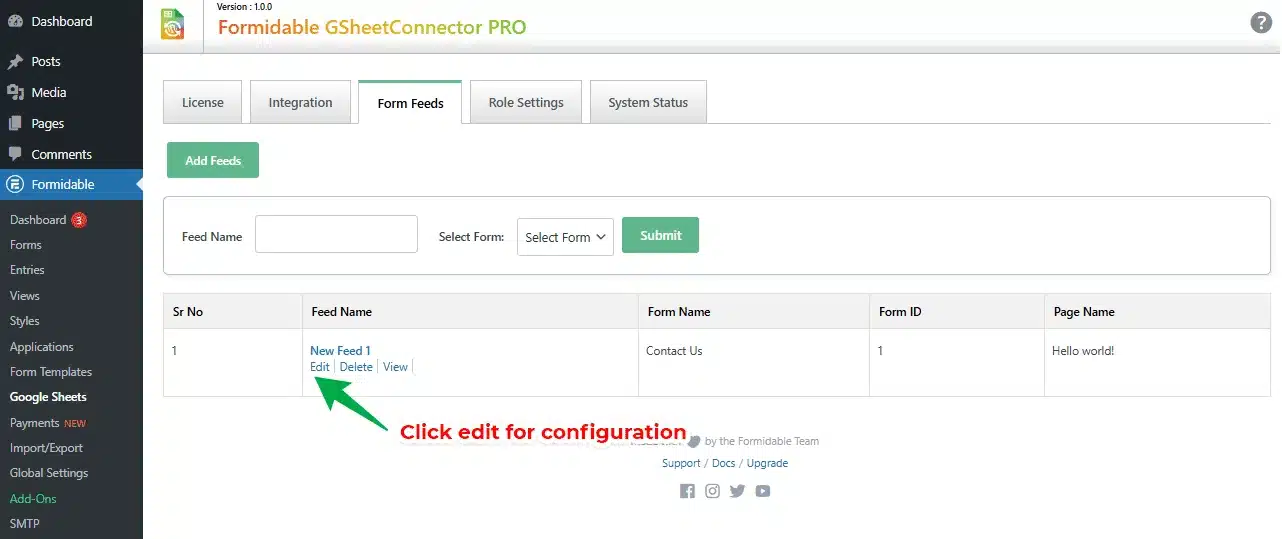
- Google sheets API (Up-to date )
- One Click Authentication
- Quick Configuration
- Click & Fetch Sheet Automated
- Automated Sheet Name & Tab Name
- Creating New Sheet Option
- Manually Adding Sheet Name & Tab Name
- Custom Ordering
- Add Special Mail Tags
- Header Customization
- Authenticated Email Display
- Image / PDF Attachment Link
- Sync Setting
- Role Management
- Multiple Forms to Sheets
- Multi Language Support
- Multi Site Support
- Automatic Updates
- Pro
- Google sheets API (Up-to date ) Check
- One Click Authentication Check
- Quick Configuration Check
- Click & Fetch Sheet Automated Check
- Automated Sheet Name & Tab Name Check
- Creating New Sheet Option Check
- Manually Adding Sheet Name & Tab Name Check
- Custom Ordering Check
- Add Special Mail Tags Check
- Header Customization Check
- Authenticated Email Display Check
- Image / PDF Attachment Link Check
- Sync Setting Check
- Role Management Check
- Multiple Forms to Sheets Check
- Multi Language Support Check
- Multi Site Support Check
- Automatic Updates Check
- Free
- Google sheets API (Up-to date ) Check
- One Click Authentication Check
- Quick Configuration Check
- Click & Fetch Sheet Automated Check
- Automated Sheet Name & Tab Name Check
- Creating New Sheet Option remove
- Manually Adding Sheet Name & Tab Nameremove
- Custom Orderingremove
- Header Customizationremove
- Add Special Mail Tagsremove
- Authenticated Email Displayremove
- Image / PDF Attachment Linkremove
- Sync Settingremove
- Role Managementremove
- Multiple Forms to Sheetsremove
- Multi Language Supportremove
- Multi Site Supportremove
- Automatic Updatesremove

- Free
- $0
- One Click Authentication
- Up-to date Google sheets API
- Manual Sheet Name & Tab Name
- Manual Fields Settings
- Support WordPress multisite
- Multiple Forms to Sheets
- Automatic Updates
- Support via WP.org
- Translation Ready
- Works with Caching Plugins
- Developer Friendly
- Free
- Download Free Version
View Free Version
- Lifetime
- $139 159You Save: $20
- Google sheets API (Up-to date )
- One Click Authentication
- Quick Configuration
- Click & Fetch Sheet Automated
- Automated Sheet Name & Tab Name
- Creating New Sheet Option
- Manually Adding Sheet Name & Tab Name
- Custom Ordering
- Add Special Mail Tags
- Header Customization
- Authenticated Email Display
- Image / PDF Attachment Link
- Sync Setting
- Role Management
- Multiple Forms to Sheets
- Multi Language Support
- Multi Site Support
- Automatic Updates
- Plugin Updates
- Standard Support
- Annual
- $39 59You Save: $20
- Google sheets API (Up-to date )
- One Click Authentication
- Quick Configuration
- Click & Fetch Sheet Automated
- Automated Sheet Name & Tab Name
- Creating New Sheet Option
- Manually Adding Sheet Name & Tab Name
- Custom Ordering
- Add Special Mail Tags
- Header Customization
- Authenticated Email Display
- Image / PDF Attachment Link
- Sync Setting
- Role Management
- Multiple Forms to Sheets
- Multi Language Support
- Multi Site Support
- Automatic Updates
- Plugin Updates
- Standard Support
The Most Powerful and Flexible Connector, A Bridge between WordPress and Google Sheets!
Your Best Plugin for Integrating Google Sheets with Popular Contact Forms, Page Builders and eCommerce.
Your Best Plugin for Integrating Google Sheets with Popular Contact Forms.

WooCommerce Google Sheet Connector
Sync WooCommerce orders, customers, and products with GSheetConnector for easy tracking.
Most Popular

Contact Form7 (CF7) Google Sheet Connector
Send Contact Form 7 submissions to GSheetConnector and manage entries in a single place.
Most Popular

WPForms Google Sheet Connector
Connect WPForms submissions with GSheetConnector and keep all form data organized automatically.
Most Popular

Gravity Forms Google Sheet Connector
Sync Gravity Forms entries with GSheetConnector and track form data with ease.
Popular

Ninja Forms Google Sheet Connector
Push Ninja Forms submissions to GSheetConnector in real time without manual effort.

Avada Forms Google Sheet Connector
Connect Avada Forms with GSheetConnector and manage form submissions efficiently.

Divi Forms Google Sheet Connector
Sync Divi form submissions with GSheetConnector and organize leads in one dashboard.

Elementor Forms Google Sheet Connector
Connect Elementor form submissions to GSheetConnector for instant data access.

Formidable Forms Google Sheet Connector
Sync Formidable Forms entries with GSheetConnector and maintain clean, searchable records.

Forminator Forms Google Sheet Connector
Connect Forminator submissions with GSheetConnector and keep all form data organized in one place.
New Release
Fluent Forms Google Sheet Connector
Sync Fluent Forms entries with GSheetConnector and manage submissions smoothly without manual export.
New Release

JetFormBuilder Google Sheet Connector
Sync JetFormBuilder entries with GSheetConnector and manage submissions smoothly without manual export.
New Release

GSheetConnector for WP Core
Sync WordPress core data with GSheetConnector for better tracking and simplified data management.

Easy Digital Downloads Google Sheet Connector
Sync Gravity Forms entries with GSheetConnector and track form data with ease.