
This guide makes it easy to install Formidable Forms and the Formidable Forms Google Sheet Connector Plugin.
Installing Formidable Forms
Log In to WordPress
- Go to your WordPress admin area.
- Click “Plugins” on the left side. (under Plugins Section)
- Hit “Add New” at the top.
Search for Formidable Forms
- Type “Formidable Forms” in the search bar.
- Click “Install Now” for Formidable Forms.
- Once it’s installed, activate it.

Installing Formidable Forms Google Sheet Connector Plugin
Go Back to Plugins
- Click “Add New” again.
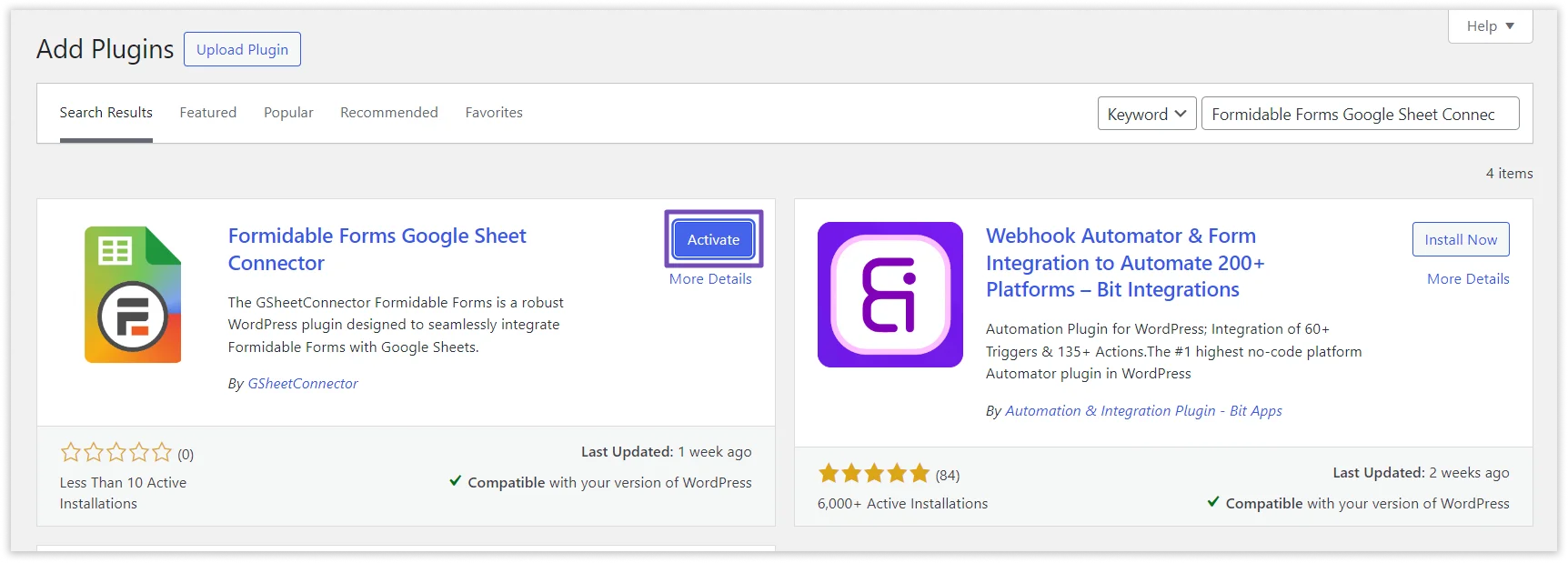
Search for Formidable Forms Google Sheet Connector
- Type “Formidable Forms Google Sheet Connector” in the search bar.
- Click “Install Now” for Formidable Forms Google Sheet Connector.
- After installing, activate it.
 CF7 Google Sheet Connector
 WPForms Google Sheet Connector
 Ninja Forms Google Sheet Connector
 Gravity Forms Google Sheet Connector
 Formidable Forms Google Sheet Connector
 Forminator Forms Google Sheet Connector
 Fluent Forms Google Sheet Connector
 JetFormBuilder Google Sheet Connector
 Elementor Forms Google Sheet Connector
 Avada Forms Google Sheet Connector
 Divi Forms Google Sheet Connector
 WooCommerce Google Sheet Connector
 Easy Digital Downloads Google Sheet Connector
 WordPress Core Google Sheet Connector


