
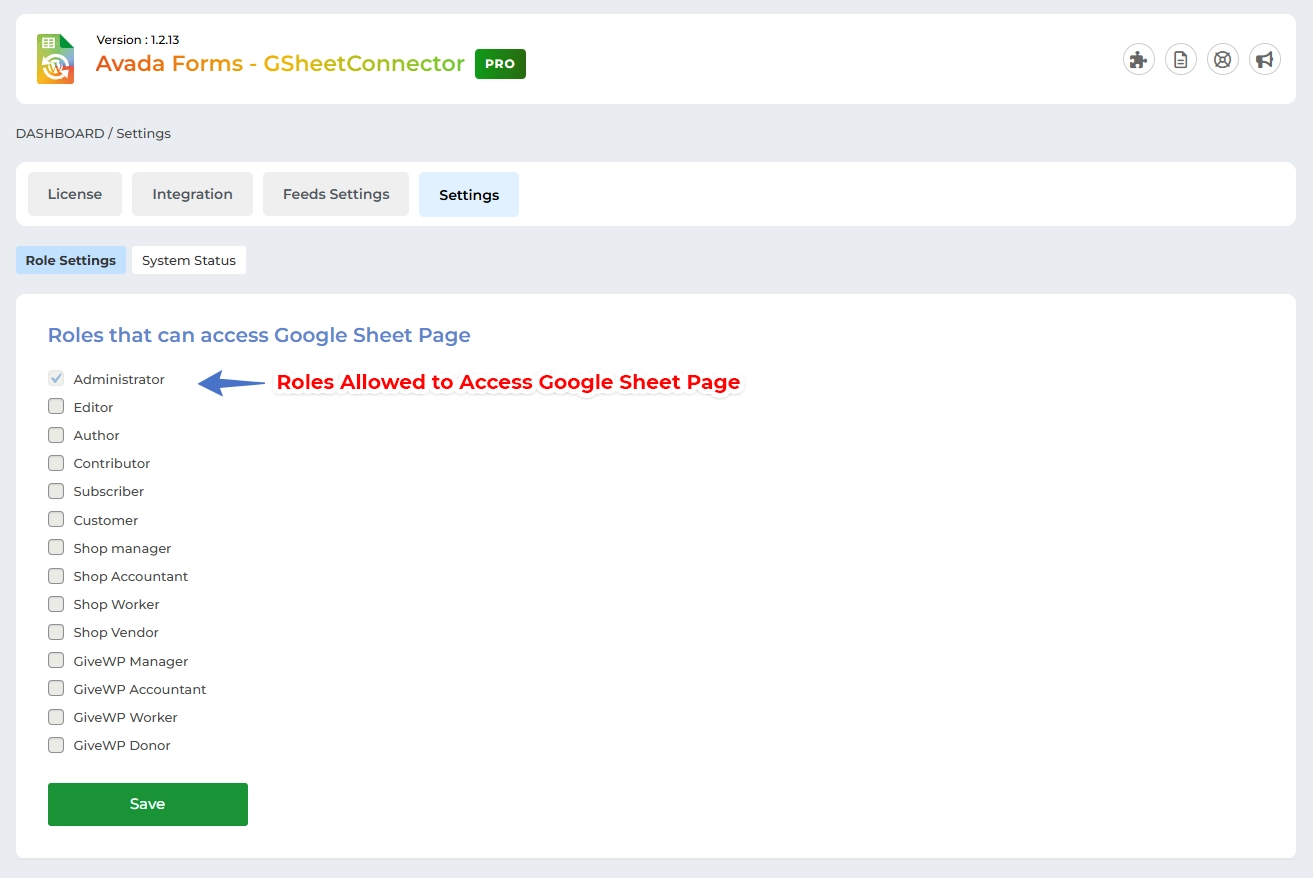
The Role Settings section allows you to control who can access the plugin within the WordPress dashboard.
You can assign access to specific user roles (e.g., Administrator, Shop Manager). Only the selected roles will be able to view and interact with the GSheetConnector plugin tabs and settings.
How It Works:
-
The plugin interface and its options will only be visible to users with the roles you’ve granted permission to.
-
Other users (with unselected roles) will not see the plugin tab in the WordPress menu at all.
This feature helps you restrict access, improve security, and keep your admin area clean for non-technical users.
 CF7 Google Sheet Connector
 WPForms Google Sheet Connector
 Ninja Forms Google Sheet Connector
 Gravity Forms Google Sheet Connector
 Formidable Forms Google Sheet Connector
 Forminator Forms Google Sheet Connector
 Fluent Forms Google Sheet Connector
 JetFormBuilder Google Sheet Connector
 Elementor Forms Google Sheet Connector
 Avada Forms Google Sheet Connector
 Divi Forms Google Sheet Connector
 WooCommerce Google Sheet Connector
 Easy Digital Downloads Google Sheet Connector
 WordPress Google Sheet Connector


