
Settings
The Settings tab allows you to control plugin behavior, access permissions, and system diagnostics.
General Settings
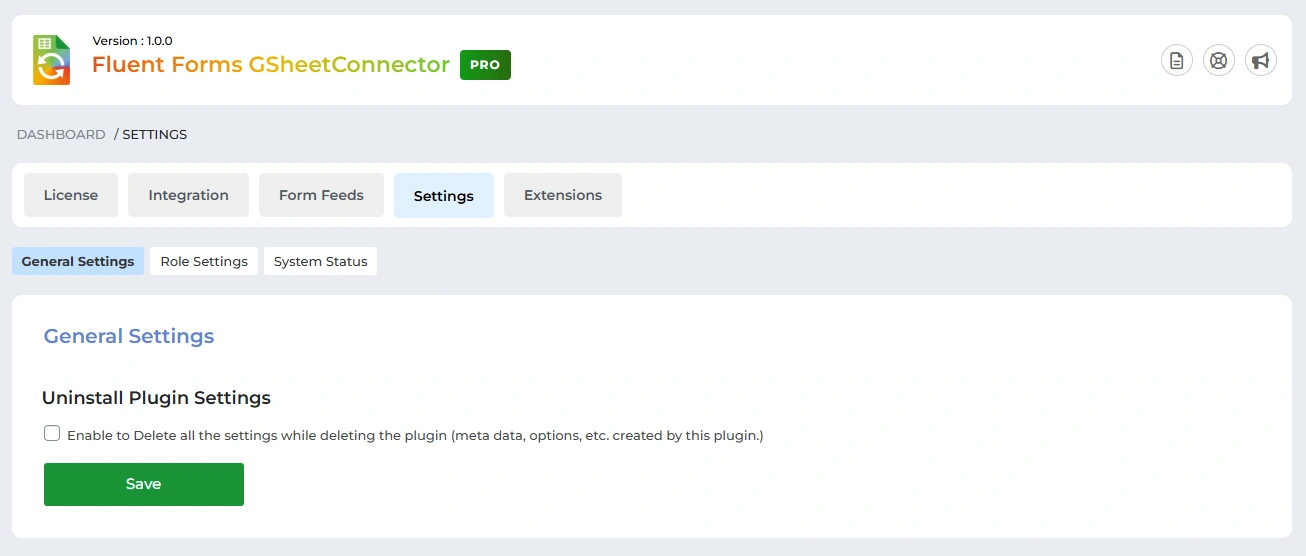
Uninstall Plugin Settings
-
Enable this option to delete all plugin data (options, metadata, settings) when the plugin is uninstalled.
-
If disabled, plugin data will be preserved even after uninstalling.
Click Save to apply changes.
✅ Recommended only if you want a clean removal of all plugin data.
Role Settings
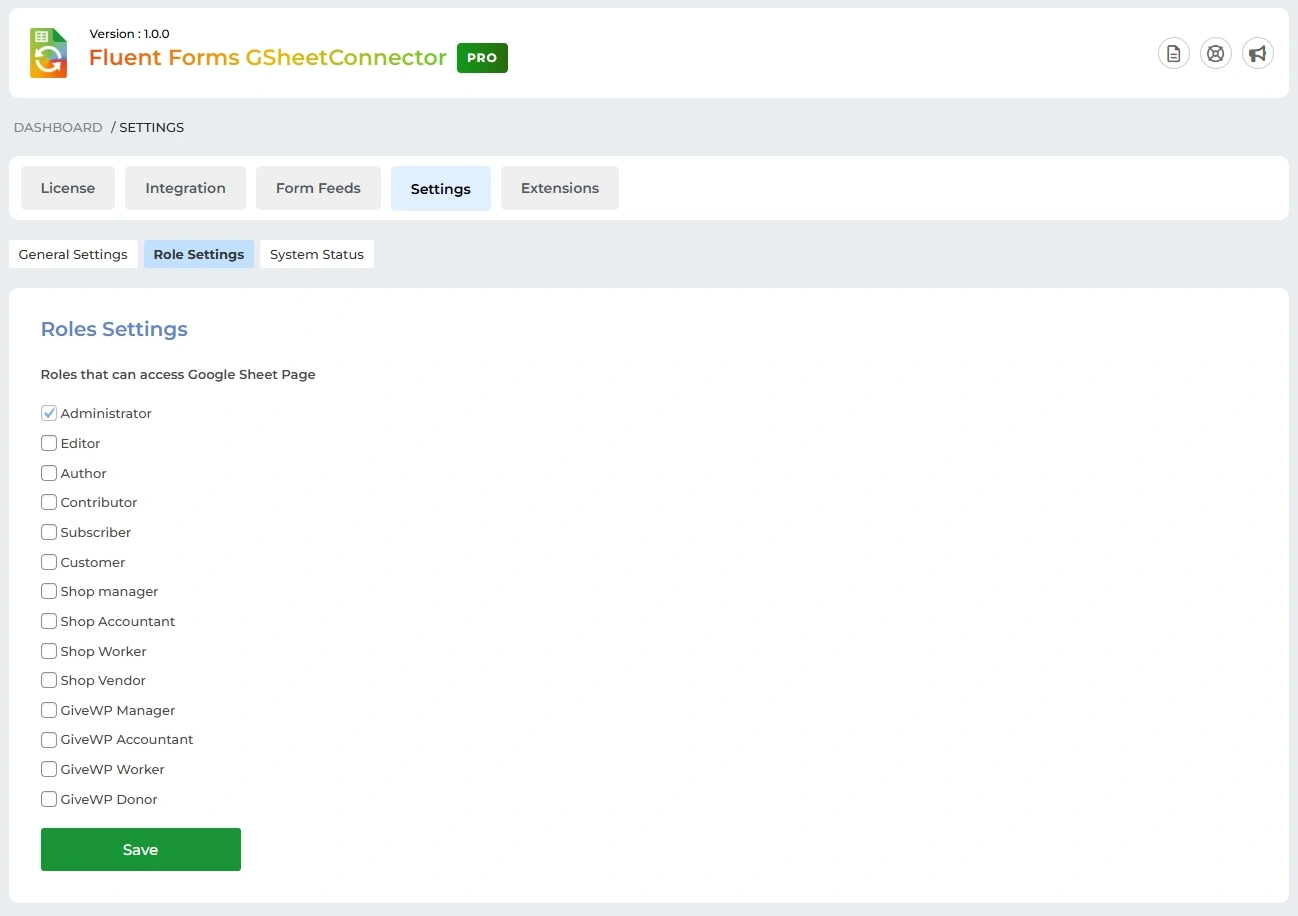
Roles That Can Access Google Sheet Page
Control which WordPress user roles can access the Google Sheet Connector pages.
Available roles include:
-
Administrator
-
Editor
-
Author
-
Contributor
-
Subscriber
-
Customer
-
Shop Manager
-
Shop Accountant
-
Shop Worker
-
Shop Vendor
-
GiveWP roles (Manager, Accountant, Worker, Donor)
Select the required roles and click Save.
🔒 This feature improves security by restricting access to sensitive Google Sheet settings.
System Status
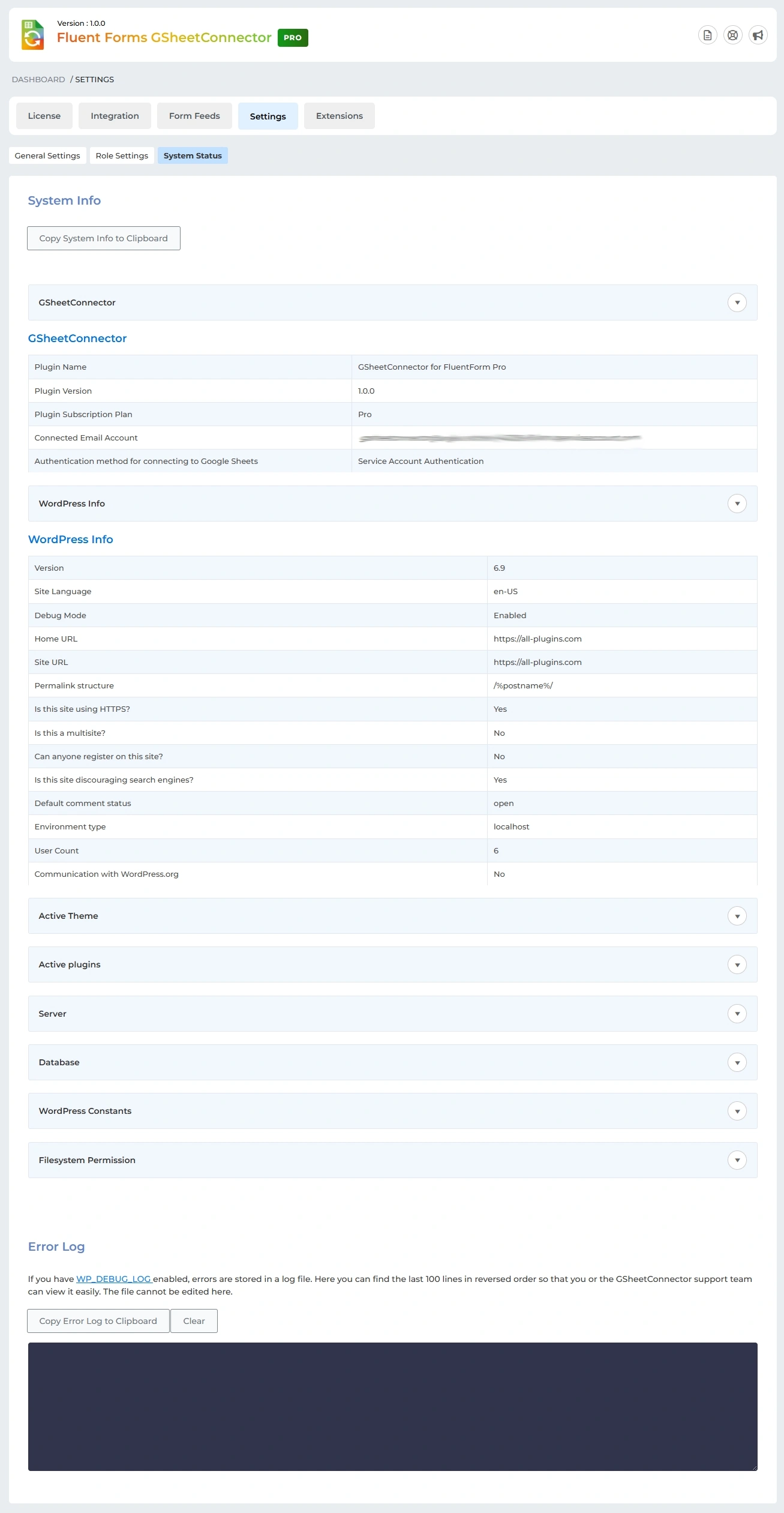
System Info
The System Status page provides detailed diagnostic information to help with troubleshooting.
You can:
-
Click Copy System Info to Clipboard to share details with the support team.
Displayed information includes:
-
Plugin name, version, and subscription plan
-
Connected Google account
-
Authentication method (e.g., Service Account Authentication)
-
WordPress version and site details
-
Active theme and plugins
-
Server, database, and filesystem permissions
-
WordPress constants and environment info
Error Log
-
Displays recent error logs when
WP_DEBUG_LOGis enabled. -
Helps identify sync or configuration issues.
-
Options available:
-
Copy Error Log to Clipboard
-
Clear error logs
-
📌 This section is especially useful when contacting GSheetConnector support.
Extensions
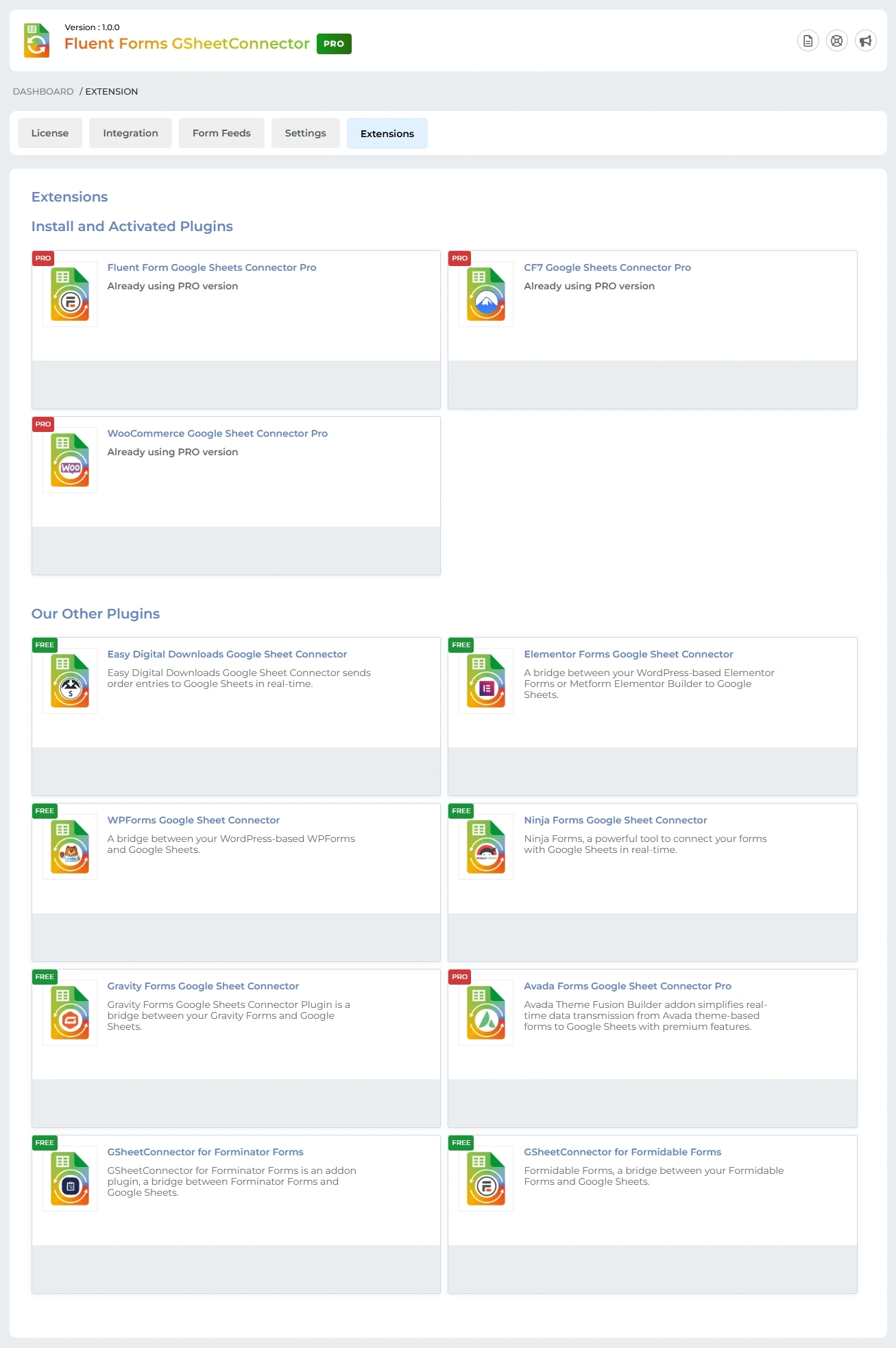
Install and Activated Plugins
The Extensions tab displays all installed and activated GSheetConnector plugins on your site.
-
You can view which Pro versions are currently active, such as:
-
Fluent Form Google Sheets Connector Pro
-
CF7 Google Sheets Connector Pro
-
WooCommerce Google Sheet Connector Pro
-
-
Each active plugin shows its current status as Already using PRO version.
This section helps you quickly verify which connectors are installed and active.
Our Other Plugins
Below the active plugins list, you’ll find other available GSheetConnector plugins, including both Free and Pro versions for different form builders:
-
Easy Digital Downloads
-
Elementor Forms
-
WPForms
-
Ninja Forms
-
Gravity Forms
-
Avada Forms
-
Forminator Forms
-
Formidable Forms
This allows you to easily discover and expand integrations across multiple WordPress plugins.


