Table of Contents
- Understanding WordPress Translation Challenges
- Why GSheetConnector Built POForge WordPress Translation
- What Is POForge WordPress Translation?
- Key Features for Plugin and Theme Developers
- POForge WordPress Translation vs POEditor
- Developer Onboarding: Getting Started With POForge
- Who Should Use POForge WordPress Translation?
- Final Thoughts
- IMAGE SUMMARY (WHAT TO UPLOAD)
POForge WordPress Translation: A Powerful Localization Solution for Developers

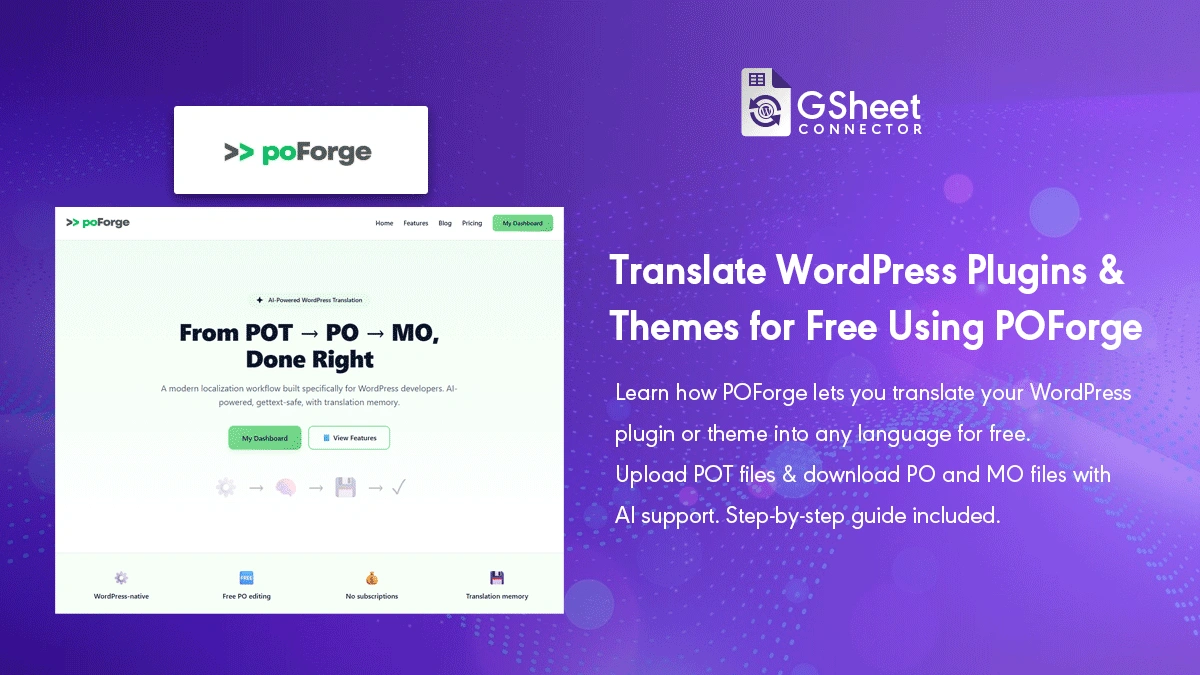
POForge WordPress Translation is a modern translation management solution built specifically for WordPress plugin and theme developers who need a cleaner, more reliable way to handle localization.
In the WordPress ecosystem, translation is not optional. Plugins and themes are used by a global audience, and authors are expected to support multiple languages as part of WordPress quality standards.
Yet, despite the maturity of WordPress, translation workflows remain one of the most painful parts of development. Managing PO files manually, coordinating with translators, and keeping strings updated across releases often slows teams down.
Understanding WordPress Translation Challenges
Most WordPress developers are already familiar with translate.wordpress.org, the official platform where community contributors translate WordPress core, plugins, and themes.
While this platform is excellent for public collaboration and distribution, it does not fully solve internal translation workflows. Before translations reach the WordPress repository, developers still need to:
- Prepare and update POT or PO files
- Track new and modified strings after each release
- Work with translators efficiently
- Avoid outdated or inconsistent translations
Without a structured system, these steps often involve spreadsheets, email threads, and manual file handling.
Why GSheetConnector Built POForge WordPress Translation
GSheetConnector follows a freemium plugin model and builds WordPress integration add-ons that connect WordPress with Google Sheets, used by thousands of websites worldwide.
Like most WordPress plugin and theme authors, we work closely with developers and contributors and regularly deal with translation files such as .pot, .po, and .mo to make our products accessible in multiple languages.
Across many conversations within the WordPress community, one issue kept coming up repeatedly: translation management was slowing down development and releases.
Even experienced developers faced challenges such as:
- Losing track of updated strings after releases
- Managing multiple languages at scale
- Handling translator feedback efficiently
- Maintaining clean and consistent PO files over time
As our plugins grew and were adopted by users across different regions, we faced these same challenges ourselves. We found ourselves constantly juggling PO files, coordinating with translators, and searching for an easier and more affordable way to handle localization.
In today’s AI-driven world, many translation tools exist, but most are either too complex for WordPress-specific workflows or priced beyond what independent developers and small teams can reasonably afford.
That’s when we decided to build POForge WordPress Translation.
The goal was simple: create a developer-friendly, affordable translation management tool that works naturally with WordPress localization files and fits real-world plugin and theme development workflows.
If we needed this tool ourselves, it made sense to share it with other WordPress developers and plugin authors facing the same challenges.
POForge WordPress Translation was built to solve these exact problems with a developer-first approach.
WordPress Plugins Actively Used Across the Global Ecosystem
GSheetConnector maintains a growing suite of WordPress add-on plugins used by developers, site owners, and businesses worldwide. These plugins integrate popular form builders, page builders, and WooCommerce with Google Sheets.
Because these plugins are used across different regions and languages, maintaining accurate translations using .pot, .po, and .mo files is an ongoing requirement.
Our ecosystem includes integrations for:
- CF7 Google Sheet Connector
- WPForms Google Sheet Connector
- Gravity Forms Google Sheet Connector
- Ninja Forms Google Sheet Connector
- Formidable Forms Google Sheet Connector
- Forminator Forms Google Sheet Connector
- Fluent Forms Google Sheet Connector
- Elementor Forms Google Sheet Connector
- Avada Forms Google Sheet Connector
- Divi Forms Google Sheet Connector
- WooCommerce Google Sheet Connector
Managing translations consistently across such a wide range of plugins highlighted the need for a more efficient and developer-friendly translation workflow — which directly led to the creation of POForge WordPress Translation.
What Is POForge WordPress Translation?
POForge WordPress Translation is a centralized platform for managing PO and POT files used by WordPress plugins and themes.
Instead of juggling files locally or relying on disconnected tools, developers get a single place to organize translations and collaborate with translators.
The platform fits naturally into existing WordPress development workflows and supports the same file formats WordPress already uses.
Key Features for Plugin and Theme Developers
Centralized PO File Management
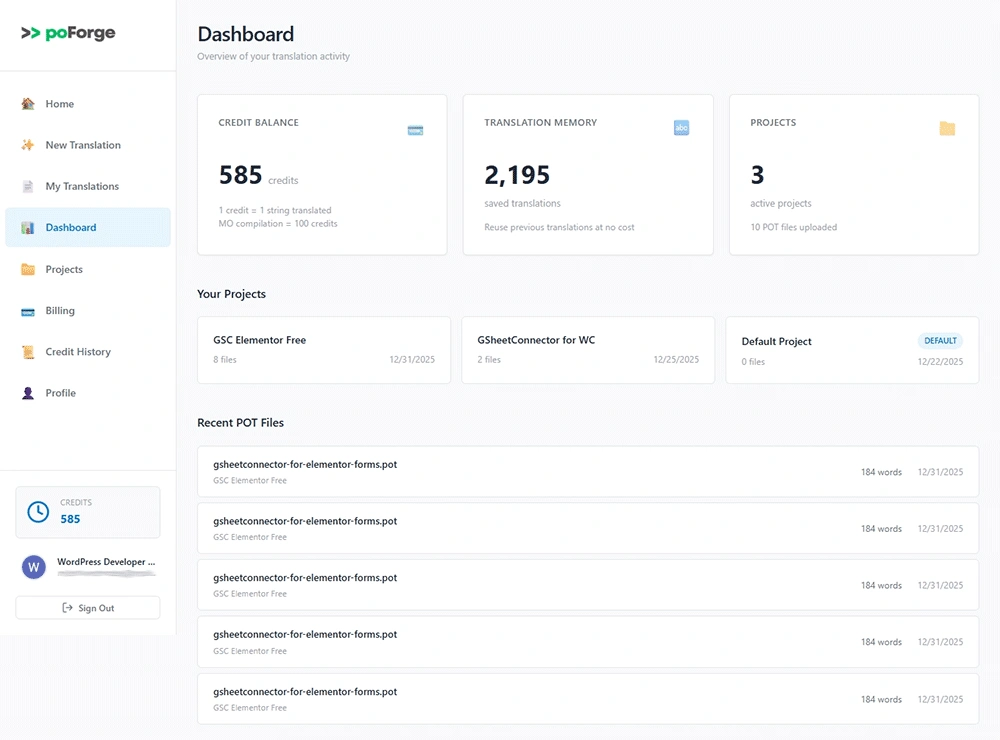
POForge allows developers to upload, organize, and manage translation files in one place. This eliminates confusion around file versions and ensures translators always work on the latest strings.
Developer-Friendly Workflow
After each plugin or theme update, developers can upload updated POT or PO files and immediately see which strings need translation.
This reduces manual comparison work and keeps releases on schedule.
Collaboration With Translators
Many WordPress translators are contributors who prefer simple, focused tools.
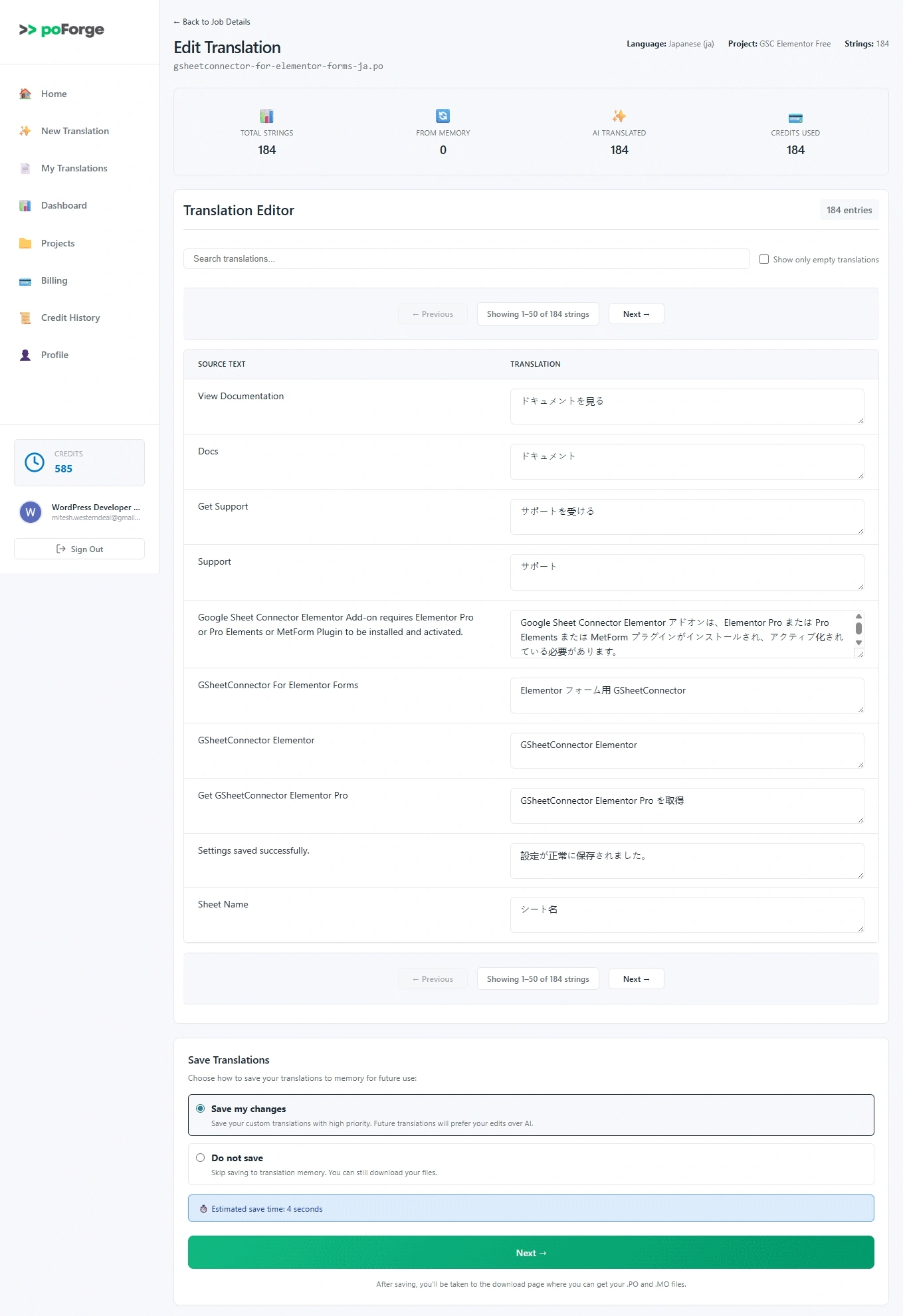
POForge WordPress Translation provides a clean interface where translators can work without needing to manage raw files or complex setups.
POForge WordPress Translation vs POEditor
Many developers search for a POEditor alternative for WordPress because generic translation platforms are often built for multiple ecosystems.
While POEditor works well for broad use cases, WordPress developers often need something more focused.
| Feature | POForge | POEditor |
|---|---|---|
| WordPress-focused workflow | Yes | No |
| PO / POT file management | Native & simple | Supported but generic |
| Ease of use for developers | High | Moderate |
| Best suited for WordPress plugins & themes | Yes | Partially |
POForge WordPress Translation focuses on clarity, simplicity, and WordPress-specific needs rather than covering every platform.
Developer Onboarding: Getting Started With POForge
Getting started with POForge WordPress Translation is straightforward and fits naturally into development cycles.
- Create a project for your WordPress plugin or theme
- Upload your POT or existing PO files
- Invite translators or collaborators
- Track translation progress
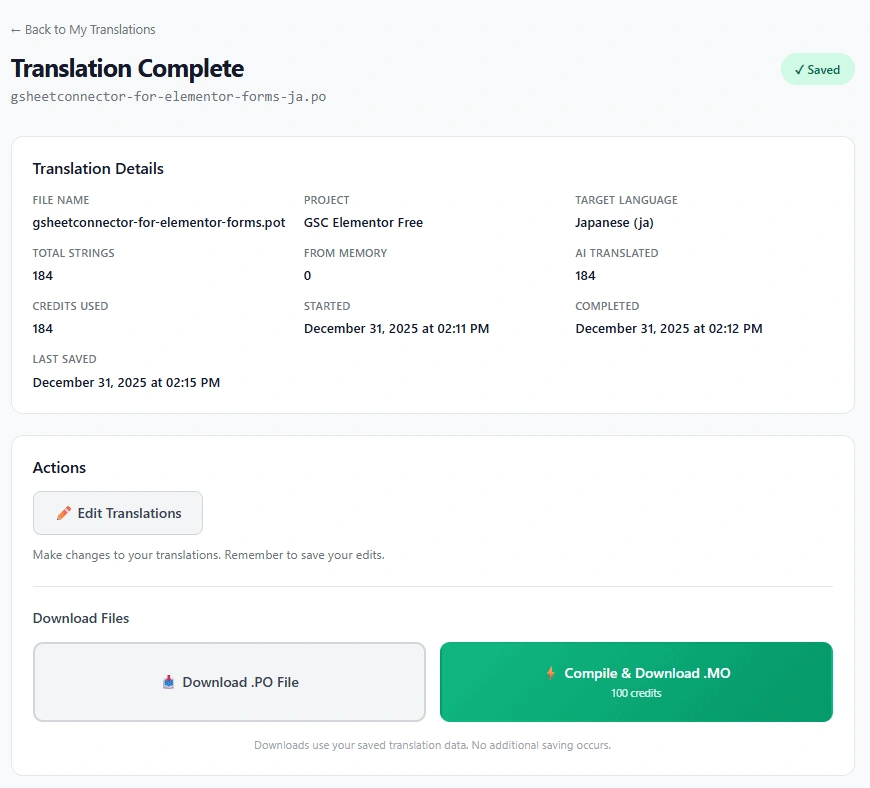
- Export updated PO or MO files for release
This process ensures translations stay aligned with code changes without adding unnecessary overhead.
Who Should Use POForge WordPress Translation?
- WordPress plugin authors
- WordPress theme developers
- Open-source project maintainers
- Developers working with translation teams
It is especially useful for projects that release updates frequently and need reliable translation workflows.
Final Thoughts
Translation should support growth, not slow it down.
POForge WordPress Translation offers a focused, developer-friendly way to manage localization while staying aligned with the WordPress ecosystem.
If you build WordPress plugins or themes for a global audience, this approach can help you maintain quality translations without unnecessary complexity.
Learn more: Visit POForge
IMAGE SUMMARY (WHAT TO UPLOAD)
1️⃣ Dashboard / Homepage screenshot
→ Shows POForge interface or homepage
2️⃣ Workflow diagram
→ Developer → Translator → Export PO/MO
3️⃣ Translation editor screenshot
→ String list, language editor, progress view
4️⃣ Onboarding / steps image
→ Visual checklist or numbered steps

 CF7 Google Sheet Connector
 WPForms Google Sheet Connector
 Ninja Forms Google Sheet Connector
 Gravity Forms Google Sheet Connector
 Formidable Forms Google Sheet Connector
 Forminator Forms Google Sheet Connector
 Fluent Forms Google Sheet Connector
 JetFormBuilder Google Sheet Connector
 Elementor Forms Google Sheet Connector
 Avada Forms Google Sheet Connector
 Divi Forms Google Sheet Connector
 WooCommerce Google Sheet Connector
 Easy Digital Downloads Google Sheet Connector
 WordPress Core Google Sheet Connector