Table of Contents
The Ultimate Comparison: 9 Best WordPress Migration Plugins for 2025


Moving your WordPress website to a new host or domain can seem daunting. Whether you're aiming for enhanced performance, stronger security, or just a fresh start, the migration process often feels complex and time-intensive. Thankfully, with the right WordPress migration plugin, the process becomes much easier, saving you time and reducing stress while keeping downtime to a minimum.
In this guide, we’ll introduce the top WordPress migration plugins to help you choose the perfect tool for a seamless and hassle-free transition.
What Is a WordPress Migration Plugin?
A WordPress migration plugin is a specialized tool designed to simplify the process of transferring a WordPress website. Whether you’re moving to a new hosting provider, switching domains, or setting up a test environment, these plugins make the migration process efficient and hassle-free. They handle essential components like your website’s database (content, users) and files (themes, plugins, images) seamlessly. Advanced plugins even offer features like selective migration, support for large files, cloud storage integration, and staging environment setup.
In contrast, manual migration methods require more effort and technical expertise. These include using FTP to transfer files, manually exporting and importing the database, or relying on command-line tools for advanced users. While manual approaches provide greater control, they are often time-consuming and prone to errors. You may also need to create a full backup and restore it on the new server, adding to the complexity.
Migration plugins streamline this process, saving you time and effort while minimizing the risk of mistakes. They ensure a smoother, more efficient transition compared to manual alternatives.
9 Best WordPress Migration Plugins (Features, Ratings, Pricing)
In recent years, WordPress migration plugins have evolved, providing users with more efficient and dependable solutions for transferring websites. Below, we’ll highlight nine of the top options available today.
- Duplicator
- UpdraftPlus
- All-in-One WP Migration
- WP Migrate DB
- Migrate Guru
- Solid Backups (formerly BackUp Buddy)
- WP BackItUp
- JetBackup
- VaultPress (part of Jetpack)
| Plugin | WP Version | PHP Version | Active Installs | Rating | Migration Types | Pricing |
|---|---|---|---|---|---|---|
| All-in-One WP Migration | 3.3 or higher | 5.3 or higher | 5M+ | 4.5 (7,435) | Site wide, selective | Freemium (Starts at $70/y) |
| UpdraftPlus | 3.2 or higher | – | 3M+ | 5 (7,605) | Site wide, selective (premium) | Freemium (Starts at $70/y) |
| Duplicator | 4.9 or higher | 5.6.2+ | 1M+ | 4.9 (4,507) | Site wide | Freemium (Starts at $49/y) |
| WP Migrate DB | 5.2 or higher | 5.6 or higher | 300K+ | 4.5 (303) | Database | Freemium (Starts at $70/y) |
| Migrate Guru | 4.0 or higher | 5.6 or higher | 100K+ | 5 (1,372) | Site wide | Free |
| SolidWP (Backup Buddy) | 4.5 or higher | 5.6 or higher | 50K+ | 5 (4) | Site wide/selective site & database | Starts at $99/y |
| JetBackup | 6.0 or higher | 7.4 or higher | 40K+ | 4.5 (1,042) | Site wide | $8.95/mo or $89.95/y |
| WP BackItUp | 3.8 or higher | 5.2.4 or higher | 10K+ | 4.5 (296) | Site wide | Starts at $79/y |
| JetPack – VaultPress | 6.4 or higher | 6.6.1 or higher | 10K+ | 4.5 (26) | Site wide | $9.49/mo |
1. Duplicator
— Duplicator
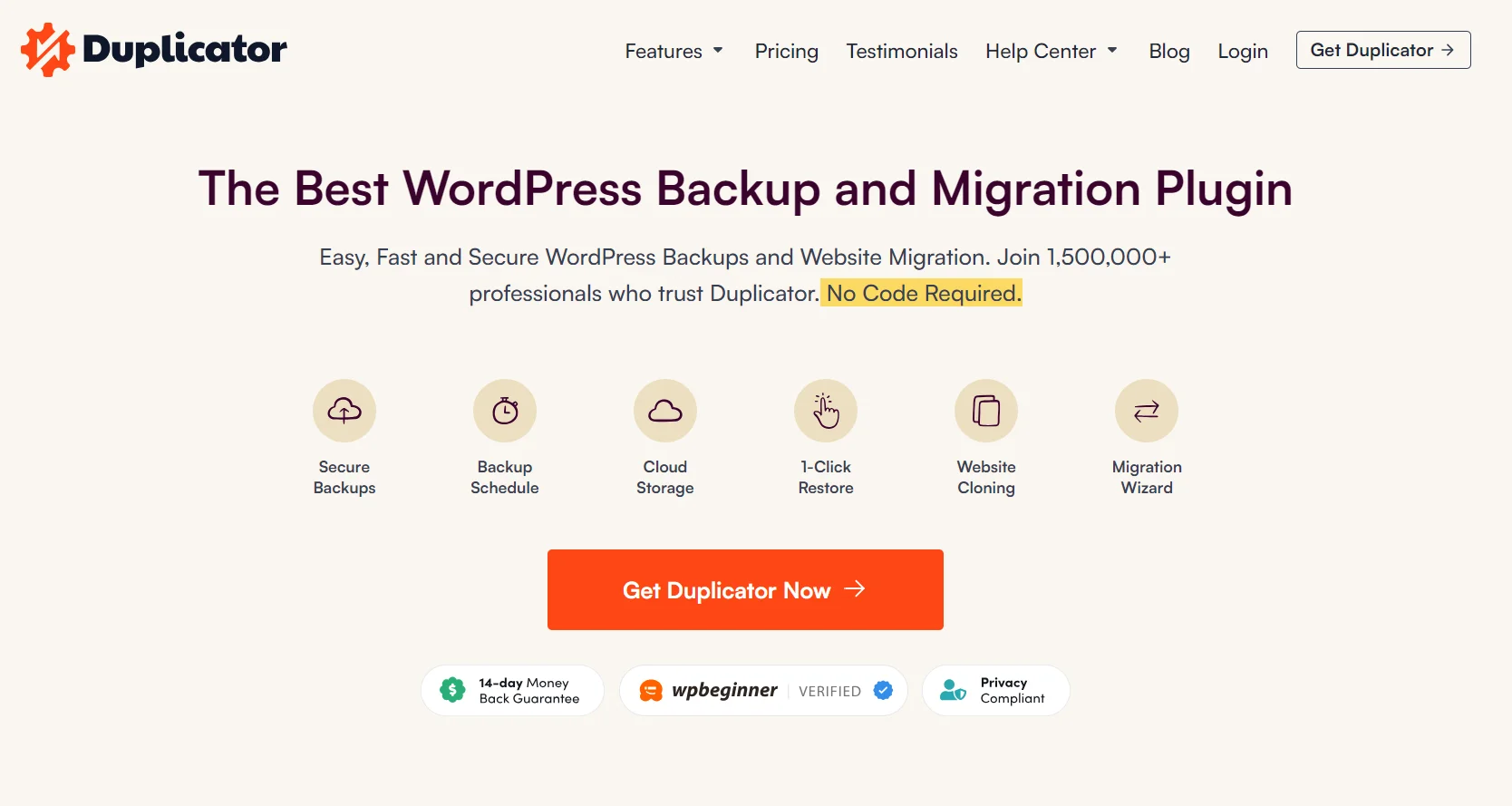
Duplicator is one of the leading WordPress migration plugins, renowned for its speed and user-friendly design. It simplifies the often complex process of website migration by packaging your site’s content—including themes, plugins, and media files—into a single, portable package.
This package can be effortlessly transferred and restored to a new location. For larger websites, Duplicator supports direct imports from a URL, eliminating the hassle of large file downloads. In addition to migrations, the plugin allows you to create reusable site templates, making it easy to launch multiple websites with identical configurations.
Duplicator also excels in website backup and restoration. You can schedule automated backups and integrate cloud storage solutions to keep your site’s data secure. Its compatibility with popular managed hosting providers ensures a smooth migration experience, regardless of your hosting setup. While beginners might need some guidance with FTP configurations, Duplicator’s responsive customer support is always available to assist.

The free version of the plugin is ideal for small to medium-sized WordPress websites. However, users with larger websites may find the premium version more beneficial, as it is optimized to manage the higher demands of large-scale migrations.
Key features:
- Local development
- Site backup
- Staging
- Site packaging
- Scheduled backups (Cloud Storage!)
- Multisite migration
- Standalone subsite creation
- Database & user creation (cPanel API)
- Email notifications
Ratings:
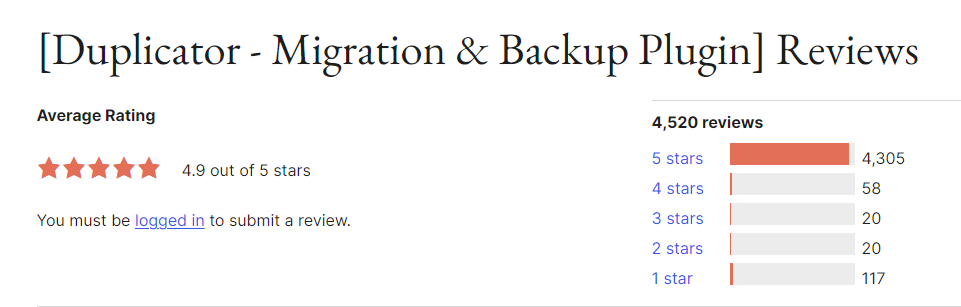
Duplicator has a rating of 4.9 out of 5 stars on WordPress.org based on 4,514 reviews.
Pricing:
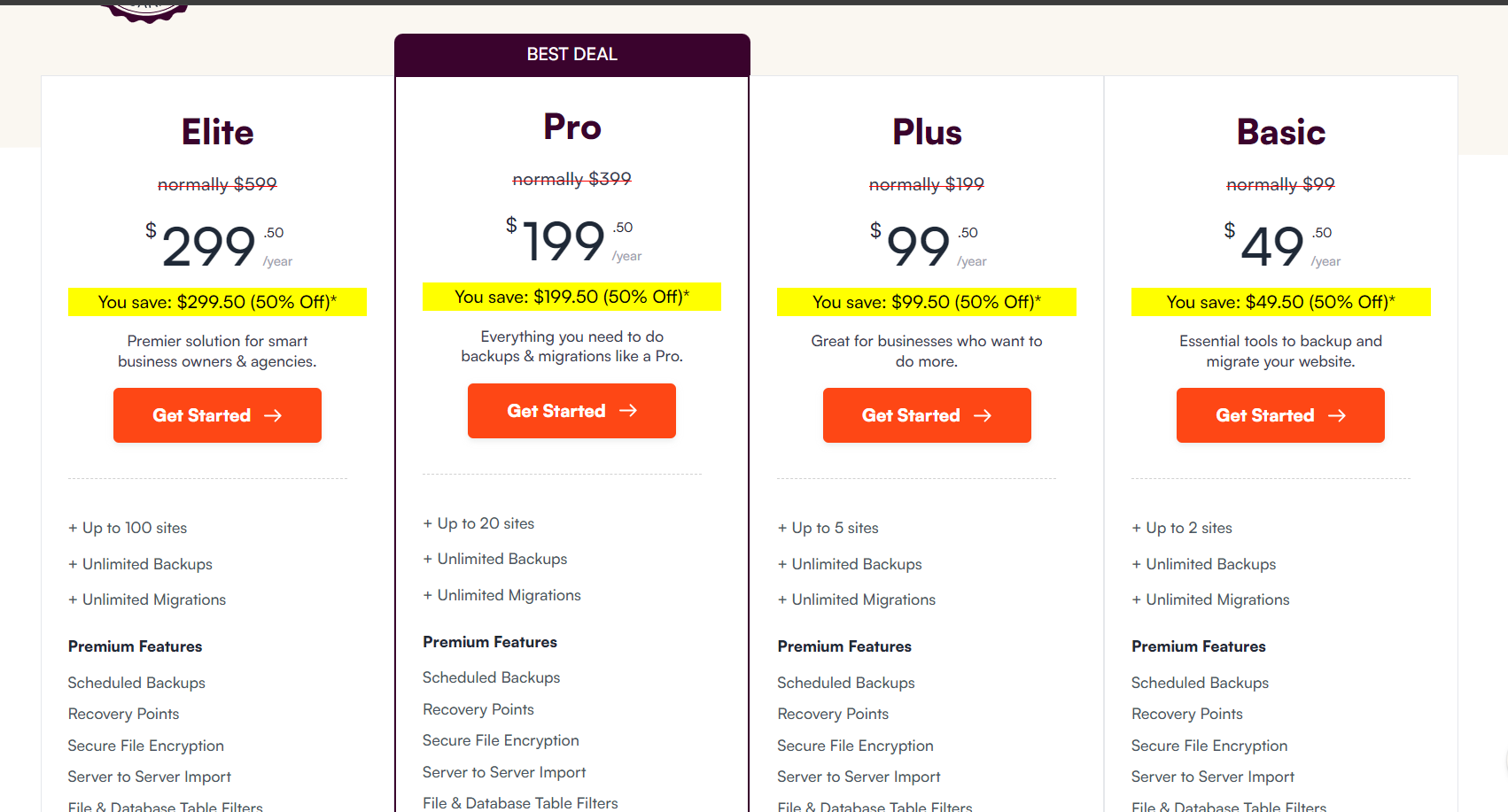
The pricing starts at $49 for the Basic package and goes up to $299 for the Elite.
2. UpdraftPlus
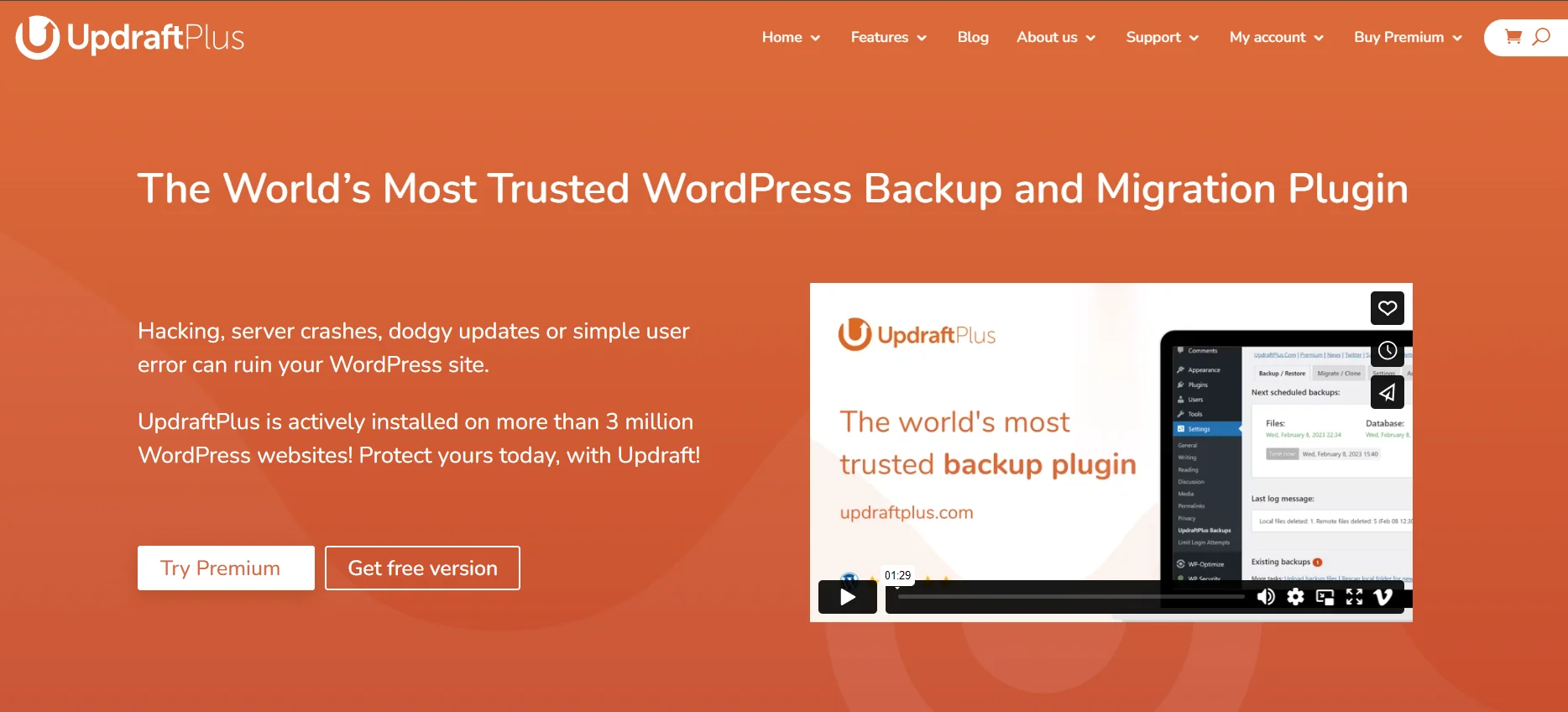
Image Source: UpdraftPlus
UpdraftPlus is a widely popular freemium WordPress plugin known for its intuitive approach to backups and migrations. Its user-friendly interface makes it a favorite among beginners, enabling them to back up, clone, and migrate their websites with minimal hassle.
The plugin provides flexibility by allowing backups to multiple storage locations, ensuring robust data protection. With a simple click of the ‘Backup Now’ button, users can quickly secure their site’s data.
The free version supports basic site migration by downloading and restoring backups. However, for more advanced functionality, the UpdraftMigrator Premium addon is available. This premium option simplifies transfers to new hosts or domains, delivering a seamless migration experience with just a few clicks.
While the free version is well-suited for basic migrations, users looking for greater control and advanced features will benefit from upgrading to the premium version.
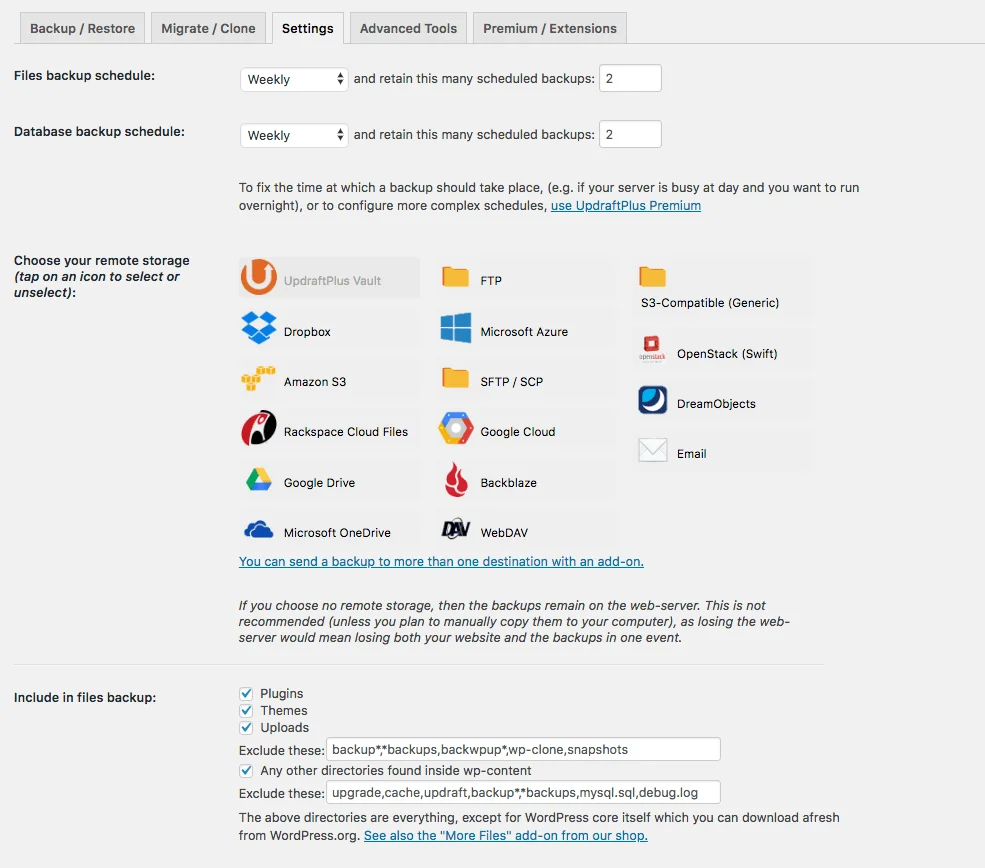
– Configuring your backs up with UpdraftPlus. Source: WordPress.org
Key features:
- Incremental backups
- Multiple remote storage options
- Restore from other backup plugins
- Scheduled backups
- Detailed reports
- Multisite compatibility
- Non-WP file/database backup
- Database encryption
- WP-CLI management
Rating
UpdraftPlus a rating of 4.8 out of 5 stars on WordPress.org based on 7,615 reviews.

Pricing:
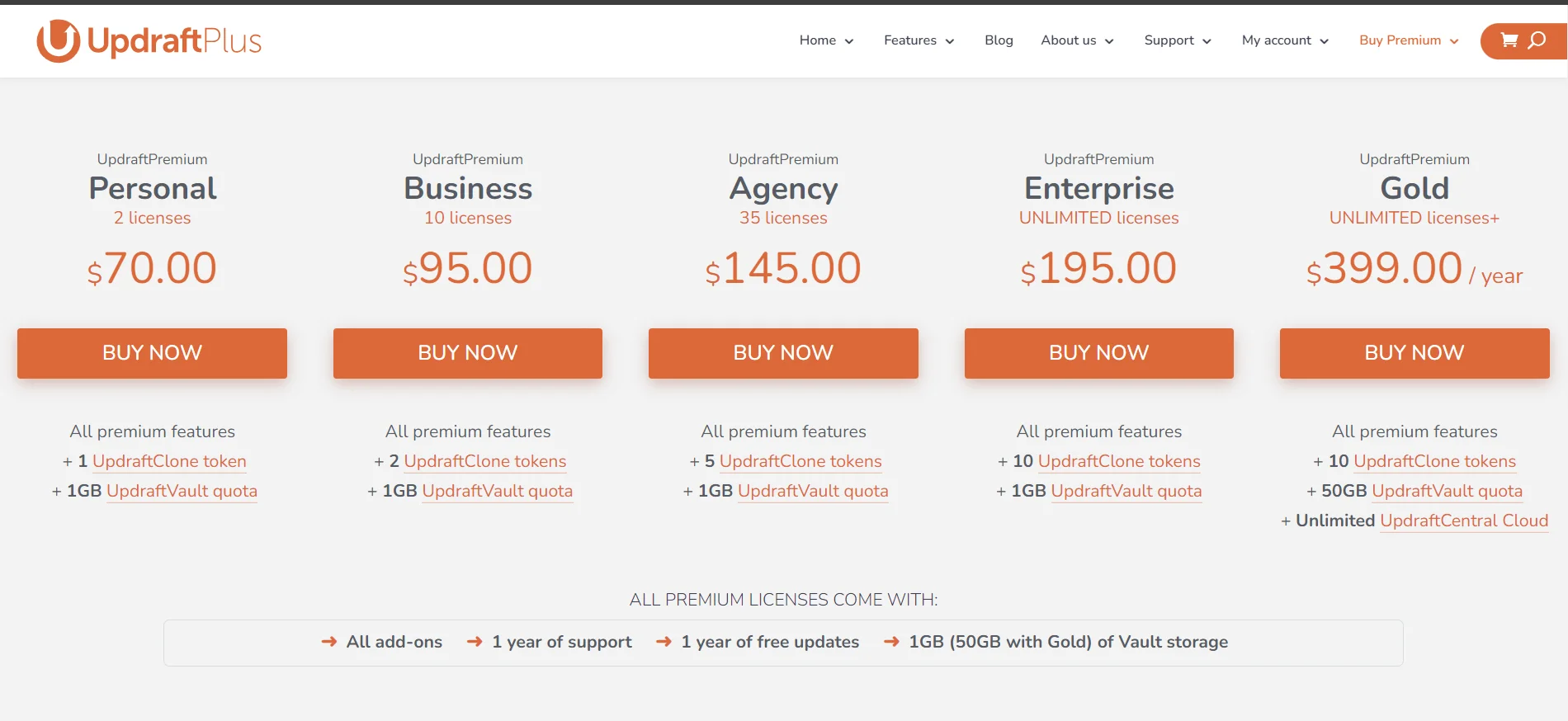
The premium version of UpdraftPlus starts at $70/year and goes up to $399/year.
3. All-in-One WP Migration

– WordCamp Asia
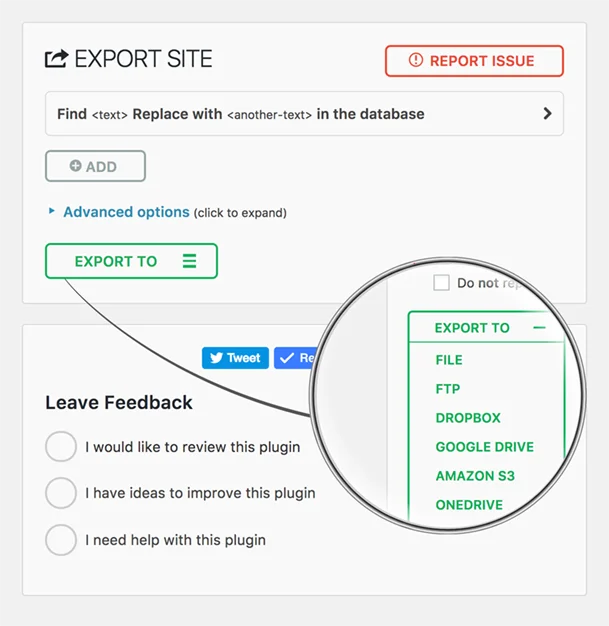
All-in-One WP Migration is a beginner-friendly plugin that simplifies the website migration process, eliminating the need for technical expertise. With just a few clicks, users can effortlessly export their website and import it to a new location.
The plugin provides useful customization options, allowing users to selectively include or exclude specific elements such as plugins, themes, and media files. Unlike many competitors that only support ZIP files, All-in-One WP Migration works with a variety of file formats.
A standout feature is its ability to automatically replace URLs during the export process, ensuring SEO remains intact after migration. To enhance data security, the plugin also creates backup copies of exported files, adding an extra layer of protection.
While All-in-One WP Migration excels in simplicity and customization, it does come with a few limitations. The export and import processes can be time-consuming for larger websites, and multisite functionality is restricted to the premium version.
Despite these drawbacks, the plugin remains a popular choice for users seeking a straightforward migration solution. It is trusted by notable organizations such as NASA, the State of Hawaii, and Harvard University, underscoring its reliability and effectiveness.
Key features
- Custom uploads
- Multilingual (50+ languages)
- Accessible (WCAG 2.1 AA)
- Cross-platform compatibility
- Wide hosting provider support
- Product support
- File browsing (Traktor Web)
- File extraction (Traktor Desktop)
- WordPress Playground integration
Rating
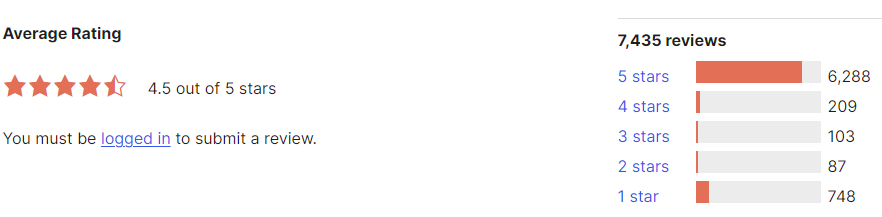
All in One WP Migration has a rating of 4.5 out of 5 stars on WordPress.org based on 7,435 reviews.
Pricing:
The premium version starts at $69/one-time and goes up to $319/one-time.
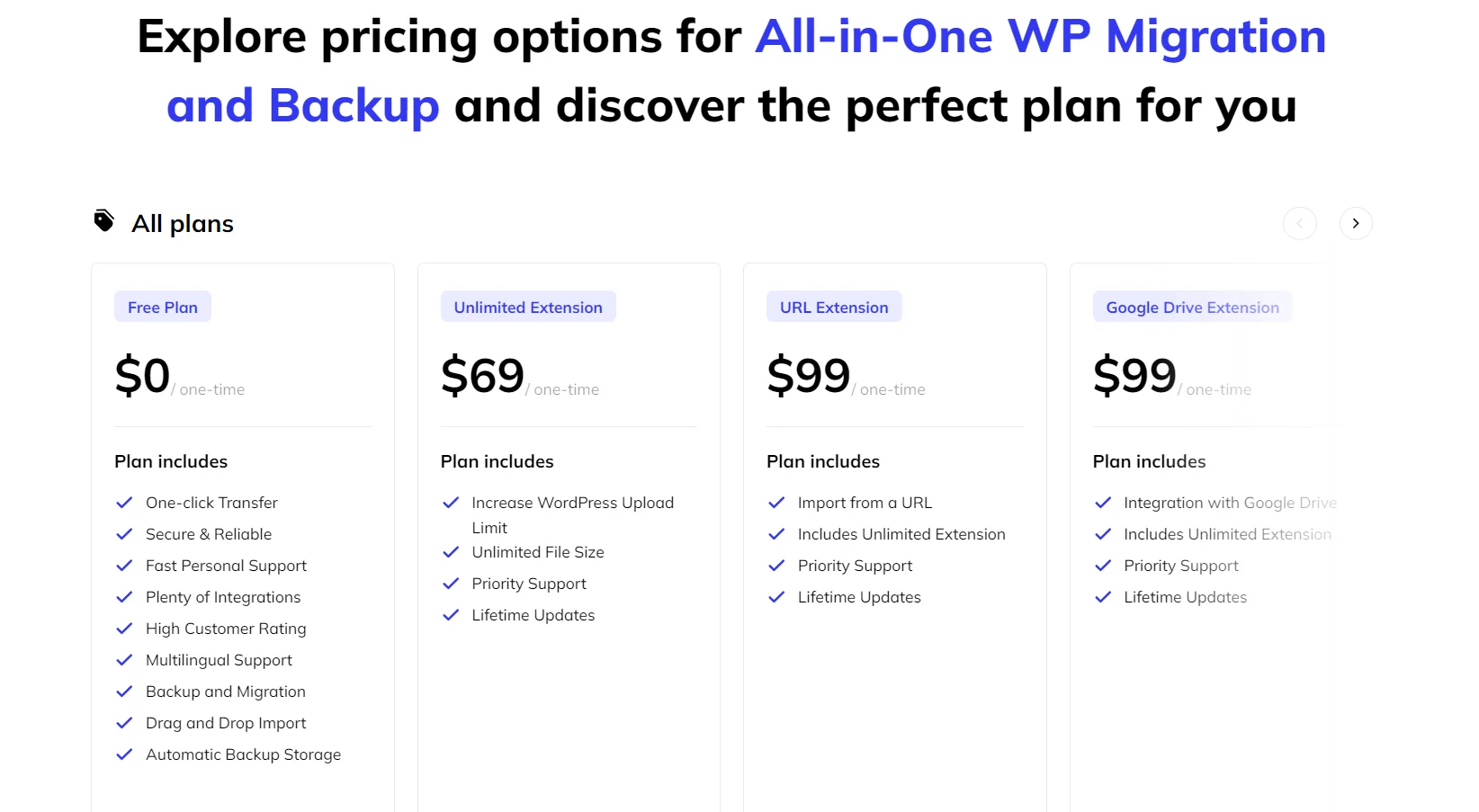
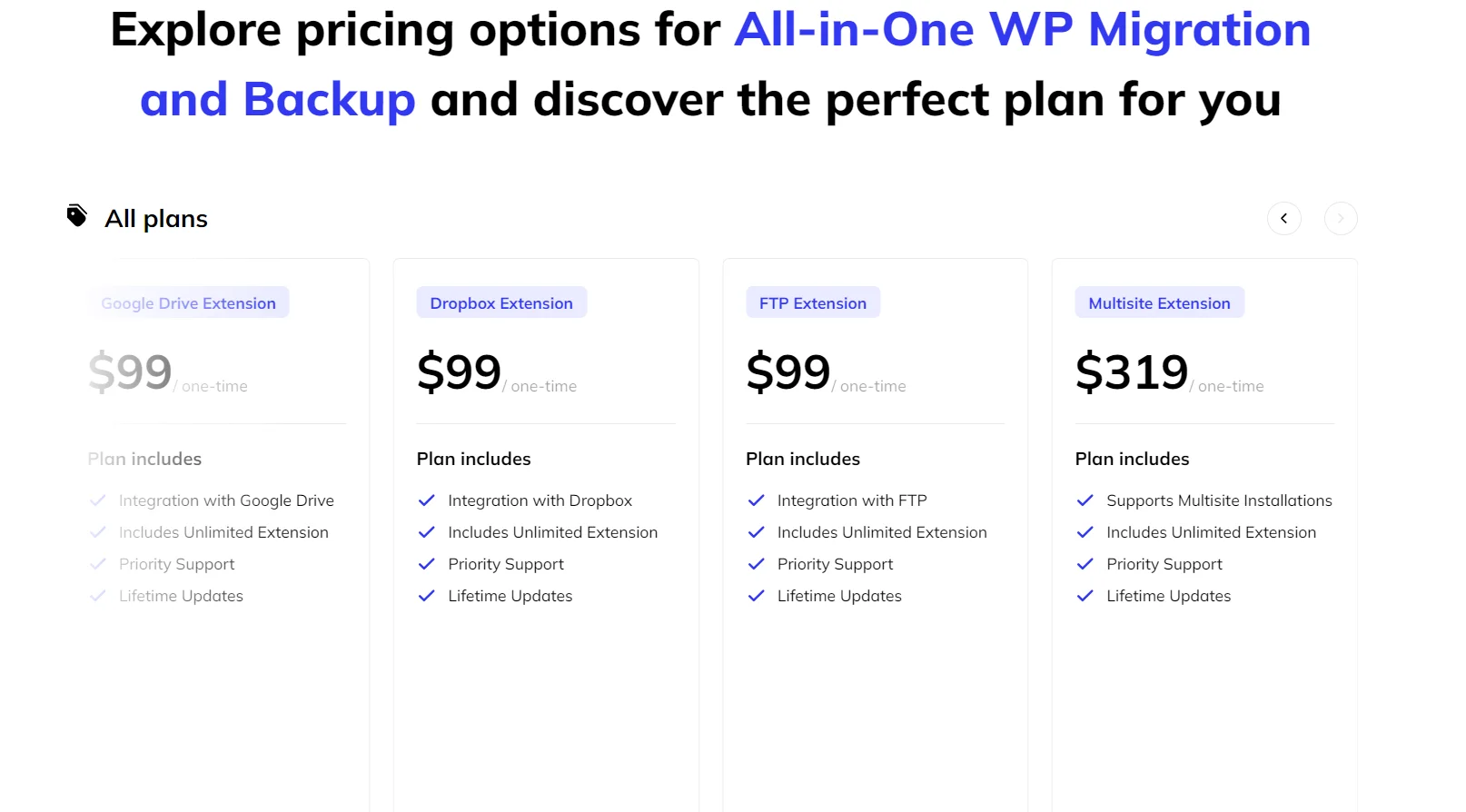
Just like the pricing heading, cover one for Rating & Reviews (add screenshot as well of ratings like the one below).
4. WP Migrate DB

WP Migrate DB is a specialized WordPress migration plugin that focuses exclusively on transferring database information. While it doesn’t offer full-site migration, its ability to handle complex database serialization issues makes it a powerful tool for seamless and error-free database transfers.
Designed primarily for developers, WP Migrate DB provides advanced control by allowing users to export databases as MySQL dumps. This feature enables manual adjustments, troubleshooting, and targeted modifications—ideal for recovering corrupted databases or implementing specific changes.
However, its specialized focus comes at a cost. To migrate an entire website, users need to purchase additional premium addons, which makes WP Migrate DB a pricier option compared to full-site migration plugins. Despite this, its precision and flexibility make it a top choice for developers managing complex migrations.
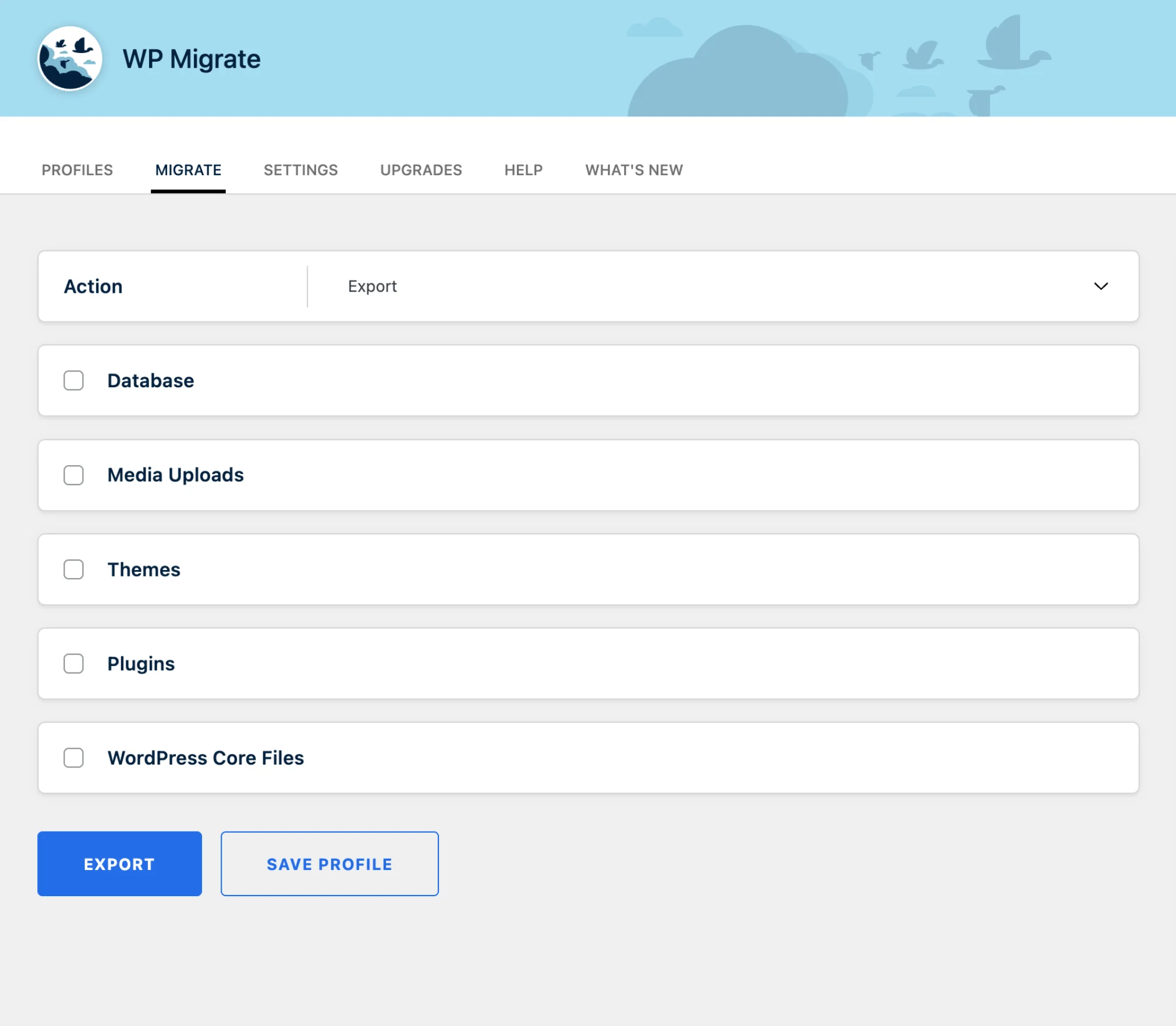
— WP Migrate DB migration profile. Source: WordPress.org
While not ideal for beginners, WP Migrate DB is a robust solution tailored for experienced developers. Its ability to efficiently handle large databases, along with the flexibility to modify and manipulate database structures, makes it an invaluable tool for managing complex migration tasks.
Key features:
- Local import
- Priority email support
- Push and pull migrations
- Advanced multisite features
- WP-CLI integration
- Pre-migration backup
- Targeted database migration
Rating
WP Migrate DB has a rating of 4.3 out of 5 stars on WordPress.org based on 303 reviews.
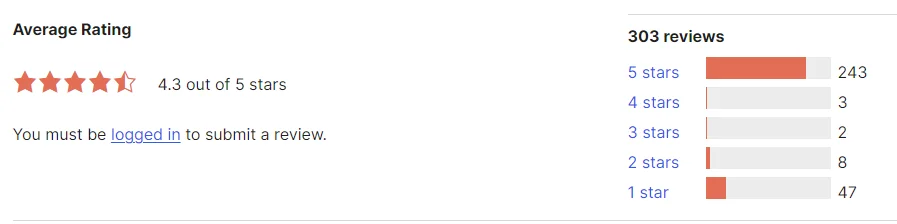
Pricing:
WP Migrate DB offers four distinct pricing plans to cater to various user needs:
- Individual Use – Ideal for personal projects or freelance developers.
- Organizations – Tailored for businesses and teams managing multiple sites.
- Teachers and Students – Special pricing for educational purposes.
- Non-Profits – Discounted plans to support non-profit organizations.
These flexible options make WP Migrate DB accessible to a wide range of users, from individuals to large-scale organizations.
- Individual use: Starting at $49/year
- Organizations: Starting at $249/year
- Non-Profits: Starting at $249/year
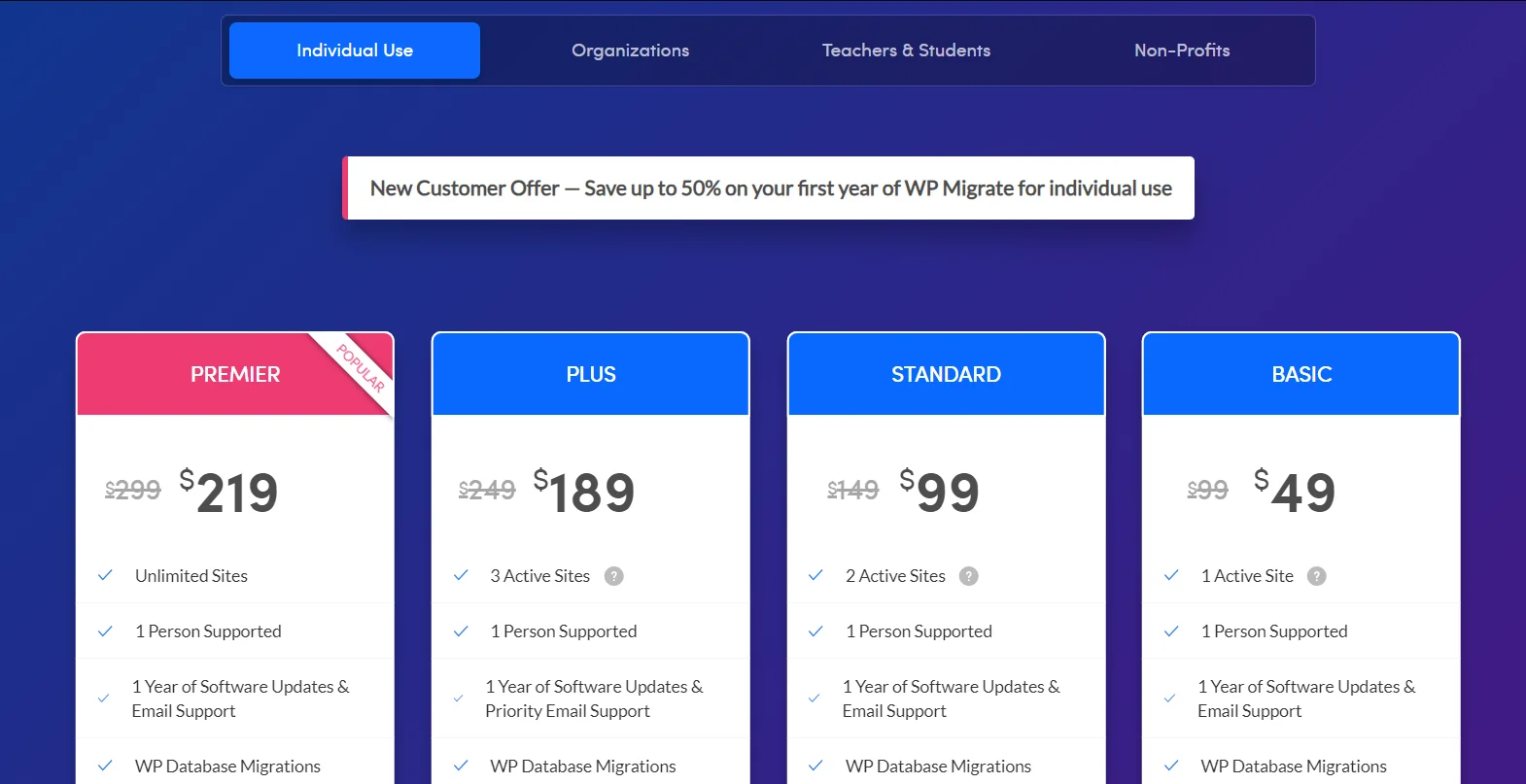
– Delicious Brains
5. Migrate Guru
Migrate Guru is a newer but highly effective WordPress migration plugin developed by the team behind BlogVault. Known for its simplicity and speed, the plugin ensures a zero-downtime migration by leveraging secure, dedicated servers. Migrate Guru stands out for its ability to migrate large websites—up to 200GB—making it an excellent choice for content-heavy sites. It also prioritizes data security by automatically deleting user data once the transfer is complete.
While the plugin offers impressive features, it does have some limitations. It lacks a dedicated dashboard, requiring users to manage the migration process via email and FTP/cPanel. However, BlogVault premium customers gain access to a more intuitive dashboard for easier management. Despite these limitations, Migrate Guru’s speed, ability to handle large websites, and automation make it a powerful and reliable tool for seamless website migration.
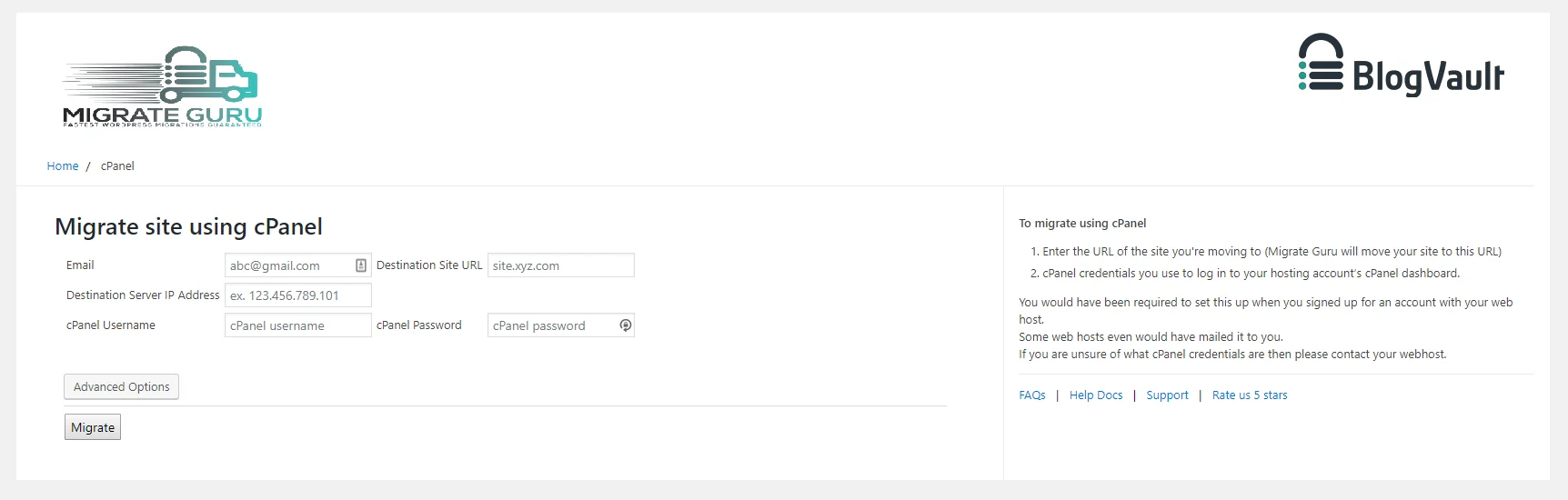
Migrate Guru effectively tackles common issues such as timeouts and resource constraints that often arise during large website transfers. Its ability to clone websites with ease further enhances its value, positioning it as one of the best WordPress migration plugins available. This combination of reliability and advanced features makes Migrate Guru a top choice for users managing large-scale migrations.
Key Features
- Wide compatibility
- Fast installation
- Supports sites up to 200 GB
- Automated URL replacements
- Real-time alerts
- One-click migration
Rating
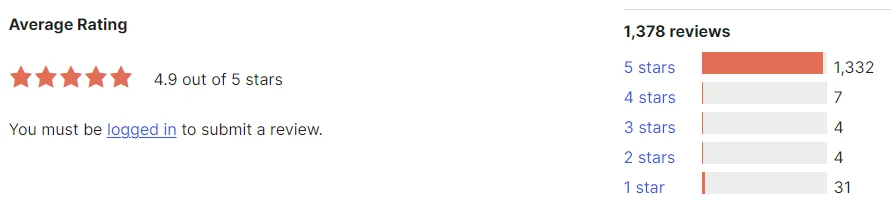
Migrate Guru has a rating of 4.9 out of 5 stars on WordPress.org based on 1,378 reviews.
Pricing
- Free
6. Solid Backups (Formerly Backup Buddy)
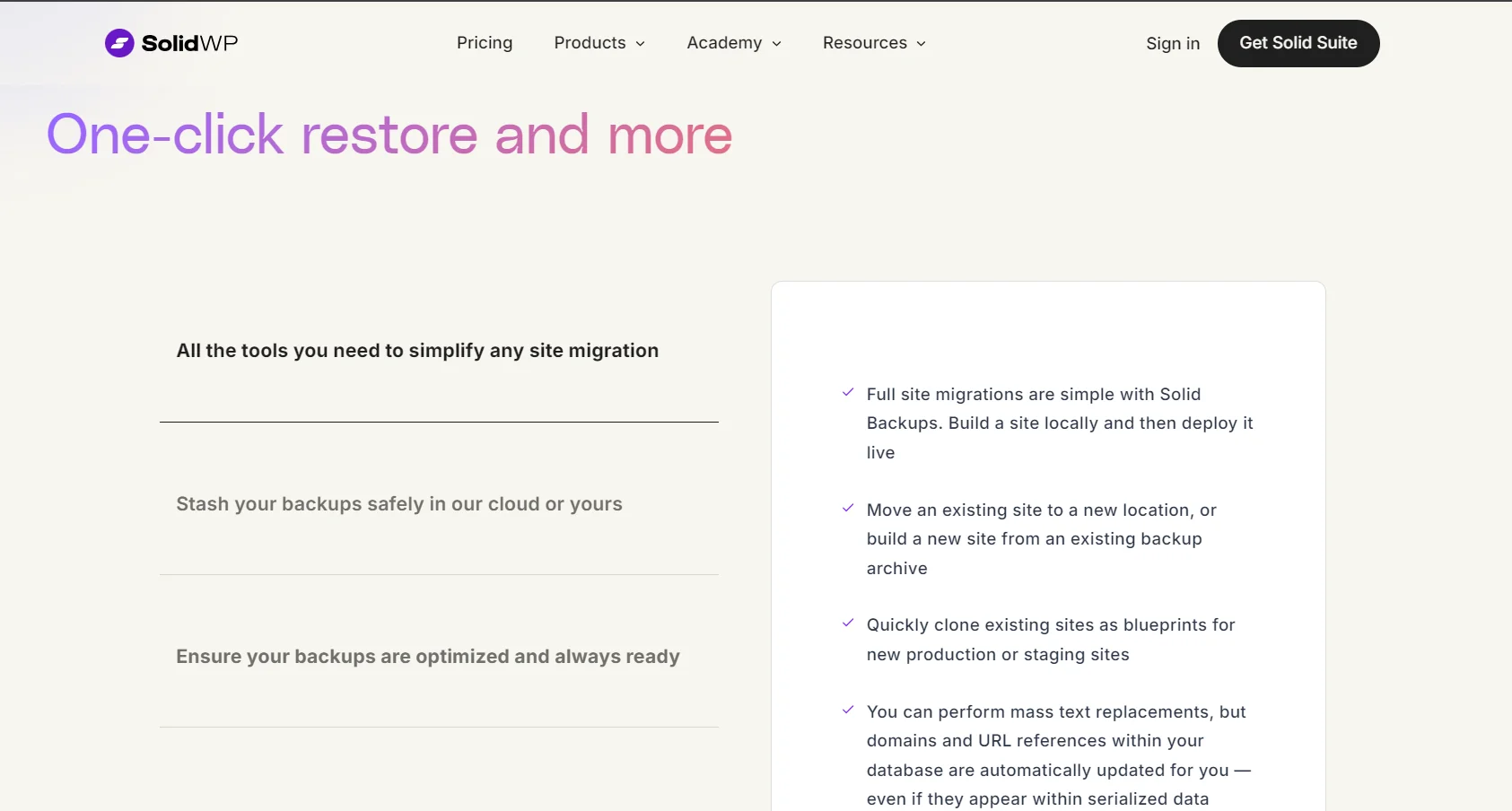
Solid Backups, formerly known as BackupBuddy, is a versatile WordPress plugin that offers a range of website management tools, including migration. Although primarily recognized for its backup capabilities, Solid Backups also provides effective solutions for transferring websites to new hosts or servers. Key features such as automated URL replacements and staging environment creation make the migration process simpler and more streamlined.
While not exclusively a migration tool, Solid Backups’ comprehensive feature set makes it a viable choice for users who need both backup and migration functionality. However, users focused on speed and simplicity in migration may find dedicated migration plugins more suitable.
For those seeking a balance of backup, migration, and staging features, Solid Backups offers an excellent solution. Its reputation for reliability, ease of use, and strong migration capabilities make it a popular option among WordPress users.
Key Features:
- Scheduled backups
- Automatic backups
- Store WordPress backups offsite
- Customize backup contents
- One-click restore
Rating
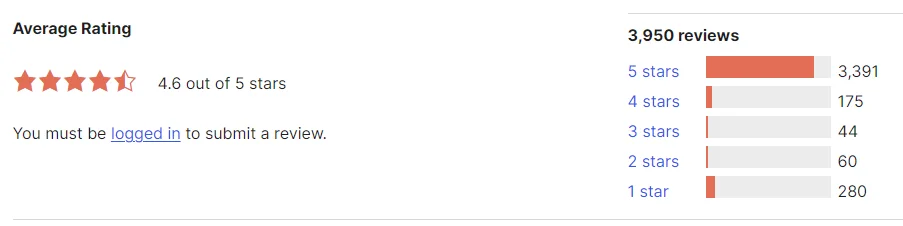
Solid Backups has a rating of 4.6 out of 5 stars on WordPress.org based on 3,950 reviews.
Pricing:
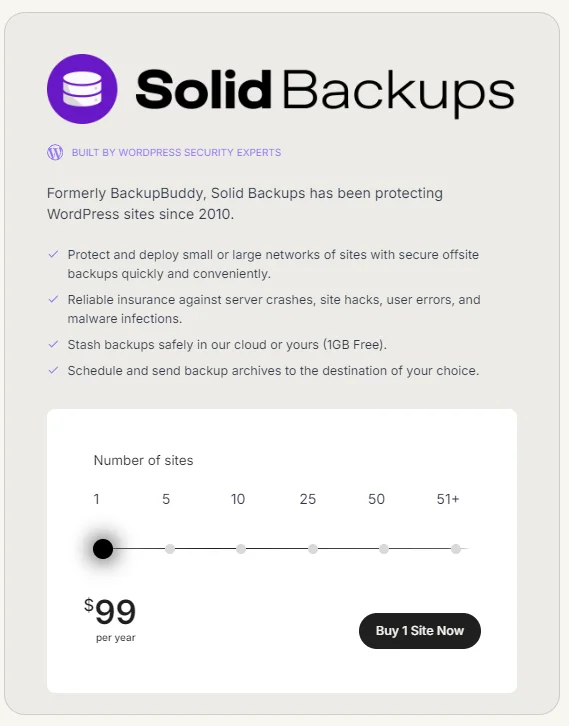
Starts at $99/year for one site.
Just like the pricing heading, cover one for Rating & Reviews (screenshot as well of ratings like the one below).
7. WPBackItUp

WPBackItUp is primarily known for its robust backup capabilities, but it also offers a valuable migration feature in its premium plan, allowing users to easily transfer their entire WordPress website to a new host or domain. The plugin simplifies the migration process, ensuring a smooth and hassle-free transition.
Unlike many backup plugins that focus solely on data protection, WPBackItUp provides a comprehensive solution for website management. By combining backup, restore, and migration functions, it offers users a convenient and efficient way to manage and secure their WordPress sites. This all-in-one approach makes WPBackItUp an ideal choice for users looking to maintain full control over their website operations.
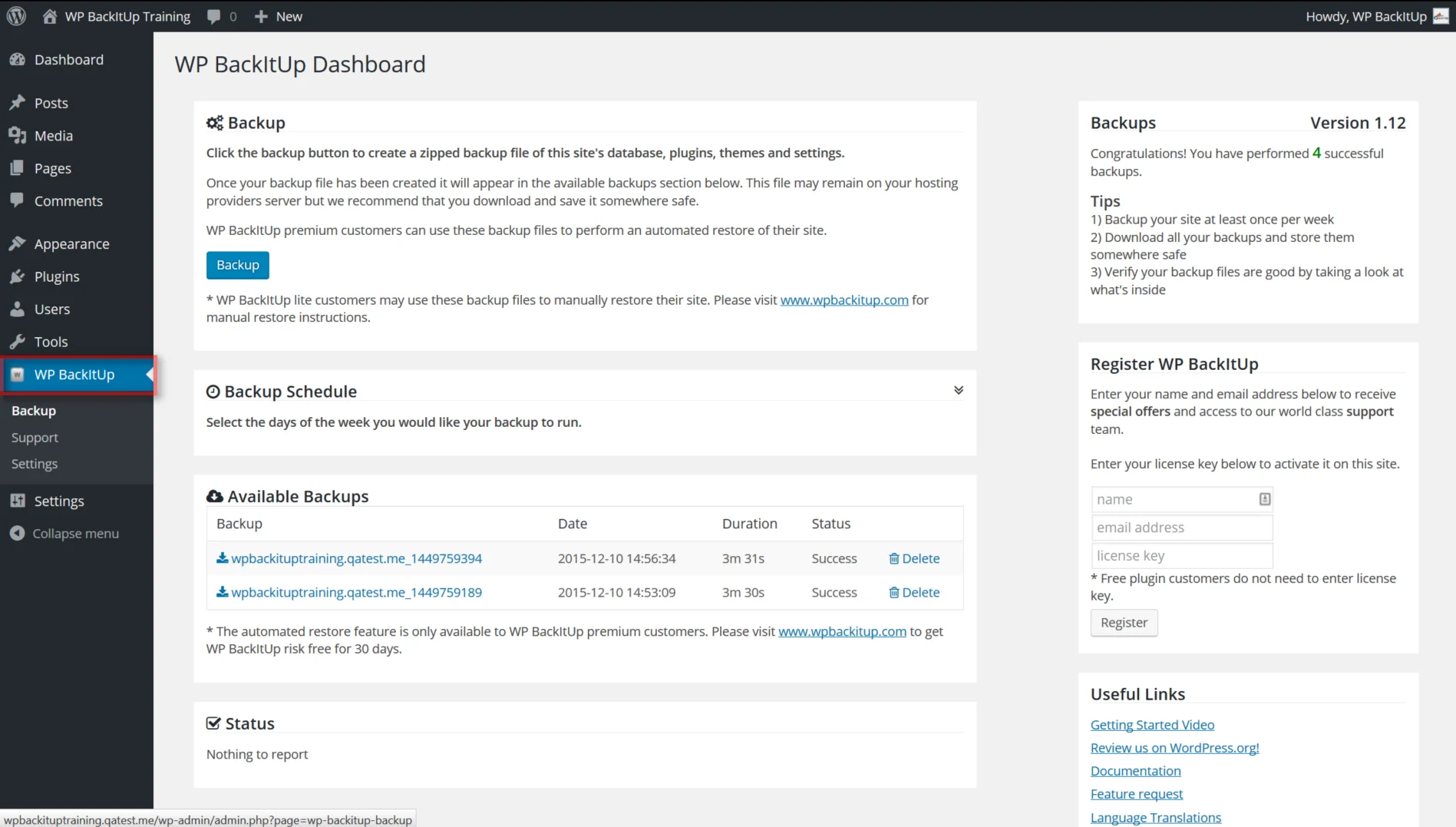
While WPBackItUp may not be marketed exclusively as a migration plugin, its inclusion of migration functionality significantly enhances the overall value of the plugin. For users looking for a reliable solution that addresses both backup and migration needs, WPBackItUp is certainly worth considering. Its dual-purpose capabilities make it an excellent choice for anyone seeking an efficient, all-in-one WordPress management tool.
Key Features:
- One-click migration
- One-click backup
- Unlimited backups
- Customize your backups
- Compressed backups
- Professional support
Rating
WPBackItUp has a rating of 4.6 out of 5 stars on WordPress.org based on 296 reviews.

Pricing:
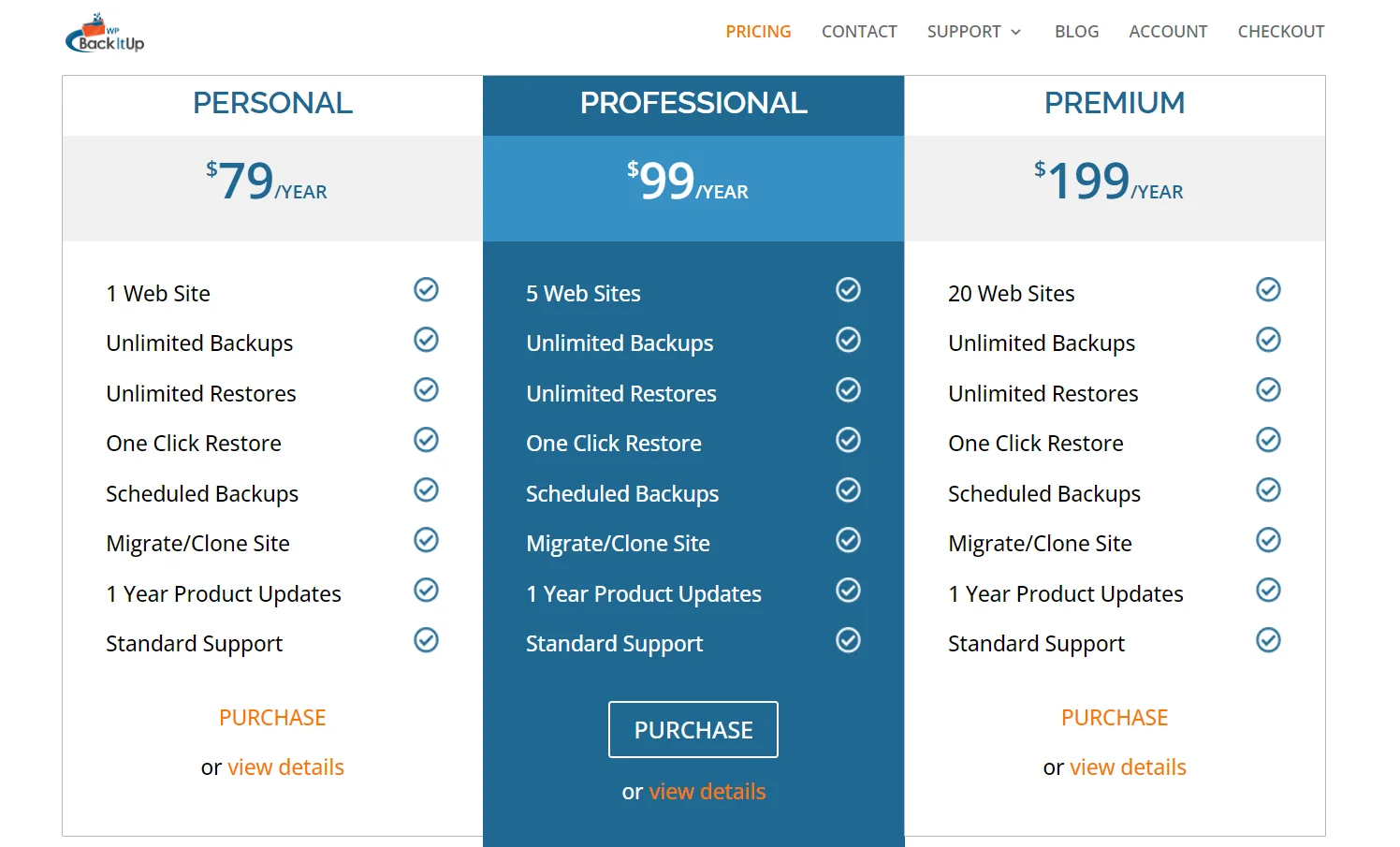
Migration is included in the plugin’s paid version. The pricing starts at $79/year and goes up to $199/year.
Just like the pricing heading, cover one for Rating & Reviews (add screenshot as well of ratings like the one below).
8. JetBackUp
— JetBackUp
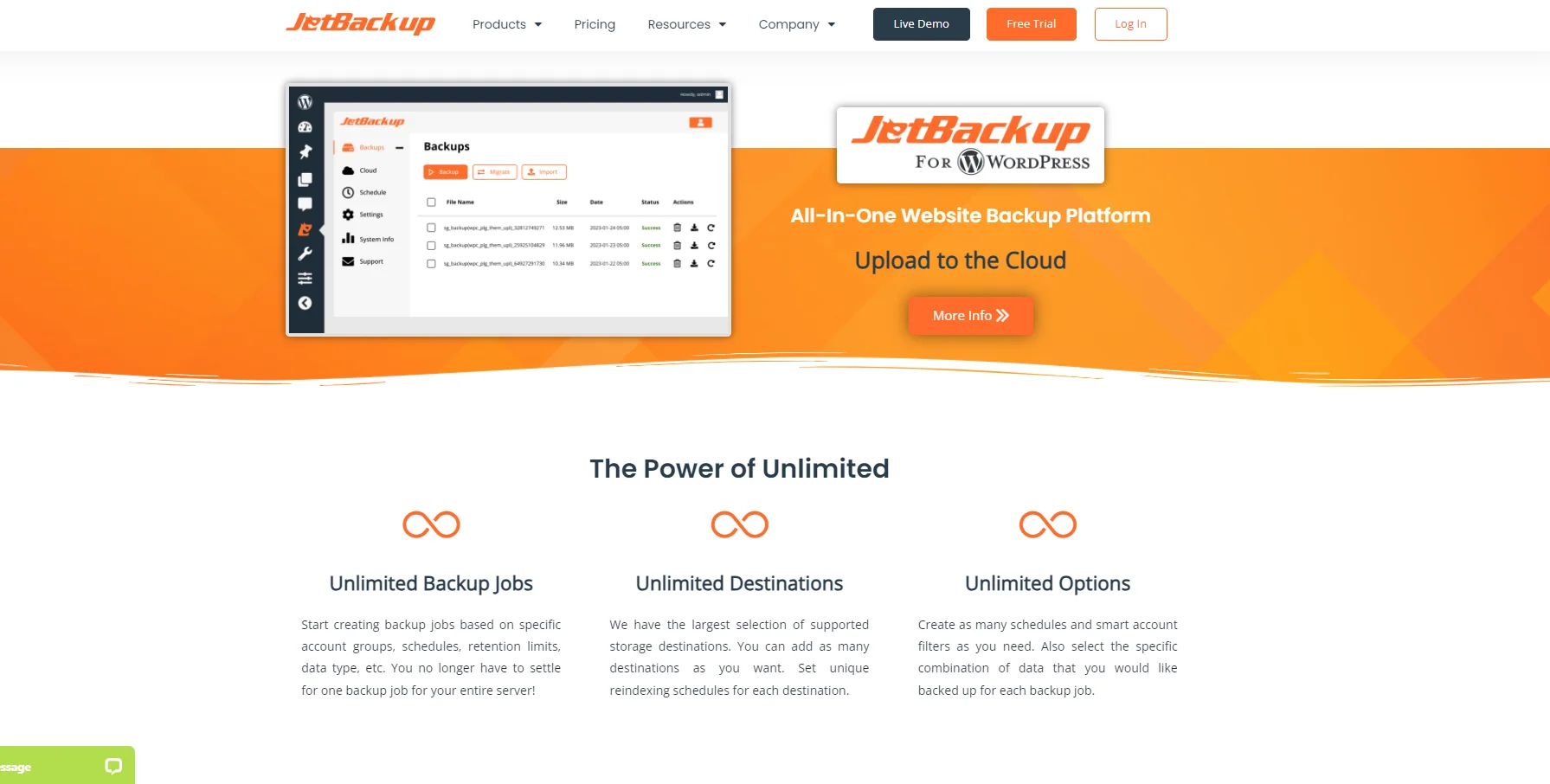
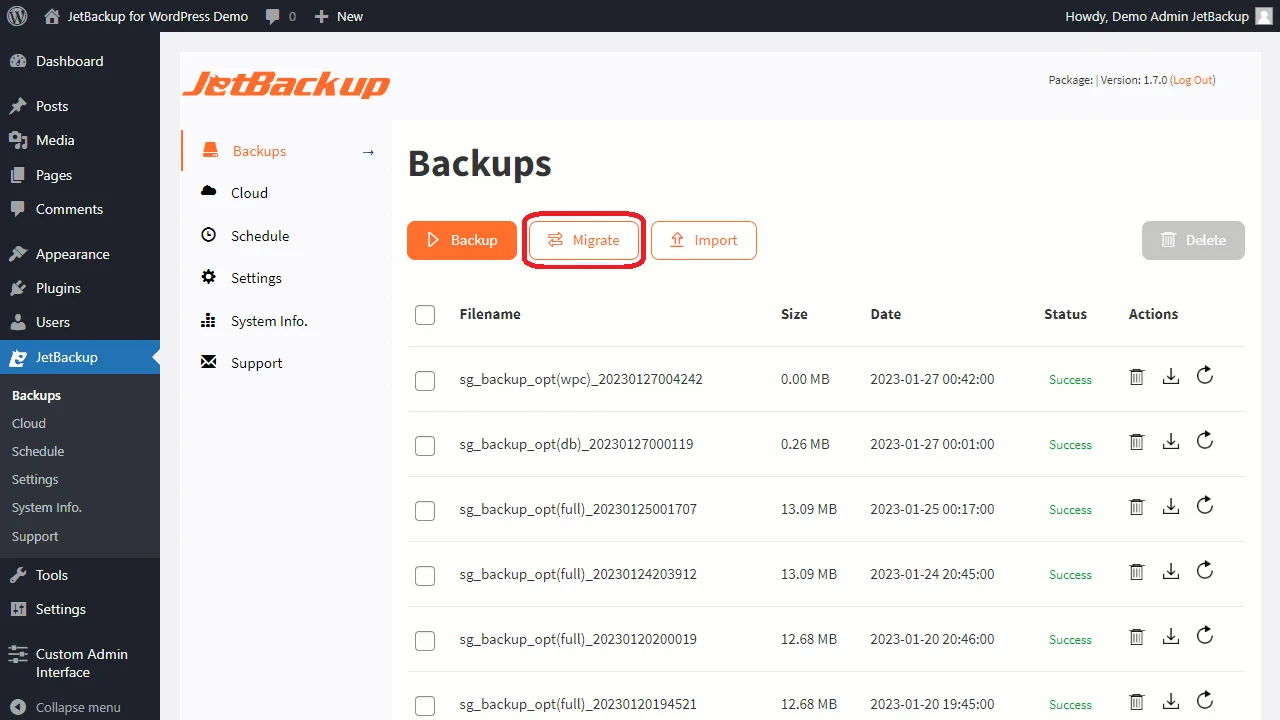
JetBackup is a comprehensive backup plugin that also provides a simple and efficient solution for migrating your WordPress site. Whether you're switching hosts or domains, JetBackup allows you to easily transfer your entire website—including files and databases—with just one click. This eliminates the need for manual data transfers and complex configurations, ensuring a seamless migration process.
In addition to basic migration functionality, JetBackup offers several features to enhance the transition. You can download backups specifically for migration, making it easy to transfer your site to a new host. Additionally, JetBackup supports scheduled backups, ensuring your site is continuously protected throughout the migration process. This provides peace of mind, knowing you have an up-to-date backup ready in case of any unexpected issues.
-Source: WordPress.org
Key Features
- Download backups
- Import backups
- Multisite WordPress network
- Live progress
- Upload to Dropbox
Rating
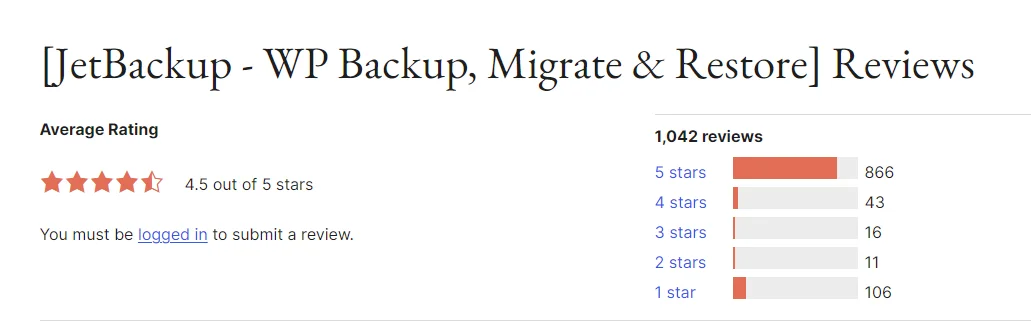
JetBackUp has a rating of 4.5 out of 5 stars on WordPress.org based on 1,042 reviews.
Pricing
With JetBackUp, you can choose to either pay monthly or yearly. It costs $8.95/month and $89.95/year
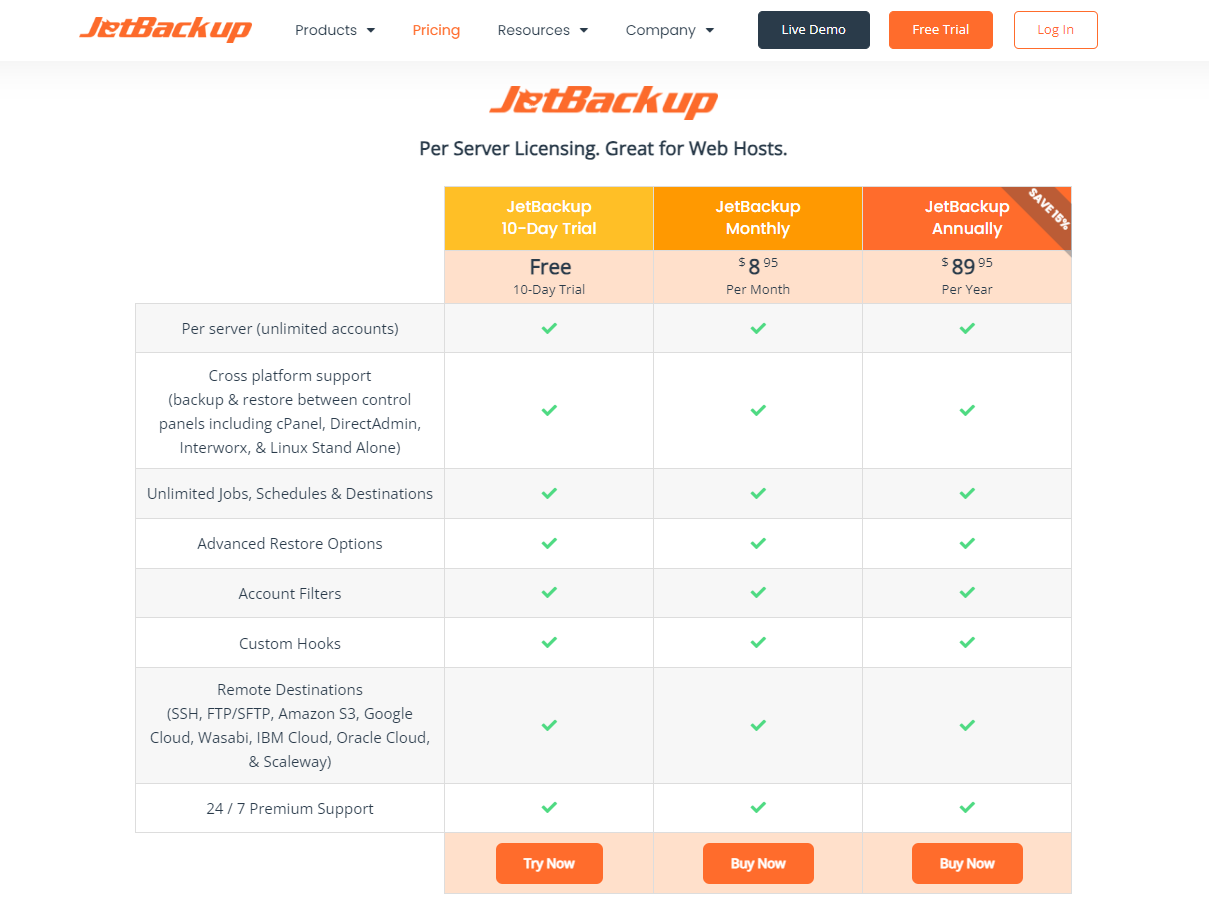
– JetBackUp
9. JetPack – VaultPress

VaultPress, powered by Jetpack, is an excellent WordPress migration solution aimed at users who are comfortable with technical details. Pre-installed on WordPress.com sites, VaultPress simplifies backup and migration processes by allowing users to easily transfer their entire website, including the database, plugins, themes, content, and images.
However, managing Jetpack migration on self-hosted WordPress.org sites requires a certain level of technical expertise. Users need to handle SSH, SFTP, or FTP credentials and make adjustments to DNS records. If you're not familiar with these processes, a more user-friendly option like WordPress Migrator might be a better choice.
In addition to its migration capabilities, VaultPress offers a comprehensive suite of security and backup features. Real-time cloud backups ensure your data is always protected, while one-click restores offer a quick and easy way to recover your site if issues arise. VaultPress also includes website firewall protection and malware scanning, keeping your site secure throughout the migration process and beyond.
Key Features
- Unlimited site migrations
- Backups of all files (database, themes, plugins)
- Backups of WooCommerce data (customers, orders)
- One-click restores
Rating
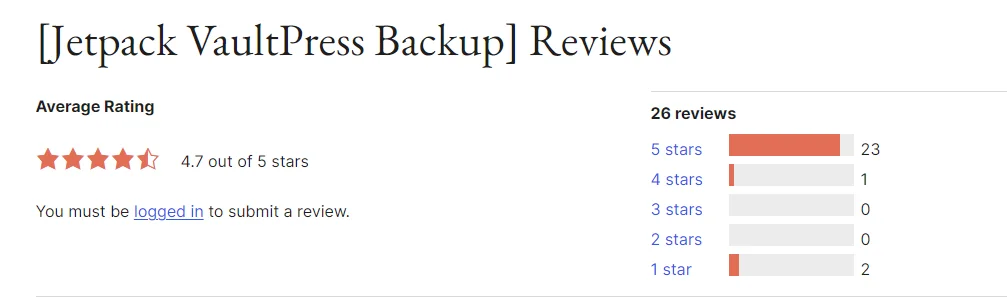
VaultPress has a rating of 4.7 out of 5 stars on WordPress.org based on 26 reviews.
Pricing:
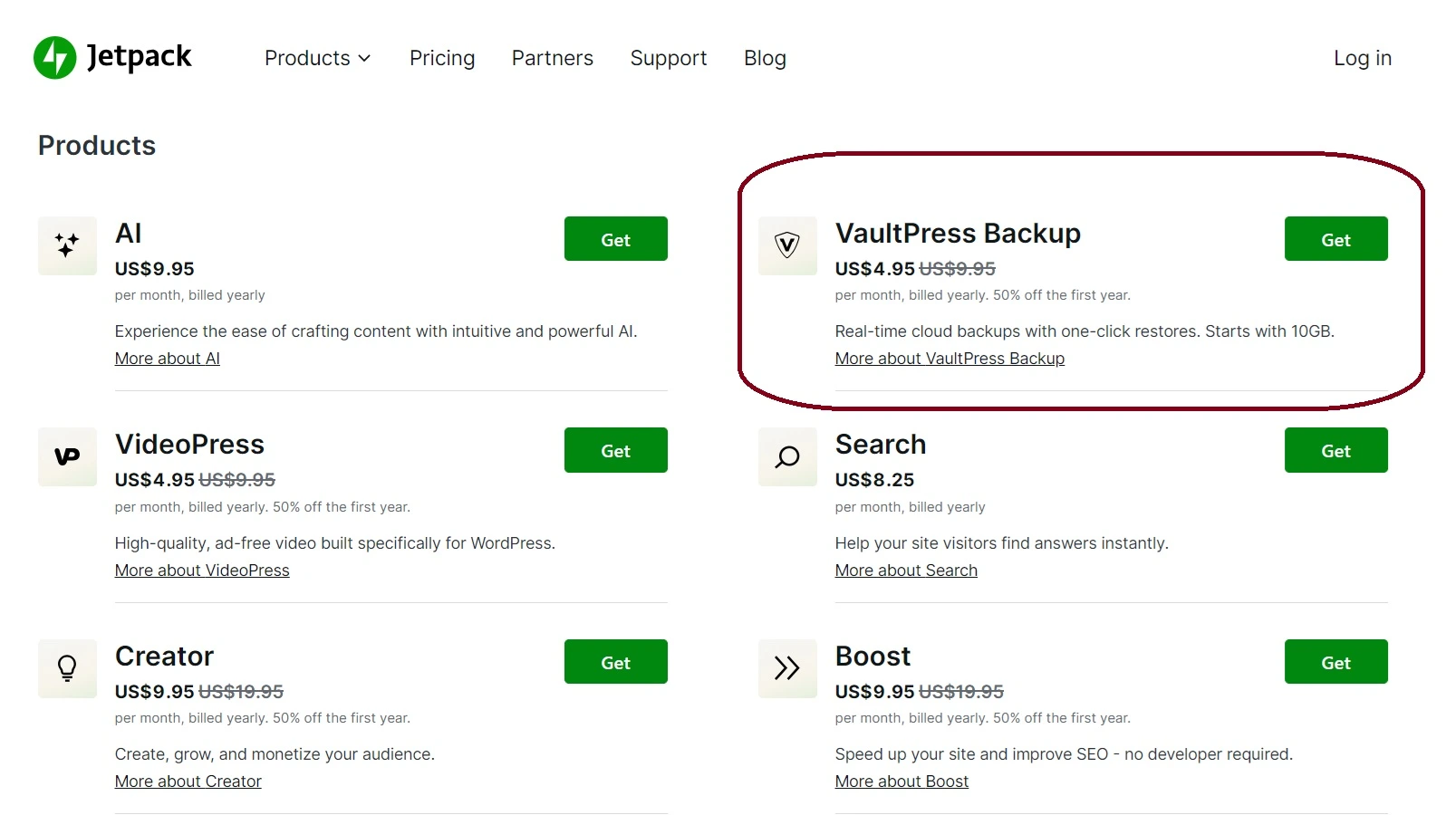
VaultPress pricing is $9.95/month.

 CF7 Google Sheet Connector
 WPForms Google Sheet Connector
 Ninja Forms Google Sheet Connector
 Gravity Forms Google Sheet Connector
 Formidable Forms Google Sheet Connector
 Forminator Forms Google Sheet Connector
 Fluent Forms Google Sheet Connector
 JetFormBuilder Google Sheet Connector
 Elementor Forms Google Sheet Connector
 Avada Forms Google Sheet Connector
 Divi Forms Google Sheet Connector
 WooCommerce Google Sheet Connector
 Easy Digital Downloads Google Sheet Connector
 WordPress Core Google Sheet Connector