Table of Contents
- What is Zapier?
- What is GSheetConnector?
- Feature Comparison
- Workflow Comparison
- Pricing Comparison
- Performance Comparison
- Ease of Setup
- Use Cases by Form Plugin
- Agency Use Cases
- Why GSheetConnector Is a Better Zapier Alternative for WordPress Forms
- Real Business Examples
- Pros and Cons
- Frequently Asked Questions
- Final Verdict
Zapier Alternative for WordPress Forms | GSheetConnector vs Zapier

If you run a WordPress site and rely on a plugin like Contact Form 7, WPForms, Gravity Forms, or one of the other popular form builders to collect leads, you've probably looked at Zapier as a way to get those form submissions into a Google Sheet automatically. It's the name that shows up in most tutorials, mainly because it's been around a long time and connects to a huge number of apps.
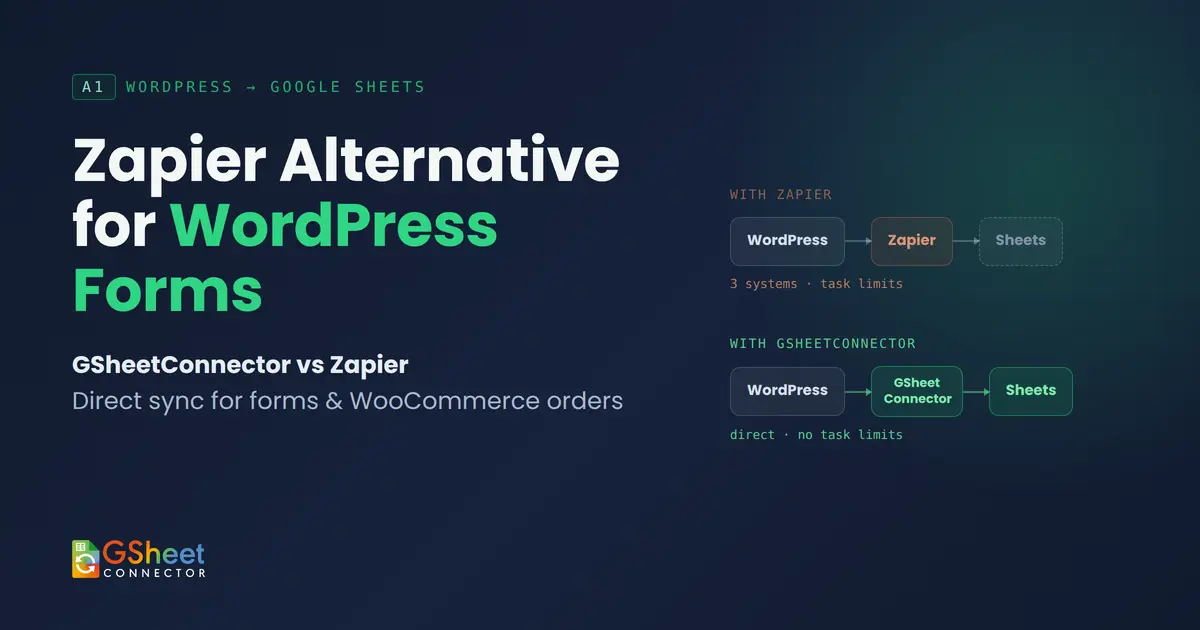
But for the specific job of getting WordPress form data into Google Sheets, that breadth comes at a cost: monthly task limits that quietly run out, pricing that climbs as your form volume grows, and an extra platform sitting between your site and your spreadsheet. That last part matters more than it sounds every extra step is one more thing that can break, delay, or fail silently, and one more account you have to log into just to check why a row didn't show up.
This is why “Zapier alternative for WordPress forms” has become such a common search. Site owners aren't looking for another general-purpose automation platform they're looking for something built specifically to do one job well: get WordPress form data into Google Sheets, directly, without the extra layer.
That's exactly what GSheetConnector solves for WordPress forms. Rather than one all-purpose plugin trying to do everything, GSheetConnector is a suite of dedicated connectors a CF7 Google Sheet Connector for Contact Form 7, a WPForms Google Sheet Connector for WPForms, and matching dedicated connectors for Gravity Forms, Fluent Forms, Ninja Forms, and the other major form plugins. Each one is built specifically for the form plugin it connects to, with no automation platform, no task limits, and no separate account to manage. Below, we'll walk through how it works, what it supports, and why it's become the go-to choice for site owners who just want their form data in a spreadsheet without the overhead.
If you also run a WooCommerce store, that's covered too through a separate, dedicated WooCommerce Google Sheet Connector built specifically to sync orders and products to Google Sheets in real time. It's a distinct plugin from the form connectors above, not a bundled feature, so we'll cover it in its own section further down.
What is Zapier?
Zapier is a general-purpose automation platform that connects thousands of apps CRMs, email tools, project management software, spreadsheets, Slack, calendars, and more through “Zaps,” workflows triggered by an event in one app that cause an action in another.
For WordPress, Zapier typically works through a plugin-specific integration or through webhooks for plugins that don't have one built in. When someone submits a form, Zapier receives that data, runs it through your configured Zap, and pushes it to whatever destination you've set up Google Sheets being one of hundreds of possible endpoints.
Zapier runs on a task-based pricing structure: every action a Zap performs counts as a “task,” and plans are priced around monthly task allowances. As form volume grows which happens fast for busy contact forms or WooCommerce stores task usage climbs and often pushes accounts into higher tiers, with a new account, a new dashboard, and a new set of things to configure and monitor along the way. For a job as specific as “send this form data to a spreadsheet,” that's a lot of extra machinery.
What is GSheetConnector?
GSheetConnector takes a completely different approach from Zapier. Instead of one general-purpose plugin, it's a suite of individual, dedicated connectors each one built for a specific WordPress form plugin or eCommerce platform, so it plugs directly into that plugin's own submission or order data rather than sitting on top of it as a separate system.
The idea is simple: when someone submits a form (or places a WooCommerce order, if you're using the WooCommerce connector), the relevant GSheetConnector plugin writes that data directly into a Google Sheet you've connected, using Google's own API. There's no Zap to configure, no separate account to manage, and no automation platform sitting in the middle deciding whether your data gets through this month or not. You install the connector for whichever plugin you're using, connect your Google account once, map your fields, and it runs quietly in the background from then on.
Because each connector is purpose-built for the specific plugin it works with, the setup screens speak the same language as that plugin you're mapping its actual fields to spreadsheet columns inside the WordPress admin, not learning a separate platform's generic logic for triggers and actions.
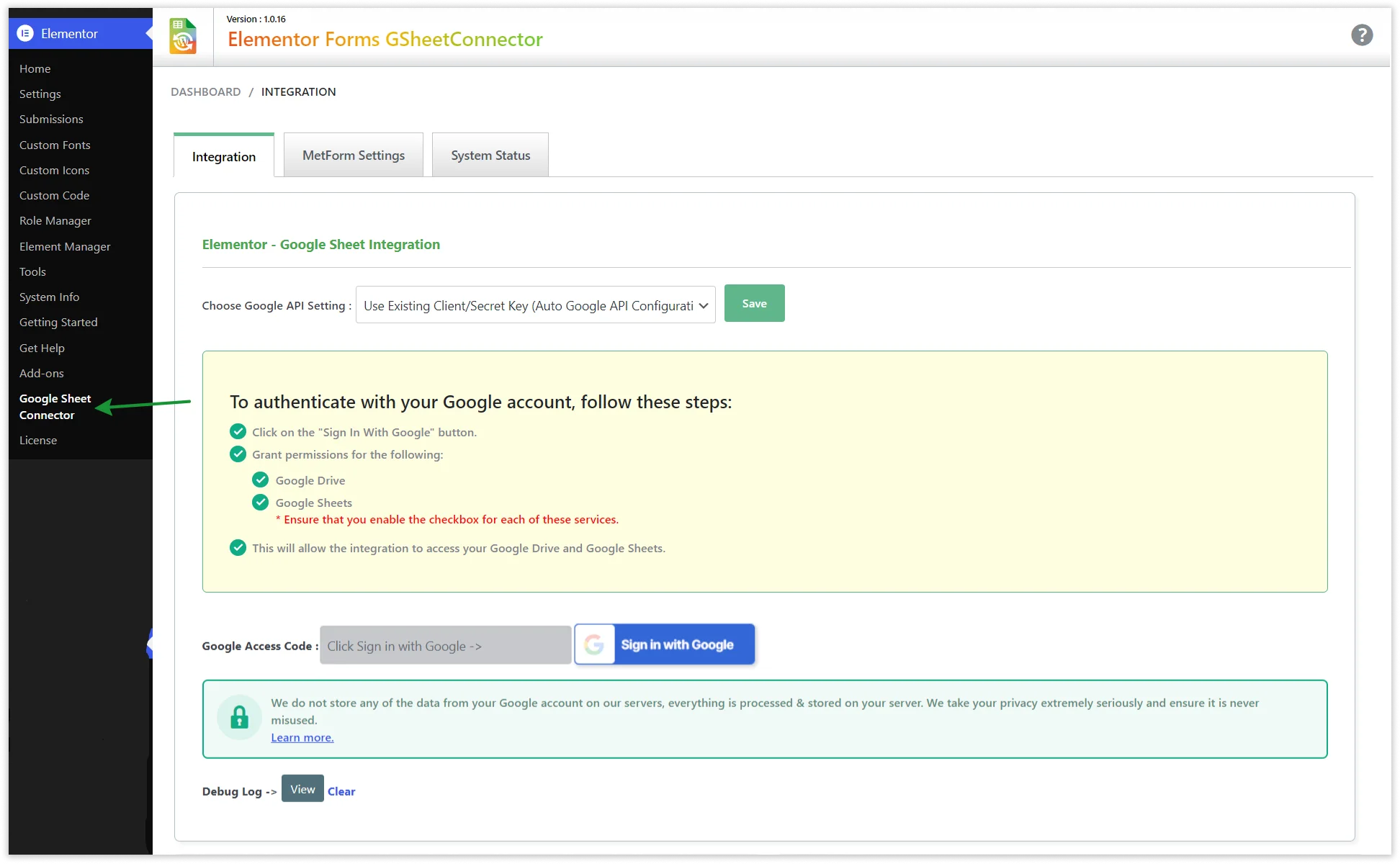
On the forms side, GSheetConnector has a dedicated connector for each of the major WordPress form plugins:
- Contact Form 7
- WPForms
- Gravity Forms
- Fluent Forms
- Ninja Forms
- Forminator
- Formidable Forms
- Elementor Forms
- MetForm
- Divi Forms
- Avada Forms
If you're using CF7, you'd install the CF7 Google Sheet Connector; if you're on WPForms, you'd install the WPForms Google Sheet Connector and so on. Each one only does what it needs to for that specific plugin, which keeps things simple and avoids installing features you'll never touch.
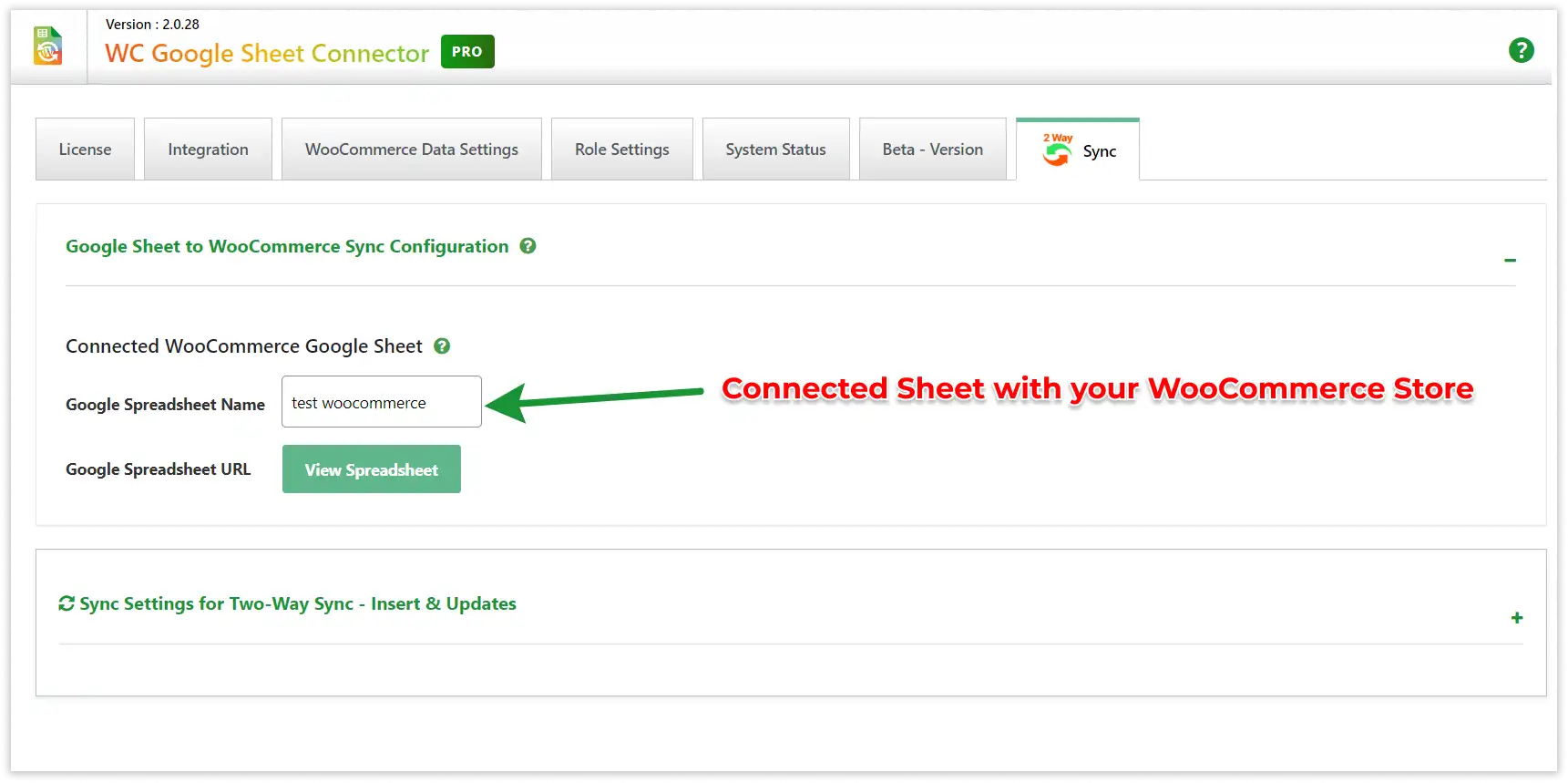
On the eCommerce side, there's a separate, dedicated WooCommerce Google Sheet Connector for store owners. Rather than folding order data into a forms plugin, it's built specifically to sync WooCommerce orders and products to Google Sheets in real time customer details, products purchased, totals, order status, and inventory-level product data which is useful for reporting, inventory tracking, or sharing order data with a fulfillment partner who just wants a spreadsheet, not dashboard access. Digital product sellers and stores built on other form builders aren't left out either GSheetConnector also has dedicated connectors for Easy Digital Downloads and JetFormBuilder.
Most of these connectors also have a free version on WordPress.org, so you can try the core sync before deciding whether you need the Pro features: Contact Form 7, WPForms, Gravity Forms, Fluent Forms, Ninja Forms, Forminator, Formidable Forms, Elementor Forms, WooCommerce, Easy Digital Downloads, and JetFormBuilder all offer free versions. Avada and Divi are currently Pro-only.
Feature Comparison
| Feature | Zapier | GSheetConnector |
|---|---|---|
| Setup | Requires building a Zap: trigger, action, field mapping, testing | Connect Google account, map fields, done |
| Google Sheets Sync | Yes, as one of many possible destinations | Yes, direct and purpose-built |
| WordPress Focus | General automation platform, WordPress is one of many integrations | Built specifically for WordPress |
| WooCommerce | Possible via Zaps, more setup involved | Native support out of the box |
| Form Plugin Support | Limited native support; others need webhooks | Wide native support across major form plugins |
| Pricing | Task-based, scales with usage | Typically flat/predictable plugin pricing |
| Monthly Limits | Yes, tied to plan tier | Generally no task-based ceiling |
| Ease of Use | Moderate some learning curve for Zap logic | Simple configured inside WordPress admin |
| Maintenance | Zaps may need review as apps update | Minimal, lives inside your site |
| Learning Curve | Moderate to steep for multi-step Zaps | Low |
| Multi-app Automation | Supported thousands of apps, unrelated to this use case | Not applicable Google Sheets focused by design |
| Reporting | Depends on downstream apps and configuration | Data lives in Sheets, ready for reporting/pivot tables |
| Support | Community forums and platform-wide documentation | Dedicated WordPress-specific plugin support |
Workflow Comparison
The clearest way to understand the difference is to look at how data actually travels.

With Zapier:
WordPress → Zapier → Google Sheets
A form is submitted, WordPress sends that data (natively or via webhook) to Zapier's servers, Zapier processes it through your Zap logic, and then Zapier pushes it to Google Sheets. Three systems, two handoffs.
With GSheetConnector:
WordPress → GSheetConnector → Google Sheets
The plugin runs inside WordPress and talks directly to the Google Sheets API. One handoff, not two.
The extra layer is what lets Zapier branch into dozens of other apps and add conditional logic but for a workflow that's simply “form submission goes to a spreadsheet,” that layer is doing work you don't need, while adding a system you now have to trust, monitor, and pay for.
GSheetConnector removes that layer entirely. One handoff means one less place for something to go wrong, one less dashboard to check, and one less account standing between your site and your data.
Pricing Comparison
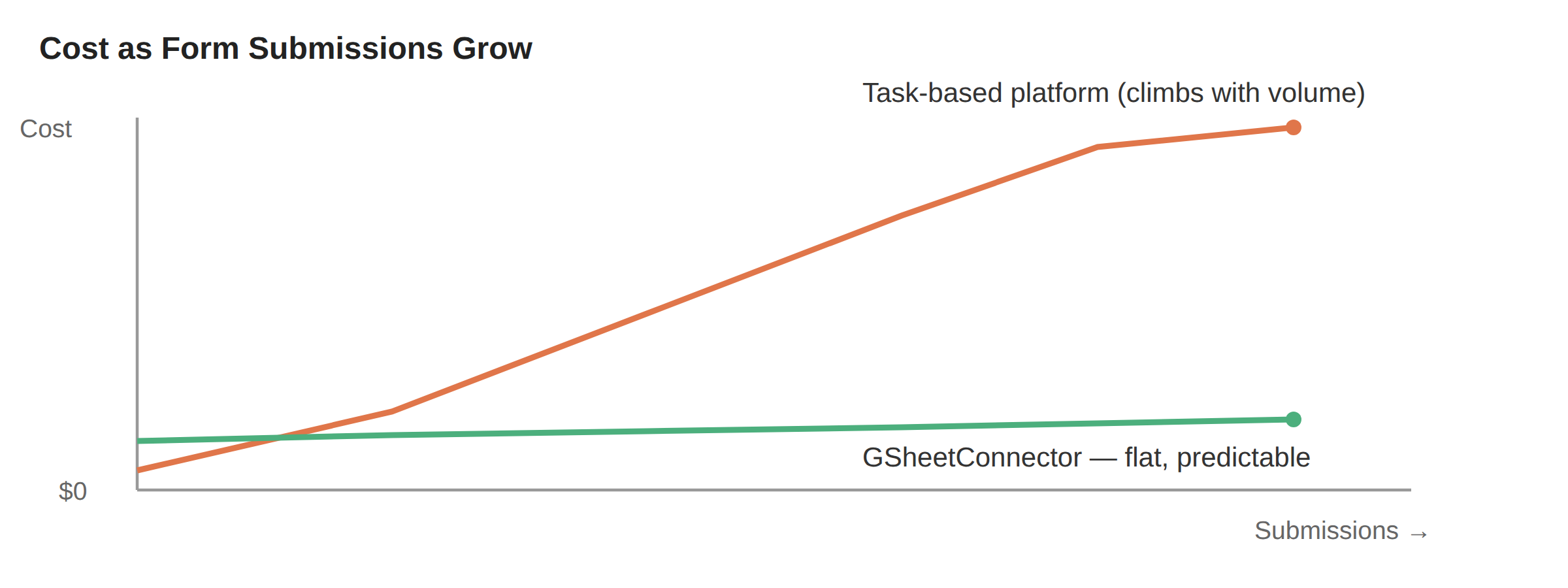
We won't quote exact numbers here since both platforms adjust pricing over time check each provider's current pricing page for specifics. What's more useful is understanding the pricing philosophy behind each.
Zapier prices around task consumption. Every time a Zap runs a step, it uses a task. This model works fine for lower-volume use, but it means your cost is tied to how much your business grows. A busy contact form, a growing WooCommerce store, or a lead-gen campaign that takes off can push you into a higher tier faster than expected and it's easy to lose track of usage until you hit the ceiling mid-month.
GSheetConnector, as a WordPress plugin, generally follows a more predictable licensing model typically a flat cost per site or per year, without a per-submission meter running in the background. For teams that want to budget automation costs the same way they budget hosting or plugin licenses, that predictability tends to matter more than it seems at first.
The practical question to ask yourself: do you need to pay for access to thousands of apps, or do you need Google Sheets specifically? If it's the latter, you're likely paying for capability you won't use.
Performance Comparison
Every additional system in a workflow is a potential point of failure. That's not a criticism of Zapier's reliability it's simply a fact of distributed systems. With Zapier, a submission depends on your form plugin, Zapier's servers, your Zap configuration, and the Google Sheets API all working correctly in sequence.
With a direct integration, there are fewer handoffs, which generally means fewer places for something to go wrong and less to troubleshoot when a row doesn't appear where you expect it. It also means one less service to monitor, log into, or debug when you're trying to figure out why a submission didn't land.
This isn't a claim that either tool is faster or “better” in raw performance both are reliable services. It's a structural point: simpler workflows are naturally easier to maintain and reason about over time, especially for non-technical site owners who don't want to dig through automation logs.
This matters most during the moments that actually count a launch day, a busy sign-up period, a sale. That's exactly when a busy form generates the most submissions, and exactly when you least want to be wondering whether an automation platform's task limit quietly capped things mid-day. A direct connection doesn't have that failure mode built into its pricing model.
Ease of Setup
Zapier setup, roughly:
- Create a Zapier account and connect your form plugin (or set up a webhook)
- Create a new Zap and choose your trigger app
- Choose Google Sheets as the action
- Map each form field to a spreadsheet column
- Test the Zap and turn it on
- Monitor task usage over time
GSheetConnector setup, roughly:
- Install and activate the plugin
- Connect your Google account
- Select the form (or WooCommerce) and the destination sheet
- Map fields to columns
- Save submissions start flowing in
Both are manageable for non-developers. The difference is mostly in the number of accounts and steps involved Zapier introduces an entire second platform into the process, while GSheetConnector stays inside the WordPress admin you're already working in.
Use Cases by Form Plugin
Contact Form 7
CF7 doesn't store submissions in the database by default, which surprises a lot of site owners the first time they lose a lead. Sending entries directly to Google Sheets solves that gap and gives you a searchable, shareable record of every inquiry.
WPForms
WPForms already stores entries, but a live spreadsheet connection is easier to share with a sales team, filter by date, or hand off to someone who doesn't have WordPress access at all.
Gravity Forms
Often used for more complex forms multi-page applications, quote requests, bookings. Google Sheets becomes a simple way to triage and assign entries without opening the WordPress dashboard.
Fluent Forms
Popular for lead generation. Teams frequently want submissions to land somewhere marketing or sales can access without a WordPress login a shared sheet solves that instantly.
WooCommerce
Order data flowing into Sheets in real time gives store owners a lightweight reporting layer without a full BI tool useful for daily sales tracking, fulfillment handoffs, or feeding data into an existing spreadsheet-based process.
Elementor Forms
Elementor-built landing pages are often used for campaigns with a short shelf life. Getting leads into a sheet immediately rather than checking a dashboard helps teams respond to hot leads faster.
Agency Use Cases
Agencies tend to be some of the heaviest users of WordPress-to-Sheets workflows, for a few practical reasons. Most agencies manage more than one client site at a time, and every additional site multiplies the number of forms, dashboards, and logins someone on the team needs to check regularly. A workflow that consolidates that into shared spreadsheets something every client and every account manager can open without training tends to save real time across a busy week, not just in theory.
- Client reporting: a shared Google Sheet is something every client can open, regardless of technical skill
- Lead management: centralizing leads from multiple client sites into organized sheets without logging into each WordPress dashboard
- Backups: a spreadsheet copy of form data as a simple safety net alongside the WordPress database
- Shared spreadsheets: handing off data to a client's existing tools (many small businesses run their whole operation from Sheets)
- Automation without overhead: setting this up once per client site rather than managing a growing number of separate automation accounts
Why GSheetConnector Is a Better Zapier Alternative for WordPress Forms
- Direct data flow: your core need is getting WordPress form or WooCommerce data into Google Sheets nothing more elaborate, and nothing less reliable
- Predictable pricing: a flat, transparent cost instead of a task meter that climbs as your forms get busier
- Built for agencies: a repeatable, low-maintenance setup that works the same way across every client site
- Fewer moving parts: no separate automation account to manage, monitor, or troubleshoot
- Native WordPress fit: configured entirely inside the WordPress admin, using the same language and interface as the rest of your site
- Wide plugin coverage: works with the form plugins and WooCommerce setups most WordPress sites already run
There's also a simpler, less obvious reason plenty of site owners land here: they tried a general automation platform once, got something working, and then quietly stopped trusting it after a task limit reset mid-campaign or a field mapping broke after an update. A direct integration removes that layer of “is this still connected correctly?” uncertainty, because there's one less system in the chain that could have changed something.
Real Business Examples
| Business Type | How Google Sheets Integration Helps |
|---|---|
| Restaurant | Reservation and catering inquiry forms land in a sheet the front-of-house team can check without a WordPress login |
| Real Estate | Property inquiry leads organized by listing, assignable to agents directly from the sheet |
| School | Enrollment and contact forms compiled into a sheet the admissions office already knows how to use |
| Agency | Multiple client lead forms centralized for weekly reporting without dashboard-hopping |
| WooCommerce Store | Order data synced for daily sales tracking and fulfillment handoff |
| Hospital | Appointment request forms organized for front-desk staff to triage quickly |
| Digital Marketing Agency | Campaign landing page leads flowing into shared sheets for real-time client visibility |
| Membership Website | Signup and inquiry data tracked alongside membership status for renewal outreach |
Across every example above, the pattern is the same: the data people actually need shows up somewhere they already know how to use, without anyone having to build or maintain a separate automation workflow to get it there.
Pros and Cons
Common Limitations of Using a General Automation Platform for This Job
- Task-based pricing that scales with your submission volume, not a flat cost
- An extra platform and account sitting between WordPress and Google Sheets
- A separate interface and logic model to learn just for a single-destination workflow
- More potential points of failure across form plugin, platform, and destination
GSheetConnector
| Pros | Cons |
|---|---|
| Direct integration, fewer moving parts | Focused on Google Sheets only, not other apps |
| Simple setup inside WordPress admin | Not built for multi-app automation chains |
| Predictable pricing, no task meter | Less useful if your workflow needs CRM/marketing tool integration |
| Wide native support for WordPress form plugins and WooCommerce | Requires a Google account connection to function |
Frequently Asked Questions
Is GSheetConnector a Zapier alternative?
Yes, specifically for the use case of sending WordPress form and WooCommerce data to Google Sheets. It's not a general automation platform replacement it's a focused tool for this particular workflow.
Does GSheetConnector require Zapier to work?
No. GSheetConnector connects directly to the Google Sheets API from within WordPress, with no Zapier account or automation platform required.
Which form plugins are supported?
Contact Form 7, WPForms, Gravity Forms, Fluent Forms, Ninja Forms, Forminator, Formidable Forms, Elementor Forms, MetForm, Divi Forms, and Avada Forms, along with WooCommerce order data.
Can WooCommerce orders sync automatically?
Yes, order data can sync directly to a connected Google Sheet as orders come in, without manual exports.
Can I connect multiple Google Sheets?
Yes, different forms (or different sites, for agencies) can be mapped to different sheets or tabs as needed.
Does it sync existing form entries, or only new ones?
This depends on the plugin configuration, but the core purpose is syncing new submissions going forward. Check the documentation page for details on handling historical entries.
Is coding required to set it up?
No. Setup happens through the WordPress admin interface with a guided field-mapping process.
Why not just use a general automation platform for this?
You can, but for a single-destination workflow like WordPress-to-Google Sheets, it usually means paying for capability you won't use, plus an extra account and a task limit to keep track of. A direct integration skips all of that.
Does GSheetConnector replace the need for an automation platform entirely?
For the specific job of sending WordPress forms and WooCommerce orders to Google Sheets, yes that's exactly what it's built to do, with nothing else required.
Does GSheetConnector have monthly submission limits like task-based platforms do?
Generally no pricing is typically structured around site licensing rather than a per-submission task count, though it's worth checking current plan details on the pricing page.
Is my data secure with a direct integration?
Data is sent directly from your WordPress site to Google's own API using your connected Google account's authentication, without routing through a third-party automation server.
Does GSheetConnector have a free version?
Yes most connectors, including Contact Form 7, WPForms, Gravity Forms, Fluent Forms, Ninja Forms, Forminator, Formidable Forms, Elementor Forms, WooCommerce, Easy Digital Downloads, and JetFormBuilder, have a free version on WordPress.org. Avada and Divi are currently Pro-only.
Final Verdict
If your goal is getting WordPress form submissions or WooCommerce orders into Google Sheets, a direct integration is the more practical choice fewer accounts to manage, fewer moving parts to troubleshoot, and pricing that doesn't climb every time your forms get busier.
General automation platforms are built to orchestrate dozens of apps at once, which is a lot of capability you're paying for and configuring around when what you actually need is much simpler: your data, in a spreadsheet, reliably.
If your primary goal is sending WordPress data directly to Google Sheets with minimal complexity, GSheetConnector is the more practical, purpose-built choice.
GSheetConnector was built for exactly this job connect it once, and your WordPress forms and WooCommerce orders start flowing into Google Sheets automatically, without an extra platform standing in the way.
Related reading: Google Sheets Integration for WordPress, our guides on connecting Contact Form 7, WPForms, Fluent Forms, and WooCommerce to Google Sheets, plus our pricing page and documentation for setup details.

 CF7 Google Sheet Connector
 WPForms Google Sheet Connector
 Ninja Forms Google Sheet Connector
 Gravity Forms Google Sheet Connector
 Formidable Forms Google Sheet Connector
 Forminator Forms Google Sheet Connector
 Fluent Forms Google Sheet Connector
 JetFormBuilder Google Sheet Connector
 Elementor Forms Google Sheet Connector
 Avada Forms Google Sheet Connector
 Divi Forms Google Sheet Connector
 WooCommerce Google Sheet Connector
 Easy Digital Downloads Google Sheet Connector
 WordPress Core Google Sheet Connector