
This guide makes it easy to install Ninja Forms and the Ninja Forms Google Sheet Connector Plugin.
Installing Ninja Forms
1 . Log In to WordPress
- Go to your WordPress admin area.
2 . Find the Plugins Section
- Click “Plugins” on the left side.
3 . Add New Plugin
- Hit “Add New” at the top.
4 . Search for Ninja Forms
- Type “Ninja Forms” in the search bar.
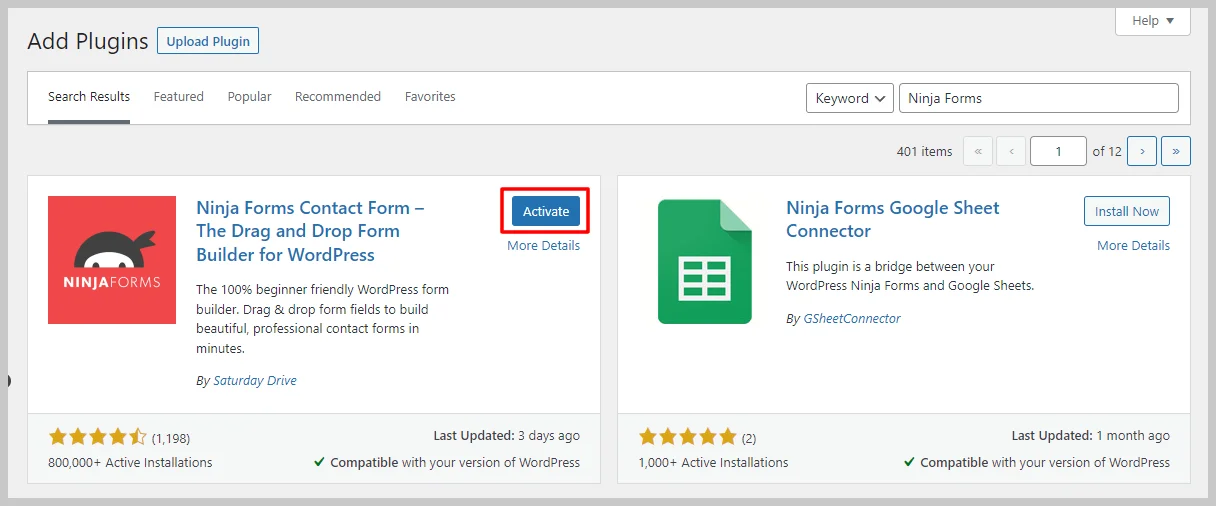
5 . Install Ninja Forms.
- Click “Install Now” for Ninja Forms.
6 . Activate Ninja Forms.
- Once it’s installed, activate it.
Installing Ninja Forms Google Sheet Connector Plugin
7 . Go Back to Plugins
- If needed, go back to the Plugins section.
8 . Add New Plugin
- Click “Add New” again.
9 . Search for Ninja Forms Google Sheet Connector
- Type “Ninja Forms Google Sheet Connector” in the search bar.

10 . Install Ninja Forms Google Sheet Connector
- Click “Install Now” for Ninja Forms Google Sheet Connector.
11 . Activate Ninja Forms Google Sheet Connector
- After installing, activate it.
A Quick video showing an installing
Installing from WordPress
- Go to the wordpress.org & Download plugins zip file.

- To Add the New Plugin, Select the “ADD NEW” Plugins Menu in the Dashboard.
- Click on the “upload plugin” Button & upload the Ninja Forms Google Sheet Connector plugin zip file.
- Install and activate the Ninja Forms Google Sheets Connector Plugin.


